Hi
Well it doesn’t work adding this to the shortcode 🙁
https://infallible-zhukovsky.213-32-91-240.plesk.page
Thanks for your help
Phil
Replies for tickets on suppota
Hi
Well it doesn’t work adding this to the shortcode 🙁
https://infallible-zhukovsky.213-32-91-240.plesk.page
Thanks for your help
Phil
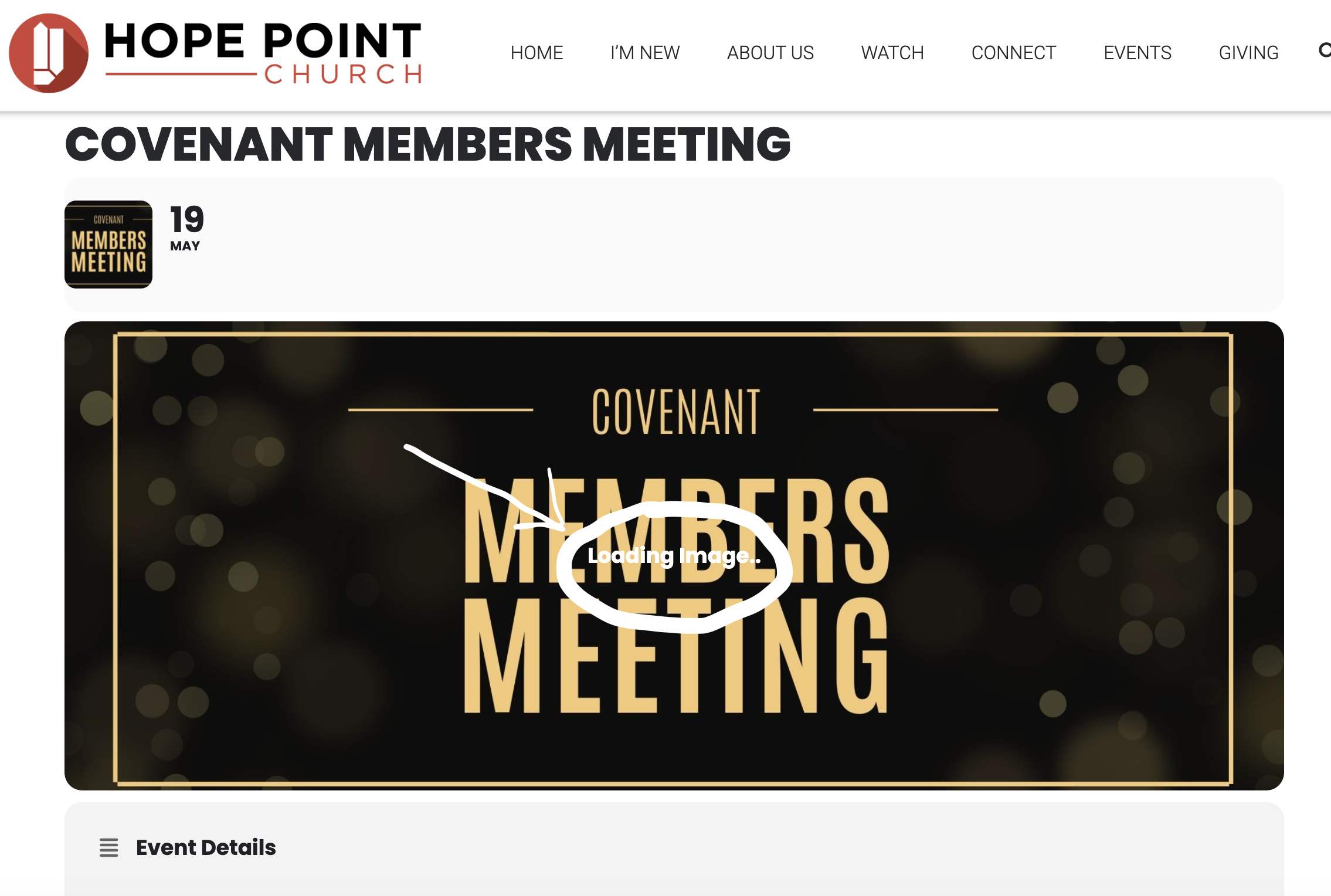
It is still saying “loading image” on the event page https://hopepoint.org/events/covenant-members-meeting/ here, but the image is actually displayed, but this text is overlayed over the image
Hello, we have increased the memory limit and it has helped somewhat with individual event page as shown here: https://hopepoint.org/events/covenant-members-meeting/
However, we are still not able to see the list of events on our https://hopepoint.org/upcoming-events/ page. This is where we have the Full calendar and entire list of upcoming events.
Hi, I added the shortcode you suggested. Now it appears as if instead of loading the page background first and then waiting for the calendar to load, it is loading the calendar in the background before it loads the page background, resulting in it taking the same amount of time to load the entire page. How can this be fixed?
Also, the jump month options are working, but take the same 17 seconds to load, so it appears like they are not working.
Thanks
Hi Artem,
usr: eventon
pass is: 2i8QOL&#$8i9QjTXhFzFrRfE
but it will ask you conformation of log in at e-mail, so can you send me your e-mail
I will give you an event example,
– this event (https://ksaevent.com/wp-admin/post.php?post=13738&action=edit)
– must show in event type id = 603 and link (https://ksaevent.com/event-type/citizen-account-2024-1446/)
– must show in page link (https://ksaevent.com/citizen-account/) because contains this shortcode ([add_eventon_list number_of_months=”60″ wishlist=”yes” hide_mult_occur=”yes” hide_past=”yes” hide_empty_months=”yes” show_et_ft_img=”yes” event_type=”93,210,603″ show_year=”yes”])
– this event’s publish date is = 24 sep 2023 and End Date = 10 oct 2024
– this does not show on event type page and does not show on the custom page which contains the shortcode
– but if change the event’s publish date from 24 sep 2023 to 24 jan 2024 for example, it will appear on the pages I mentioned
I will remove test page and test event that you created So as not to affect Google console archiving
Hello,
Please try adding additional data like this:
// echo “Custom Eventon lim_space”;
add_filter(‘evo_healthcaredata_eventedit’,’eventon_custom_function_1′, 10,2);
function eventon_custom_function_1($array, $EVENT){
$array[] = array(
‘type’ => ‘yesno_btn’,
‘label’ => __(‘Limited Spaces’, ‘eventon’),
‘id’ => ‘_edata[_lim_space]’,
‘value’ => $EVENT->get_eprop(“_lim_space”),
);
$array[] = array(
‘type’ => ‘yesno_btn’,
‘label’ => __(‘Limited Spaces 1’, ‘eventon’),
‘id’ => ‘_edata[_lim_space1]’,
‘value’ => $EVENT->get_eprop(“_lim_space1”),
);
return $array;
}
// echo “Custom Eventon Frontend lim_space”;
add_filter(‘evo_healthcaredata_frontend’, ‘eventon_custom_function_2’, 10,2);
function eventon_custom_function_2($array, $EVENT){
$array[“_lim_space”] = array(‘i’,’fa fa-thumbs-up’, evo_lang(‘Limited Spaces’));
$array[“_lim_space1”] = array(‘i’,’fa fa-thumbs-up’, evo_lang(‘Limited Spaces’ 1));
return $array;
}
It seems that quotes in the shortcode aren’t correct. Please check:
https://dutchflowacademy.com/test/
I also added the code and it changes the color to white.
Please check and let me know.
info@ email isn’t for this, I am afraid. Please send the code here, so we can help.
Did you customize any of EventON files? For example, by following
https://docs.myeventon.com/documentations/customize-single-events-page/
Perfect! If you have any further questions or concerns please create a new ticket.