Your orders:
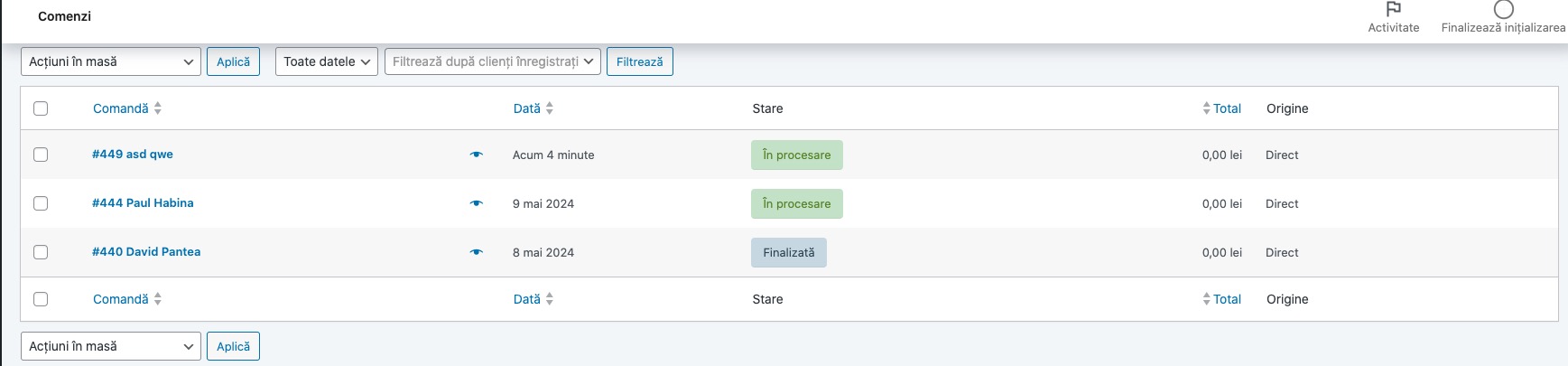 Compared to ours:
EventON tickets should have “Ticket Order” type.
Replies for tickets on suppota
Your orders:
Compared to ours:
EventON tickets should have “Ticket Order” type.
Could you instead of this Checkout page:
https://omd.visitmaramures.ro/wp-admin/post.php?post=380&action=edit
Create the default page with [woocommerce_checkout] shortcode:
https://woocommerce.com/document/woocommerce-shortcodes/#section-4
My IP: 87.221.168.62
Also could you send us a link to this event:
https://helpdeskx.s3.amazonaws.com/wp-content/uploads/2024/05/09005054/Event-Publish-Date.jpg
I created this test event:
https://ksaevent.com/wp-admin/post.php?post=19554&action=edit
Could you check if the publish date is correct, so we can recreate the issue?
The thing is that when I try to check the event in your shortcode I get this kind of page:
https://ksaevent.com/test/
How and where can we check the shortcode?
Hi there,
I’m not sure this will work, as we’re using the Repeat Customizer. So selecting that option will prevent ALL repetitions of this event from showing, no?
In the ‘Repeat Customizer’ there isn’t an option for excluding specific repetitions from the calendar.
I’ve tried marking the cancelled event as ‘complete’ but this doesn’t remove the dot either.
As a reminder, the events that are cancelled don’t show in the calendar, but the dots do. So if you click on ’22nd May ‘ it will have four dots, but only toggle three events.
Please advise what we should do.
Did you have a chance to check it?
Thank you!
Hello Ayla,
Please confirm which account you want to cancel so that we can be able to help accordingly.
Sorry I posted some code in ticket title:
Basically this >
its not working
the images is not showing on the header please check here https://dutchflowacademy.com/