Please follow the instructions in this documentation to activate debug in your site to see any PHP errors recorded that can provide insight on to whats going on. Please reply with a link to debug.log file. If you are not able to do this please send us FTP access to your site so we can do this for you.
Archives: Replies
Replies for tickets on suppota
Reply to: tickets(405164)
Hello Christopher. This is something new we added recently and still in the process of fine tuning things. Sincerely apologize for the hiccups.
Kindly try refreshing the page. It should be working now to load the verification form to allow you to verify and get the new version via myeventon.com.
Reply to: tickets(404660)
Sounds good. I think we can close here.
I would like to reiterate my request for a feature that allows variant prices to be defined not only based on login, but also on user role. 😉
Tim
Reply to: tickets(403502)
ok we were able to resolve the issue of the reverting code.
can you help direct us to be able to correct dates fitting on 1 line? for example if you go to https://gaydesertguide.com/event-directory/
you’ll see BNP Paribas Open Tennis 2026 Series has 01 and it fits on one line
then METEOR SHOWER / Desert Ensemble Theatre has 06 but it’s split on 2 lines
where can we adjust that?
Reply to: tickets(404477)
Hello Artem,
Thanks for your reply! We see this:
Reply to: tickets(405000)
Thank you for this quick update. But I still have an issue.
When a ticket becomes available, User #1 in waitlist gets an email.
But after 1 hour (as setup in the plugin), User #2 in waitlist doesn’t get a new email.
Also, FYI, there is still a bug here in the popup:
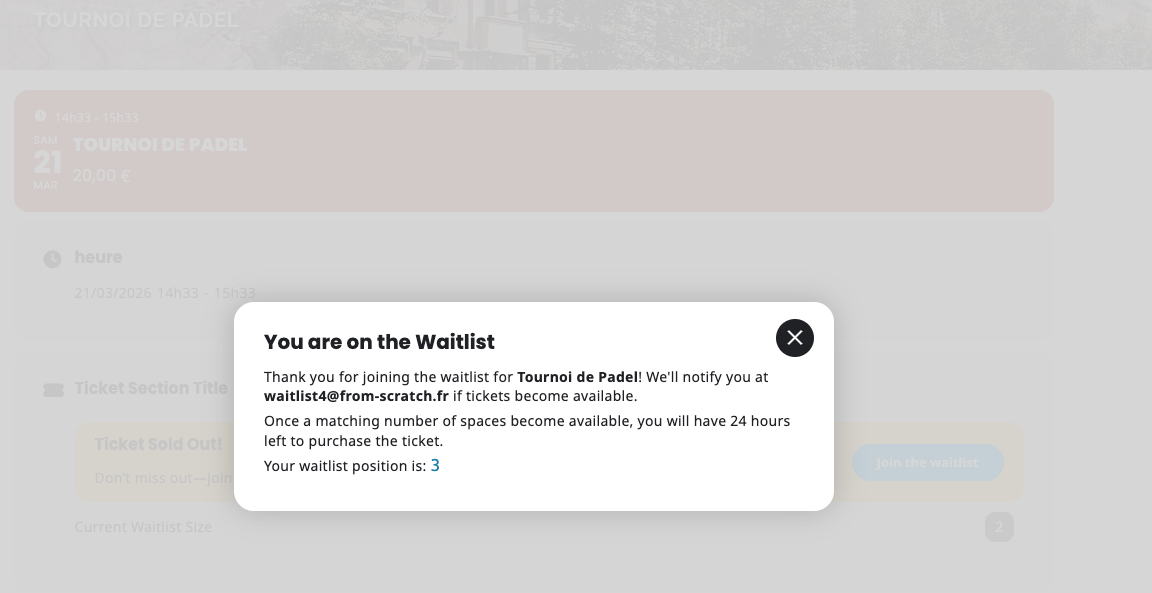
It stills show ”24 hours” (but in the email, it’s ok).
Thank you for your help!
Reply to: tickets(405165)
USER: blnlunganotte
PWD: Bln30092005bln
THANK YOU
Reply to: tickets(405001)
Text wrapping now resolved but not now able to colour individual events.
Reply to: tickets(405084)
OK
Reply to: tickets(404690)
Ashan,
The customer updated Variations add-on from 0.11 and now all old orders with variations don’t show options:
https://rmt.sandboxpro.de/wp-admin/post.php?post=230521&action=edit
Please take a look at these two orders from the event:
https://rmt.sandboxpro.de/wp-admin/post.php?post=263121&action=edit
https://rmt.sandboxpro.de/wp-admin/post.php?post=250025&action=edit
As you can see it has the same variation, but different prices:
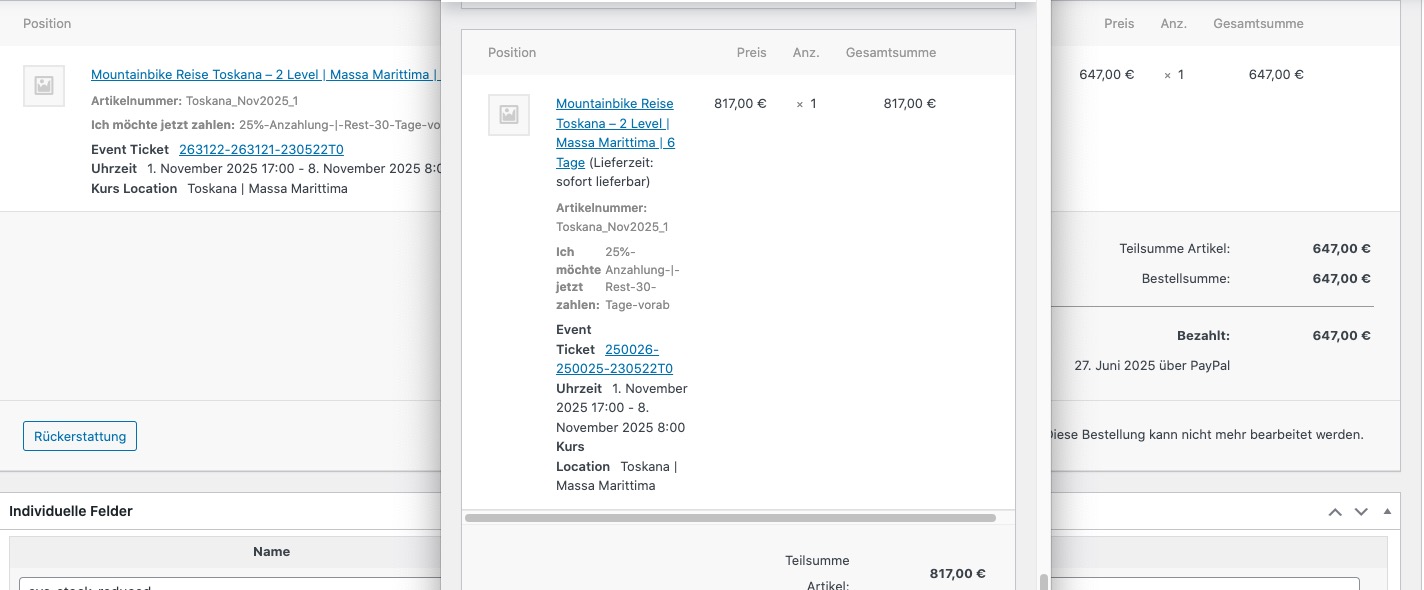
Is it possible to fix this?