EventON 4.6 updated templates you can customize. So since you have custom versions, please go to wp-content/plugins/EventON/templates and copy new files.
Archives: Replies
Replies for tickets on suppota
Reply to: tickets(352437)
Thank you for your great suggestions. Please create a new ticket and select Feature Request as category so others can vote on your idea and get it moved into development faster.
We also check all new requests.
Reply to: tickets(352812)
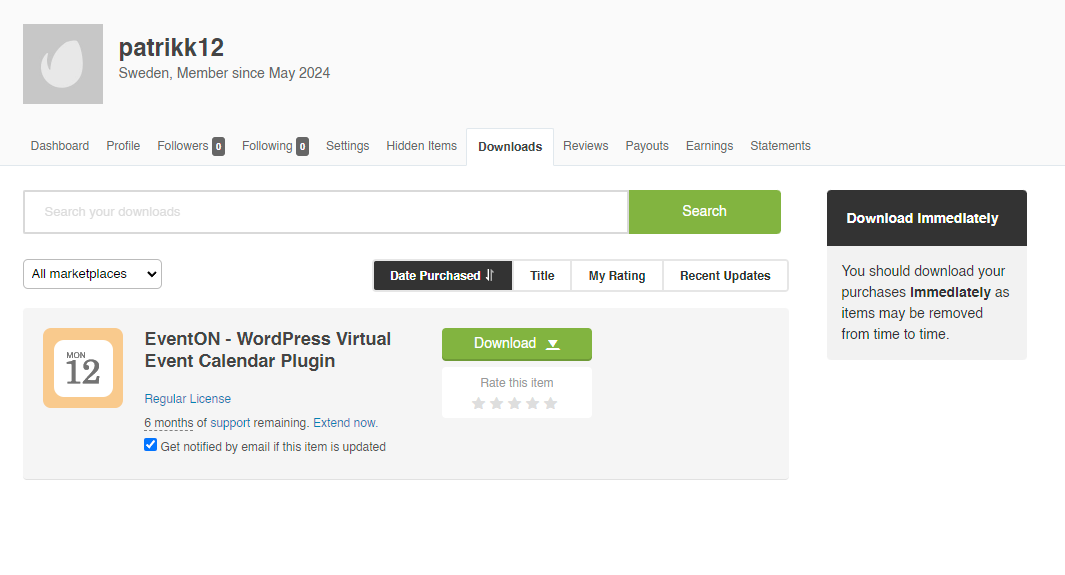
Purchase was made on info@freadalsgard.se, it’s my clients e-mail who I’m helping to try resolve these issues.
Licensor’s Autor Username:
ashanjay
Licensee:
Freadals Bed & Breakfast AB
Item Title:
EventON – WordPress Virtual Event Calendar Plugin
Item URL:
https://codecanyon.net/item/eventon-wordpress-event-calendar-plugin/1211017
Item ID:
1211017
Item Purchase Code:
7be310d3-0c45-4658-b44a-9fb867c14af2
Purchase Date:
2024-05-08 13:46:02 UTC
Reply to: tickets(353224)
Thanks Artem. My problem is that the words dont go away after the image has loaded and stay onscreen. Since submitting the ticket I have changed the featured image display setting and the words do not now appear – it seems to be only the crop to full box setting that displays these words. It would be great though to be able to remove these words from displaying for all settings for the featured image if there is a patch or some code I can include to do this?
Chad
Reply to: tickets(353212)
Thanks for the support, perfect
Greetings
Reply to: tickets(353297)
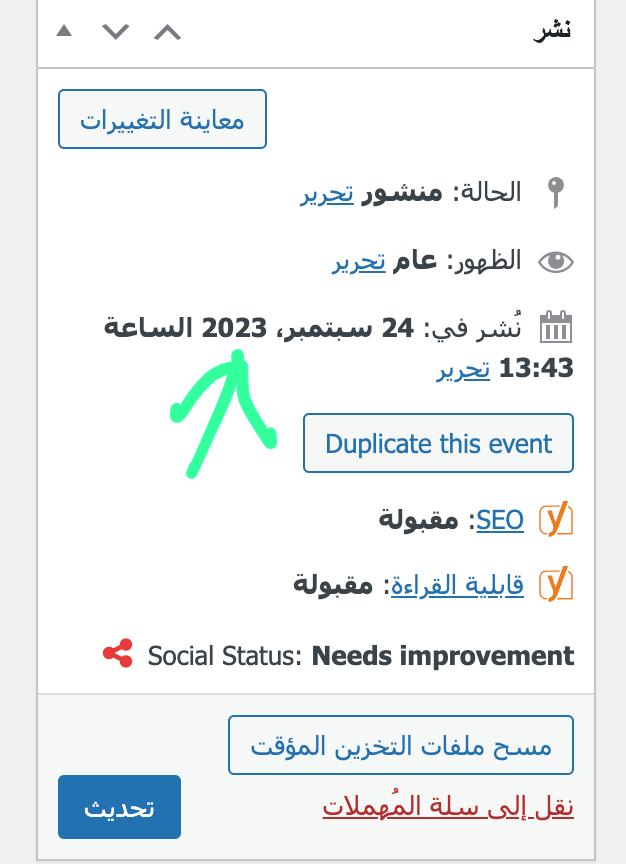
Hello,
I tried the solution and the same problem exists.
I will explain the problem to you in another way, with some pictures for clarification
-I have a department called (guarantee salary)
– I add different events to this section over the months and years
– Sometimes I published some events that took place on the start date of the event and the end of the event was in (2024), but when I published that event it was on (12/2023).
– Therefore, the events do not appear for me in the short code that I provided to you (I tried your solution and it did not work), but when I update the publication date to be in (2024), the event appears for me.
– But this is a manual solution, and I always do this once, as I publish global events in 2025 from now, so I want a solution other than the manual solution.
Reply to: tickets(343673)
Hello Ashan.
Hm, if i paste code, so it doesnt work good: https://prnt.sc/9KgdrpAsx_m6
But it looks, i have different file, the you. https://prnt.sc/wgd8M4zrjjMM
Please this are big problems, why we can not start your system:
2. Yes you can make what you want on site, in EventOn plugin and Woocommerce. This part is site is demo demo for now, not available for people yet.
3. I see, that in system is some cache problem, cause i can add more tickets than is possible from my setting (max 4 on slot). I am sending you videos of simulation from my and your site. I think it is same problem: https://www.uschovna.cz/zasilka/PEHKE695KRVM3Z8B-3N5/
Read this as well: Apr 26,2024 AT 11:27PM – Posted 1 week ago – #352238
Thank you.
Best regards.
Lukas
Reply to: tickets(353127)
ok
Reply to: tickets(350363)
On a complete side note, I purchased one of your paintings from your blog and completely forgot about… the ones with the waves. Still have yet to receive it. Maybe I missed something?
Reply to: tickets(350363)
Absolutely and I actually just hired a developer to do so. Here is their proposal based on my request.
Project Overview Chris, with a WordPress website for event management, requires a mobile app to facilitate attendance marking for attendees via a mobile app, enhancing user convenience and accessibility. The app will include features such as user login, role-based access, offline data downloading, ticket scanning, offline attendance syncing, and a seamless logout session. Technologies • Framework: React Native for cross-platform compatibility (iOS and Android). • Backend: Utilize WordPress REST API for user authentication and data synchronization. • Database: SQLite for local data storage and synchronization with the backend. • Figma Design: Implement the provided Figma design for a cohesive user interface and experience.
Milestones and Timeline 1. Backend API Integration (Week 1-2) o Develop the frontend of App as per the approved figma design o Integrate with WordPress REST API for user authentication and data retrieval. o Implement backend endpoint for offline data downloading.
2. App Development (Week 3-5) o Develop login screen with role-based access (vendor/staff). o Implement offline data downloading and storage. o Enable ticket scanning functionality.Offline Attendance Sync and Finalization (Week 6-7) o
Implement syncing of offline attendance data with the backend database. o Finalize the app with user testing and bug fixes. o Cost:
Total Timeline: 7 weeks Distribution • App Stores: Submit the app to Google Play Store and Apple App Store for easy access and installation by users.