Thanks. Which is the exacto script You added?
And, also, there are 2 iconos not showing in the footer of the event that does show on the other pages of the site as saio org.ar
Replies for tickets on suppota
Thanks. Which is the exacto script You added?
And, also, there are 2 iconos not showing in the footer of the event that does show on the other pages of the site as saio org.ar
That’s great. Thank you.
I really cannot stress how this needs to be working by Saturday.
As you can see from our weekend events that we have hundreds of customers visiting our venue.
Last night event was manageable but the weekend event will be near impossible to check people in efficiently.
I really would appreciate a quick resolution to this issue as it has the potential to cause a lot of stress for the staff and our customers.
Thanks, iain.
Where is the best place to add custom CSS to override the plugin default CSS? In the customizer or in the custom CSS settings per page in Elementor?
Please add this CSS code:
.evcal_list_a .evoet_cx .evcal_tz_time.tzo_trig, .eventon_events_list .evopop_top .evoet_cx .evcal_tz_time.tzo_trig { border: 0; padding: 0; }
.evcal_list_a .evoet_cx .evcal_tz_time.tzo_trig, .eventon_events_list .evopop_top .evoet_cx .evcal_tz_time.tzo_trig { color: #00acfb; background-color: white; }
.evcal_list_a .evoet_cx .evcal_tz_time.tzo_trig:hover, .eventon_events_list .evopop_top .evoet_cx .evcal_tz_time.tzo_trig:hover { color: #00acfb; background-color: white; }
You can try changing #00acfb to configure the text color and also white for the background.
We are glad your issue is resolved, if you have any further questions or concerns please create a new ticket.
If you have a moment, we would greatly appreciate if you could kindly leave us a review at EventON WordPress Page OR EventON > My Account > Downloads. Your review helps us a lot in continuing EventON improvements!
I added inline CSS styling Visual Composer to ”CSS adicional”:
https://saio.org.ar/wp-admin/customize.php?return=%2Fwp-admin%2Fplugin-editor.php%3Ffile%3DeventON%252Ftemplates%252Fsingle-ajde_events.php%26plugin%3DeventON%252Feventon.php
So now the footer seems to be working correctly:
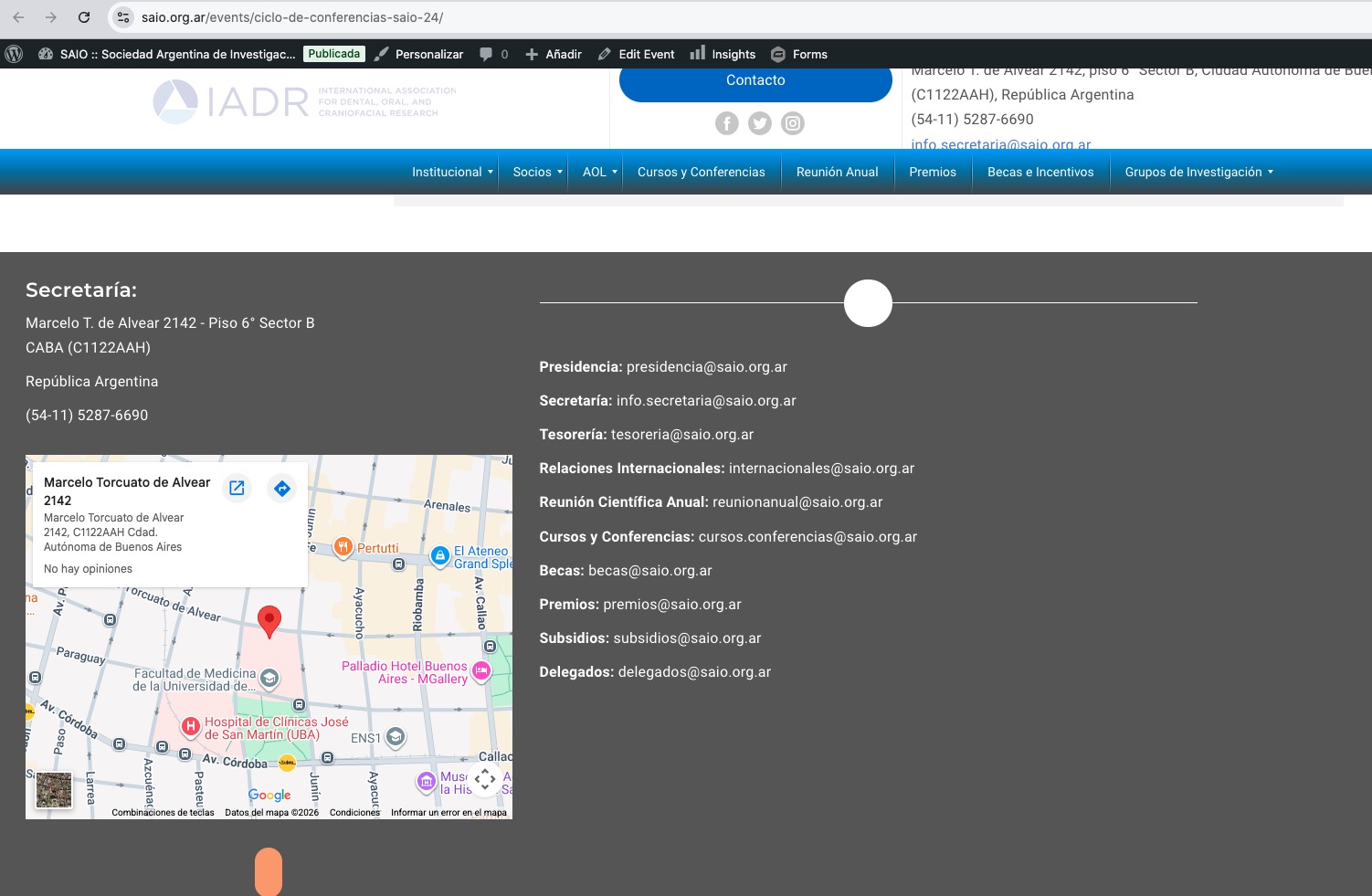
Could you check and let me know?
Ashan,
The issue:
https://photos.app.goo.gl/3S6r5P7dSLPhgrNA7
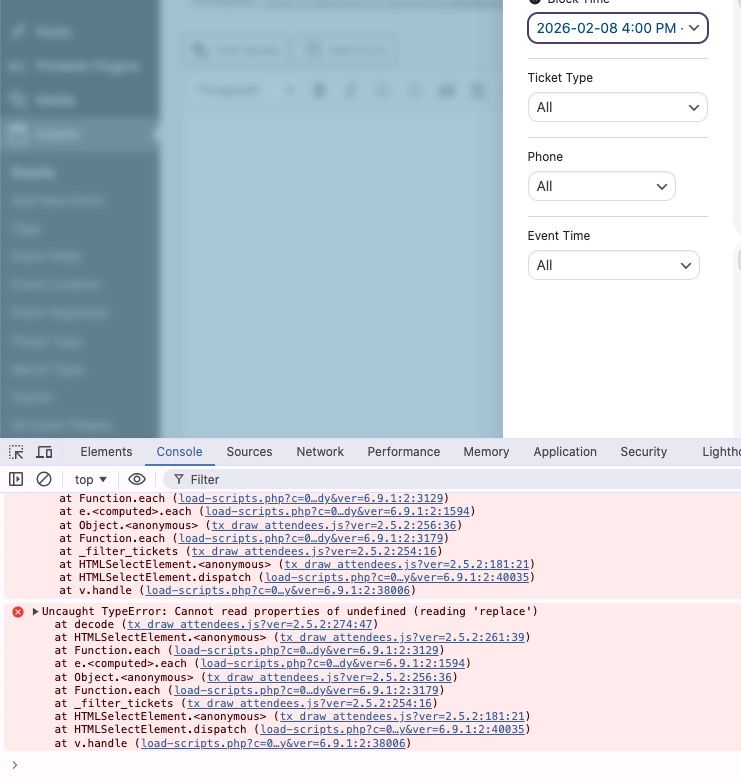
”View Attendees” cannot be filtered by Block Time.
Login info can be found here:
I cannot re-create this on dev2, but on customer’s website the error appears even in Troubleshooting Mode:
https://rollerstop.co.uk/wp-admin/post.php?post=868&action=edit
The error:
Thank you for your messages!
I am going to escalate this ticket to development to help in here. Please allow us some time to address this, and we truly appreciate your patience. Thank you for being a valued EventON customer!
Additionally, if your site has any IP blocking or security restrictions in place, kindly disable them temporarily to facilitate our support process.
Hello,
1. Could you please update EventON to 5.0.8?
To update eventon to latest version: (If auto update works, please try that from with your website plugins page)
1. If you purchased eventON from codecanyon > Go to EventON Full page and verify your purchase to get a free copy of eventON latest version and move your purchase over to myeventon.com.
2. If you already purchased eventON from myeventon.com go to My Account > Downloads and get the latest version copy.
Once you have the latest version zip file. Then you can go to your website > make sure ”Delete eventon settings & data when EventON is uninstalled” is De-slected from eventon settings, delete old eventon, install new one and activate. This link will further explain the process it. Follow us on X to get real-time announcements on updates!
2. I cannot login because of
Your account is locked!
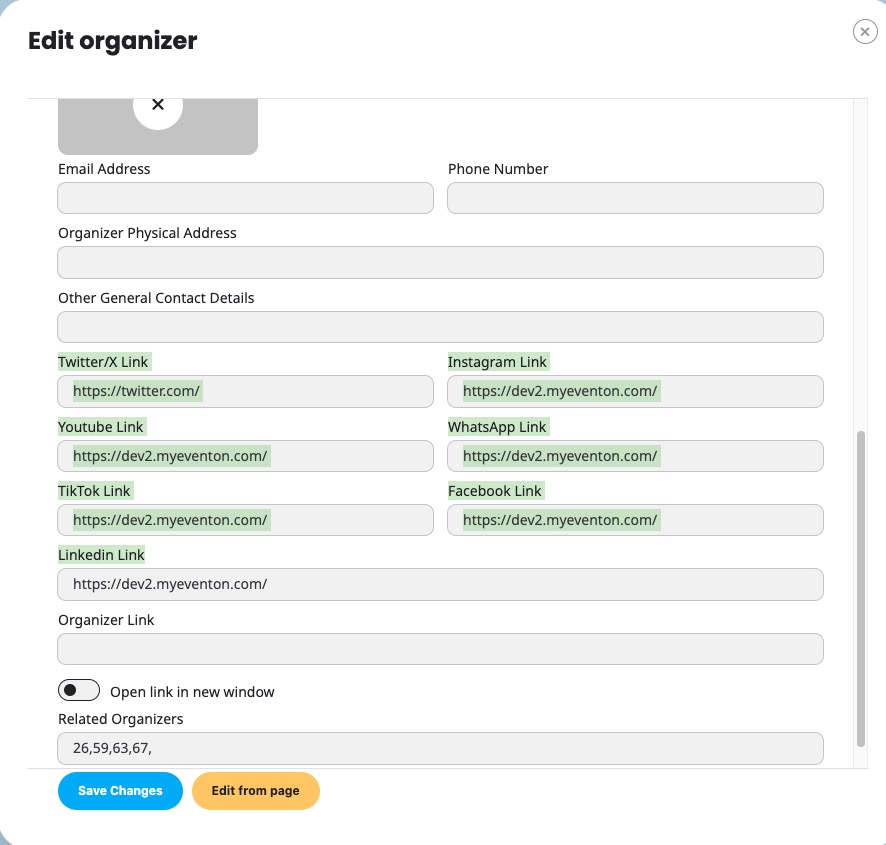
Could you go to Edit Organizer > make sure that these are filled in:
Hello,
Could you elaborate more?
Do you mean that your calendar isn’t loading?
Looks like this: