Please send us wp-admin access to your site as a private message for us to further assist your situation.
Archives: Replies
Replies for tickets on suppota
Reply to: tickets(350708)
Please try
@media (max-width: 960px){ .evosch_oneday_schedule span { padding-left: 17px !important; }}
Reply to: tickets(327030)
You need to update FullCal add-on as well. That’s why it’s showing the error message.
Reply to: tickets(351162)
Hello,
You can add them manually with Custom Meta fields:
https://docs.myeventon.com/documentations/setup-use-custom-meta-fields-events/
Or through the code by following:
https://docs.myeventon.com/documentations/show-additional-custom-data-eventcard/
https://docs.myeventon.com/documentations/taxonomies-eventon/
Reply to: tickets(351163)
Hello,
Please go to EventON folder/templates/lb-event_location.php. Override this template by coping it to ../yourtheme/eventon/templates/ folder. Comment this part:
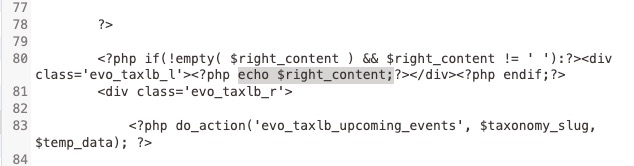
Make sure to backup the server.
Reply to: tickets(350143)
In CONFIGURE TICKET SETTINGS the Field ‘Ticket Field Description‘ does not store HTML Tags. You can format the Field using the header tools but the format isn’t stored.
Reply to: tickets(351158)
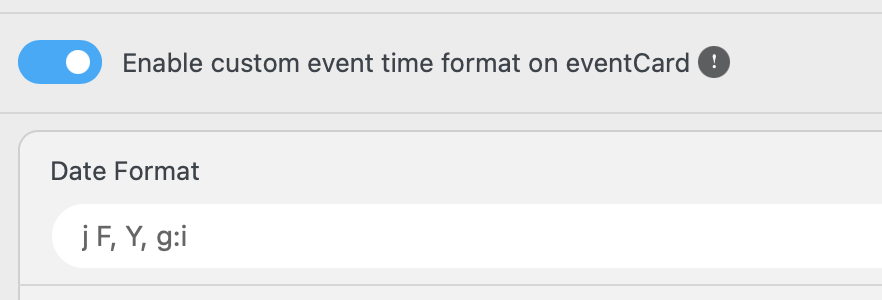
Just figured it out.
Reply to: tickets(351152)
Hi Brian,
Please go to EventON > EventCard > try a different Feature image display style.
Let us know if this works for you.
Reply to: tickets(327030)
Getting the error
I cannot deactivate the production site or it will cease to function. Is there a way I can temporarily activate the development site so I can verify it’s working as intended?
Reply to: tickets(350708)
Point 2 is solved, thank you.
Regarding point 1 is there no way to be able to remove in code the time please?