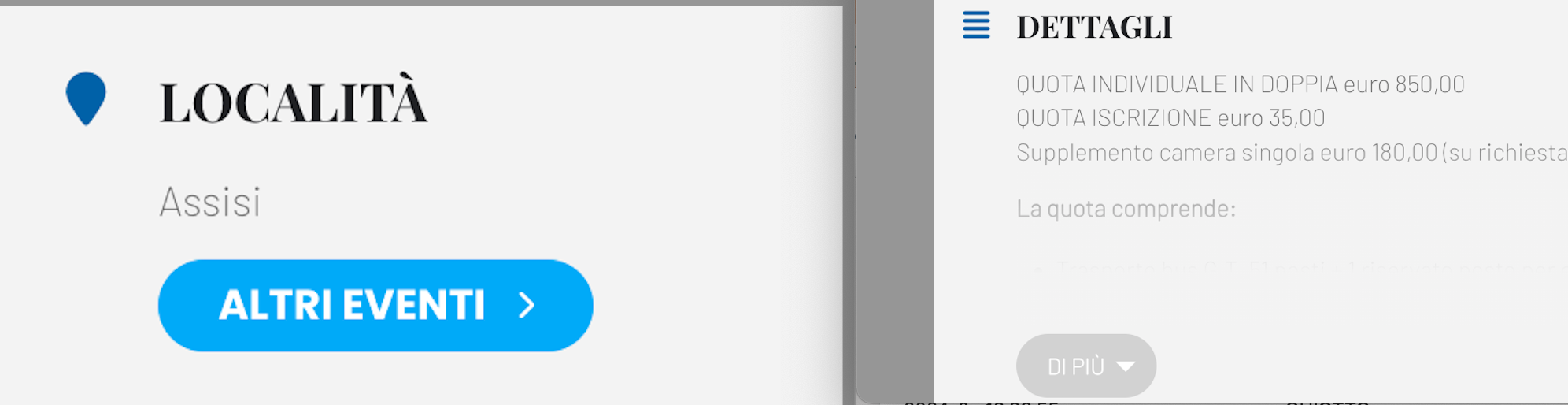
it works, now you can see it well! thank you.
one last thing please: i can’t figure out how to change the colors of these two buttons (screen). which would be those of the location (other events) and accordion event details
Replies for tickets on suppota
it works, now you can see it well! thank you.
one last thing please: i can’t figure out how to change the colors of these two buttons (screen). which would be those of the location (other events) and accordion event details
Hi,
I did upgraded the PHP tp 8.3.
Still I can not see the log file.
I am just thinking, how come all other functions are perfectly working but only the RSVP has stopped functioning recently.
Do you think that the reason RSVP is not sending out emails still relates to the Porto theme?
I really appreciate your support.
I have allowed 188.78.147.95 for FTP using the credentials I previous mentioned
Please let me know if that IP address isn’t correct.
Hi Ashan,
I installed the new weekly view version and it worked perfectly.
Thank you ashan.
I just cannot open it because it’s too large. Can we have access to FTP, so we can update and fix issues at one take?
We are sorry for the delay. Ashan will check this ASAP.
Sorry for the delay. We are still working on the update.
Hello,
Please follow
https://docs.myeventon.com/documentations/customize-ticket-email-template/
This is how you can get organizers and then show them:
https://docs.myeventon.com/documentations/taxonomies-eventon/
I created this test event with 1 “Total Tickets in Stock”, then after one purchase it shows No tickets available, like it should:
https://www.dav-burghausen.de/events/test/
There is one ticket left (ID: 11491) that contains the problem, stock is zero on parent level and it shows up as “in stock (0)” in the WC product list.
Which one of these is assigned to the 11491 product?
https://www.dav-burghausen.de/wp-admin/edit.php?s=Grundkurs+Sportklettern+%28Halle%29&post_status=all&post_type=ajde_events&action=-1&event_date_type=all&ev_month=all&paged=1&action2=-1
Hello,
We don’t have any access to your account information on CodeCanyon, only Envato has. Please contact them about this issue.