We are sorry for the delay. Are you still having the issue with EventON 4.6.2?
Archives: Replies
Replies for tickets on suppota
Reply to: tickets(342090)
We are sorry for the delay. Since there is no direct compatibility with Polylang the options are
https://docs.myeventon.com/documentations/wpml-eventon-front-end/
https://docs.myeventon.com/documentations/setup-language-corresponding-events/
Reply to: tickets(330173)
It seems that this issues has been fixed in the other ticket. Please let us know.
Reply to: tickets(349808)
Perfect!
Reply to: tickets(344065)
We are sorry for the delay. Ashan will check this ASAP.
Reply to: tickets(349181)
Instead of CSV Import, could you try this solution:
https://wordpress.org/plugins/wp-all-import/
Unfortunately, we unable to help with PHP customizations since it’s against CodeCanyon’s Support Policy. Please try WP All Import and let us know.
Reply to: tickets(349808)
Solved, thanks:
[add_single_eventon id=”13113″ event_datavals=”no” ev_uxval=”3″ tiles=”yes” tile_height=”100″]
Reply to: tickets(349609)
Hello,
Unfortunately, I cannot recreate this on our test site.
I put 2 to “Total Event RSVP capacity” from the start, then added 3 RSVPs and then changed the first one from Yes to No:
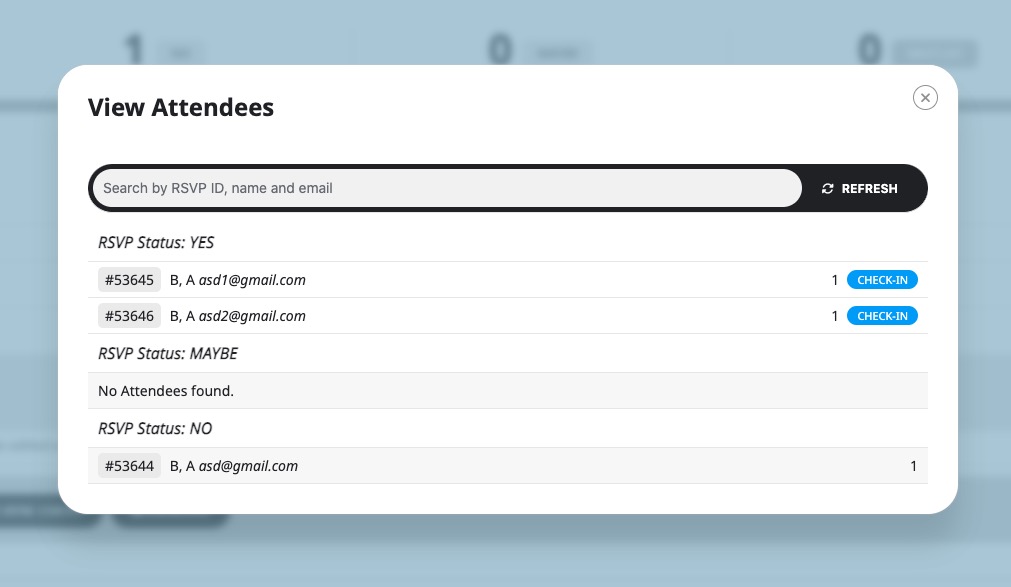
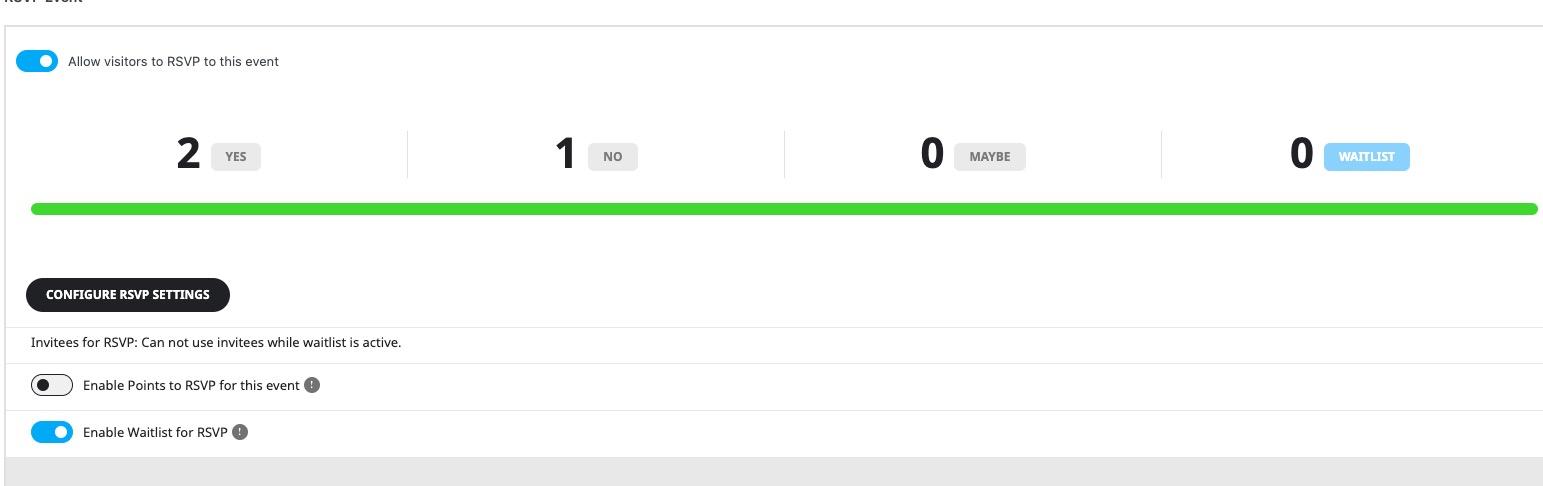
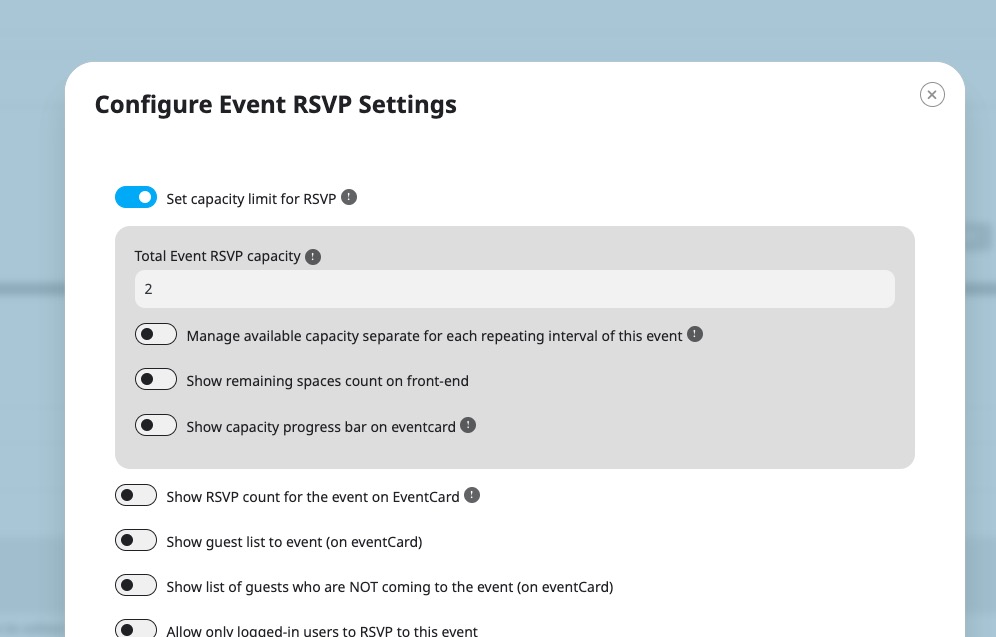
Could you check and let us know?
Please send us wp-admin access to your site as a private message for us to further assist your situation.
Reply to: tickets(349036)
Can we take a look at wp-admin? I want to copy your environment on our test site.
Please send us wp-admin access to your site as a private message for us to further assist your situation.
Reply to: tickets(346654)
Please go to EventON > EventCard > try a different Feature image display style.