Hello. Yes, I fixed it. I found the fix in the actual wordpress Event page (on right side you can change the color) It wasnt in the EventOn styles or settings.
1. Are there different places for the settings of that text color? On the mobile its white and on the desktop its purple.
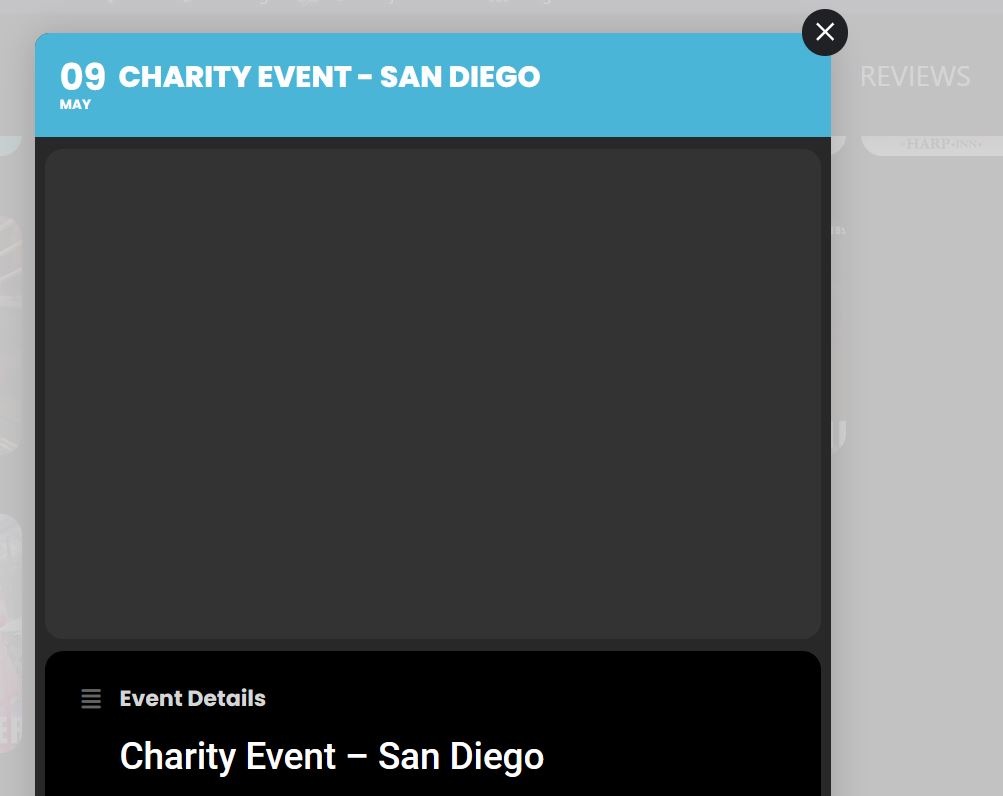
2. If you click on the event, there is usually a picture on top. That picture on top is now gone. You gave me an idea to resize it but now its been removed. (see photo) How do I get this photo back and centered?
Here’s what I have been given for my STYLES (see below). Maybe its been updated?
Thank you,
@media (max-width: 768px){ .ajde_evcal_calendar.boxy.box_4 .eventon_list_event, .ajde_evcal_calendar.boxy.box_4 .evoShow_more_events, .ajde_evcal_calendar.boxy .eventon_list_event{ width: 49.5% !important; margin: 0 .25% .5% !important; } }
@media (max-width: 900px){ .ajde_evcal_calendar.boxy.box_4 .eventon_list_event, .ajde_evcal_calendar.boxy.box_4 .evoShow_more_events, .ajde_evcal_calendar.boxy .eventon_list_event{width: 100% !important;} }
.eventon_full_description .eventon_desc_in p { font-size: 19px !important; }
.ajde_evcal_calendar.boxy .eventon_list_event {
width: 49.5%;
margin: 0 .25% .5%;
}
.ajde_evcal_calendar.boxy #evcal_list {
margin: 0 -.25%;
}
.ajde_evcal_calendar.boxy.box_4 .eventon_list_event, .ajde_evcal_calendar.boxy.box_4 .evoShow_more_events {
width: 24.5%;
margin: 0 .25% .5%;
}
.ajde_evcal_calendar.boxy.boxstyle0 #evcal_list .eventon_list_event .desc_trig .evoet_c2{flex-basis: 100%}
.ajde_evcal_calendar.boxy.boxstyle0 #evcal_list p.desc_trig_outter,
.ajde_evcal_calendar.boxy.boxstyle0 #evcal_list .evcal_cblock
{padding:0; background-size: cover; background-position: center;}