Please send us wp-admin access to your site from ”Access Info” box on right side menu, to further assist your situation.
Seems to be working on our test site:
Replies for tickets on suppota
Please send us wp-admin access to your site from ”Access Info” box on right side menu, to further assist your situation.
Seems to be working on our test site:
I still cannot access your website.
Could you send us your shortcode, so we can test it on our website?
Please try excluding dynamic Ajax requests, such as
https://ahma-nch.org/?evo-ajax=eventon_init_load
https://ahma-nch.org/?evo-ajax=eventon_get_events
Hi, Apologies for the rushed messages above.
We updated to 5.06 yesterday which has a change of layout for view attendees.
Filtering the attendees does not work.
I made a quick video of the issue which I posted the link above.
It is very important that we are able to filter our attendees by date and time.
Not being able to do this affects the time it takes to get our customers into our events.
I would appreciate any help that you can give me with this issue.
Thanks Iain.
Hi. I can exclude it. Can you advise what URL I should use to exclude EventON? Would https://ahma-nch.org/wp-content/plugins/eventON exclude it correctly? Thanks!
I don’t have the full version, I do have the Lite version and I just updated it to 2.5 a couple of weeks ago.
Making sure the above was received. Please advise ASAP. Thanks.
Hello,
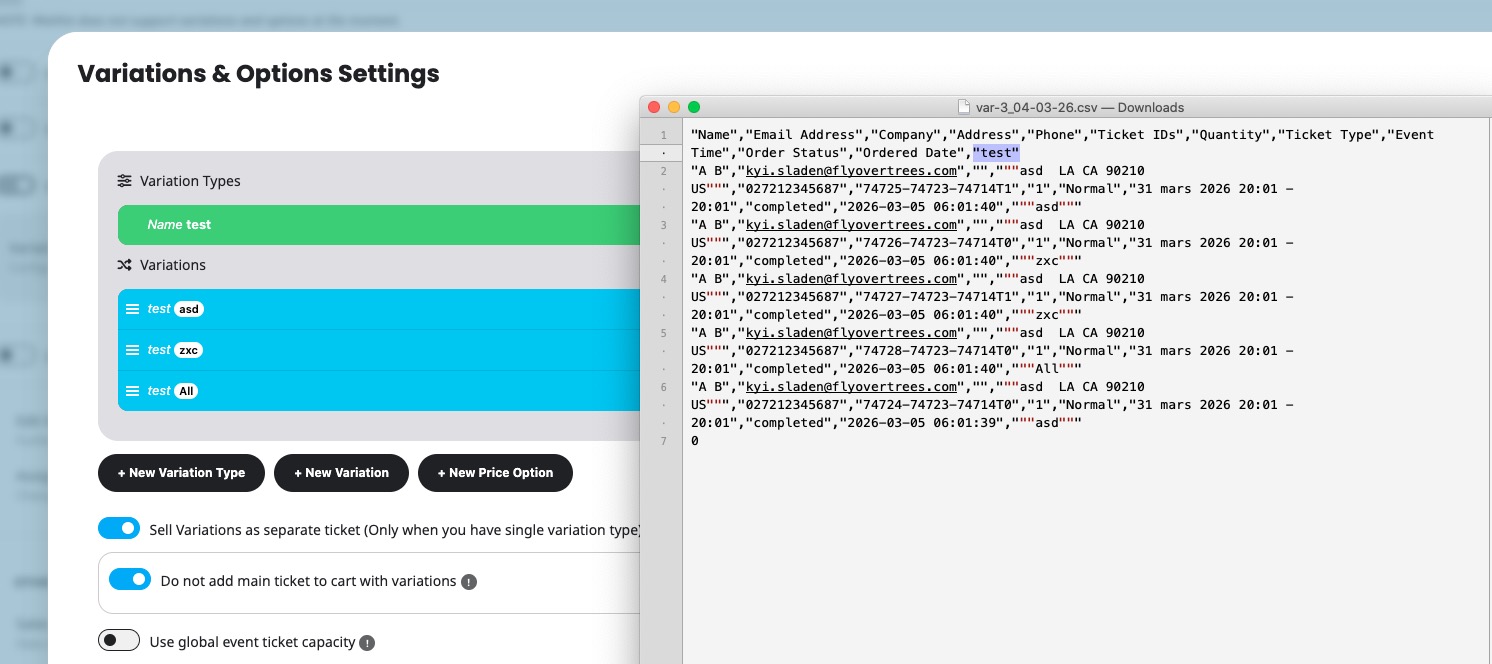
no, it’s about the CSV Export in the Event itself where all participants are listed.
The data is also not showing in the order anymore. It can only be seen in the order confirmation mail.
Thanks!
Hello. Thank you so much for your help. One more thing and I think all will be fixed. Can we make the text in the get directions and location box white or make the background of those input sections white so we can see the text there?

Page is this one: https://culture-clouds.de/kalender/