Hello,
Are you referring to this CSV Export?
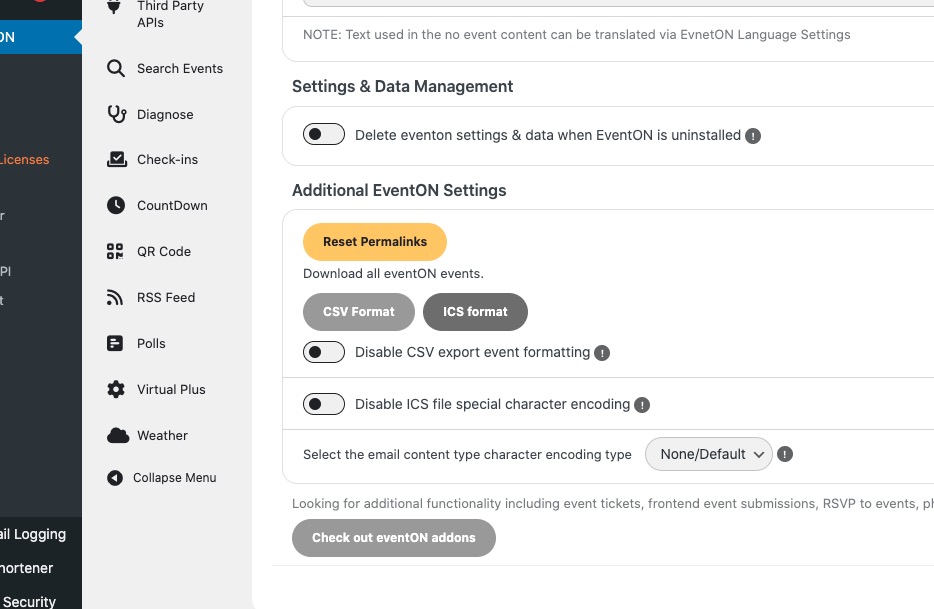
I am not sure if variations were ever part of it, since CSV Import add-on doesn’t support it.
Replies for tickets on suppota
Hello,
Are you referring to this CSV Export?
I am not sure if variations were ever part of it, since CSV Import add-on doesn’t support it.
Hello,
Can you completely remove EventON from Siteground Cache?
Is it possible to disable the cache completely and use a plugin instead, ie
https://wordpress.org/plugins/wp-fastest-cache/
Thank you for your messages!
I am going to escalate this ticket to development to help in here. Please allow us some time to address this, and we truly appreciate your patience. Thank you for being a valued EventON customer!
In my previous message I sent you this link to my test event:
https://www.planconpeques.com/events/test/var/ri-8.l-L1/
Could you please send us screenshots of how do you add it, so I can re-create the issue?
Hello,
Please add this CSS code to EventON > Styles (If you don’t see any change, EventON > Scripts & Styling > turn off Write dynamic styles to header > save settings > turn on Write dynamic styles to header).
You can also add this code to wp-admin > Appearance > Customize > Additional CSS.
.evcal_list_a .evoet_cx .evcal_tz_time.tzo_trig:hover, .eventon_events_list .evopop_top .evoet_cx .evcal_tz_time.tzo_trig:hover { color: #fff; background-color: #c36; }
Yes, I would like a refund for these add-ons, please.
Hello,
URL is https://dgsens.artt.media/wp-admin
Events are here: https://dgsens.artt.media/termine/
EventTop custom category fields are now available, thanks. Is ist possible to delete custom categories?
BR Tim
Scratch that, updated Eventon main and the add-on plugins on the staging site. So now do I wait for an error to occur on the staging site and then follow up here?
Hello Artem, you enable wp-debug on the main site: https://centerofinnovationnm.org/505login
Or just on the staging site?
Sorry for the confusion, just not sure if working the staging or live site. Please confirm if only doing in one environment or both. Thank you.
Here is a document (2 pages) showing mockups of what we are trying to accomplish:
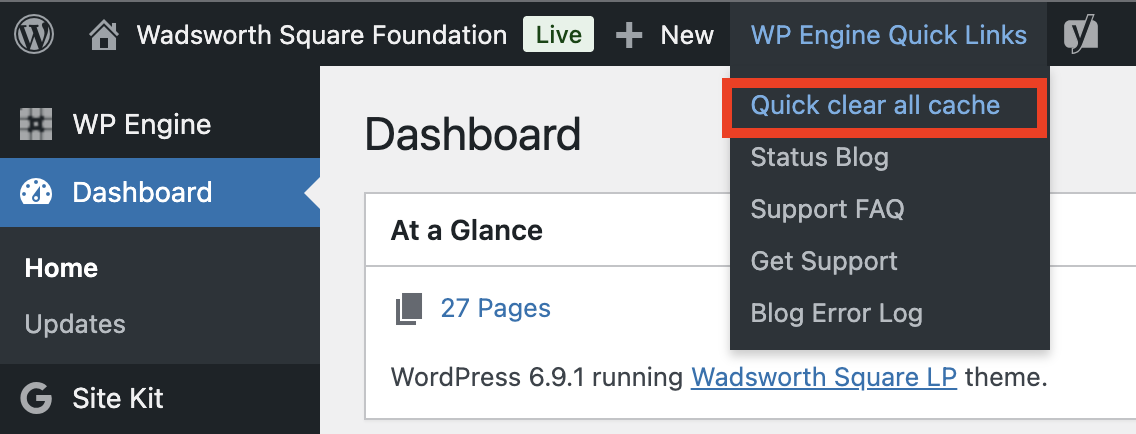
Here is how to quickly clear the cache: