I am already using the latest version of RSVP. Please advise when the Google maps will show correctly with just the address.
Archives: Replies
Replies for tickets on suppota
Reply to: tickets(346126)
Version 4.6.1 does not work, I attach a video.
https://pruebas.popyentradas.com/wp-content/uploads/2024/03/Grabacion-de-pantalla-2024-03-25-a-las-14.16.56-1.mov
Reply to: tickets(344233)
Oh wait, you mean the RSVP plugin addon is updated? I will try to find that …
Reply to: tickets(344233)
I updated, and removed the coordinates so just the address is there, and now the Google map is blank again. So the update didn’t fix the issue.
Reply to: tickets(344950)
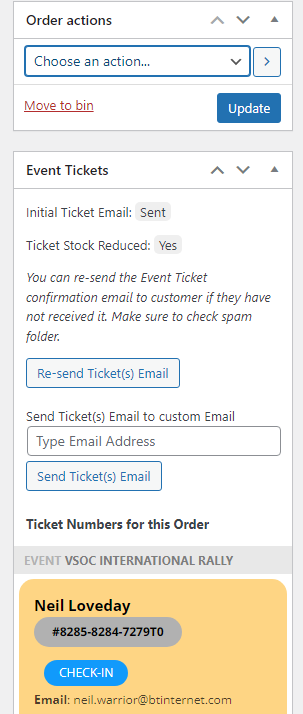
Thank you. but I don’t see that option on any ticket order?
Reply to: tickets(344743)
I added the code to https://danmor.net/wp-admin/customize.php?return=%2Fwp-admin%2Fadmin.php%3Fpage%3Deventon%26tab%3Devcal_3 > Additional CSS, so it seems to be working now. Please check and let me know.
Reply to: tickets(346148)
Hello,
Username is: Admin
Password: 5rp@tW6u*n&L%fLX
On Homepage Code is:
[add_eventon_el number_of_months=”12″ event_count=”6″ hide_month_headers=”yes” ft_event_priority=”yes” tiles=”yes” tile_bg=”1″ tile_count=”3″ only_ft=”yes” tile_height=”260″ hide_mult_occur=”yes” show_repeats=”no”]
On What’s On page code is:
[add_eventon_list tiles="yes" number_of_months="12" tile_count="3" show_year="yes" tile_bg="1"]
Reply to: tickets(344867)
There is 4.6.1 version available that fixes this. Please update.
To update eventon to latest version: If you are unable to do autoupdate, you can go to codecanyon your account > download and get the latest eventon version as zip file. Then you can go to your website > make sure “Delete eventon settings & data when EventON is uninstalled” is Deslected from eventon settings, delete old eventon, install new one and activate. This link will further explain the process it. Also you can follow us on twitter to get real-time announcements on updates!
Reply to: tickets(346142)
Hello,
Chrome on my Mac:

Could you try to check this in Troubleshooting Mode:
https://wordpress.org/plugins/health-check/
Reply to: tickets(344472)
Hi Artem,
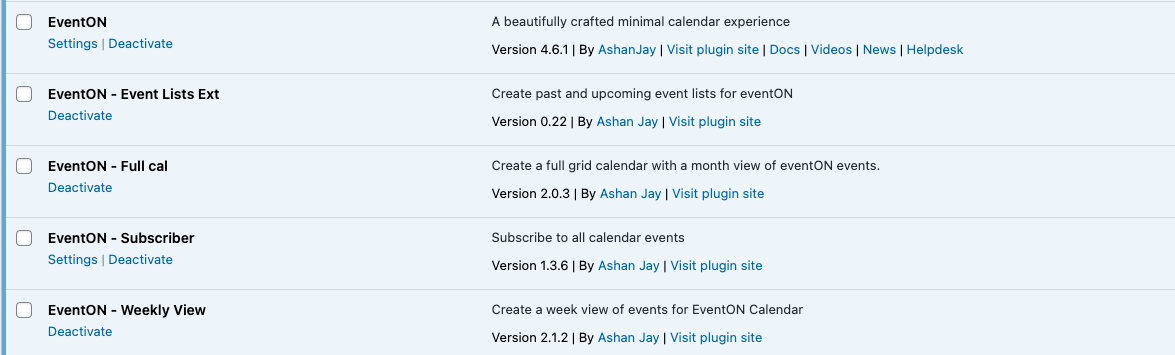
I’ve installed EventON version 4.6.1, but the problem persists. Please check it ASAP.
Test link: https://tfltest.wellbeingontheweb.com/calendar-test-page-i-e-f-r/