Hi support,
Here are the credentials of the staging site. Version 4.6 is activated. You will see that the layout is totally squashed together and only the header menu is visible. Beneath are all the errors.
https://www.lichtdeboer.nl/1711120608291/
username: myeventonsupport
password: &WxrxQm#iyT9$dII*Y9dY1zv
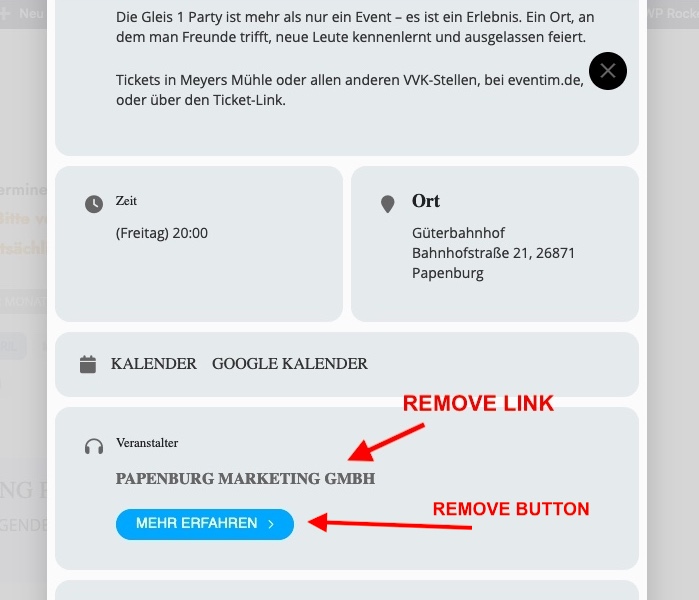
Here is what i want to remove
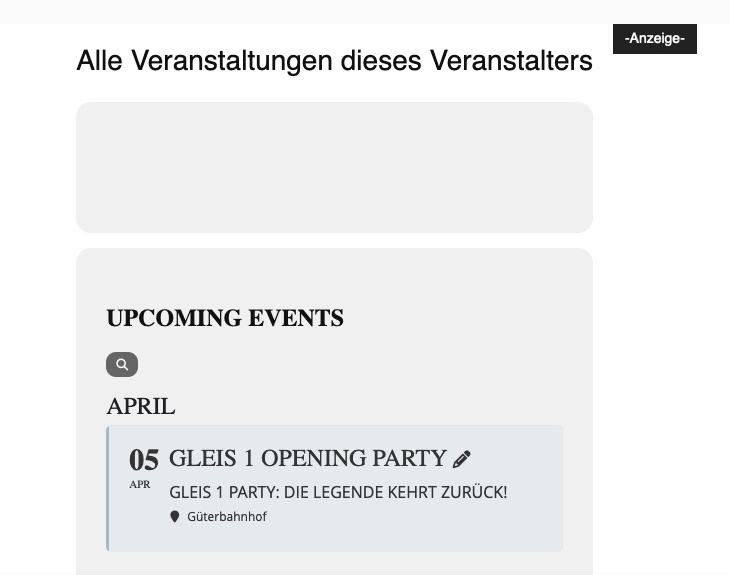
ADDITIONALLY, clicking on the organizer name opens a new website. I would have liked to have removed the link to it as well as the “LEARN MORE” under the name of the organizer.
Here too, the Lightbox is shown only a cropped Image.
Hello,
I have made the following changes to our staging site:
- activated wp_debug and wp_debug_log
- deactivated all plugins other than EventON
- switched to the TwentyTwentyFour theme
- increased memory limit to 512M
I downloaded the EventON events CSV file all throughout this process and in every download, the file only contains 1,396 events vs the 2,127 in the Events dashboard.
About 75% of the time, I received the below error when trying to download. My guess is that it is related to error #2 below but curious if you have seen this issue before.
The webpage at https://jewishcostage.wpengine.com/wp-admin/admin-ajax.php?action=eventon_export_events&nonce=f81bfb028a might be temporarily down or it may have moved permanently to a new web address.
In the error log (attached), two items keep popping up:
- [22-Mar-2024 14:38:09 UTC] PHP Notice: iconv(): Detected an illegal character in input string in /nas/content/live/jewishcostage/wp-content/plugins/eventON/includes/admin/class-admin-ajax.php on line 837
-
[22-Mar-2024 14:41:30 UTC] PHP Fatal error: Allowed memory size of 536870912 bytes exhausted (tried to allocate 20480 bytes) in /nas/content/live/jewishcostage/wp-includes/meta.php on line 1194
I am contacting our hosting company about error #2. Can you look into error #1?
Hi,
there is a debug.log file.
Regards
Monika
Hi Artem,
Thank you for getting back to me. I’ve added the following CSS code to turn the link into a button and that works like a charm:
.eventon_anywhere {
background-color: transparent;
color: #BB2830FF;
border: 3px;
border-color: #BB2830FF;
border-style: solid;
border-radius: 3px;
padding: 10px 20px;
text-align: center;
text-decoration: none;
display: inline-block;
font-style: normal;
font-weight: 700;
font-size: 19px;
}
.eventon_anywhere:hover {
background-color: #BB2830FF;
color: white;
}
If you want you can post it on the support pages as a reference for other users.
Kind regards and thanks again for the help!
Mark
Sorry but that doesn’t work either! As far as I know, !empty doesn’t exist. empty yes but not with a negative in advance!
Thanks for fixing the MORE button!
And guidance on the other events and memory.
Best!
Danna
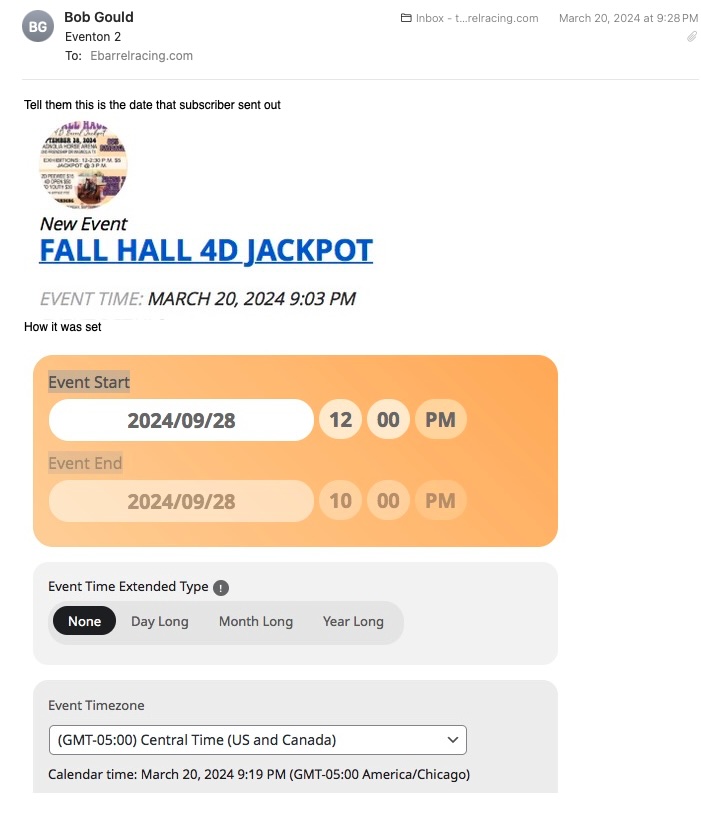
The subscribe add-on is up to date/latest version, 1.4.
Ive attached an image to show what it is doing. Subscribe sent out the email with “EVENT TIME: March 20, 2024 9:03pm”.
But, right below that you can see it was set for Sept 28th @ 12pm as you can see on the image.