Thanks, and is there an ETA on this update?
For right now, it’s ok to revert back to an older version of the add-on, correct?
Replies for tickets on suppota
Thanks, and is there an ETA on this update?
For right now, it’s ok to revert back to an older version of the add-on, correct?
that means in the next update? do i understand that right?
Hi,
I’m referring to the test page you created. In that test page we inserted the map code with the same box, but no month is displayed.
https://dev-slamin.pantheonsite.io/test/
and for: “second box”, I mean the bottom one, the one underneath the map
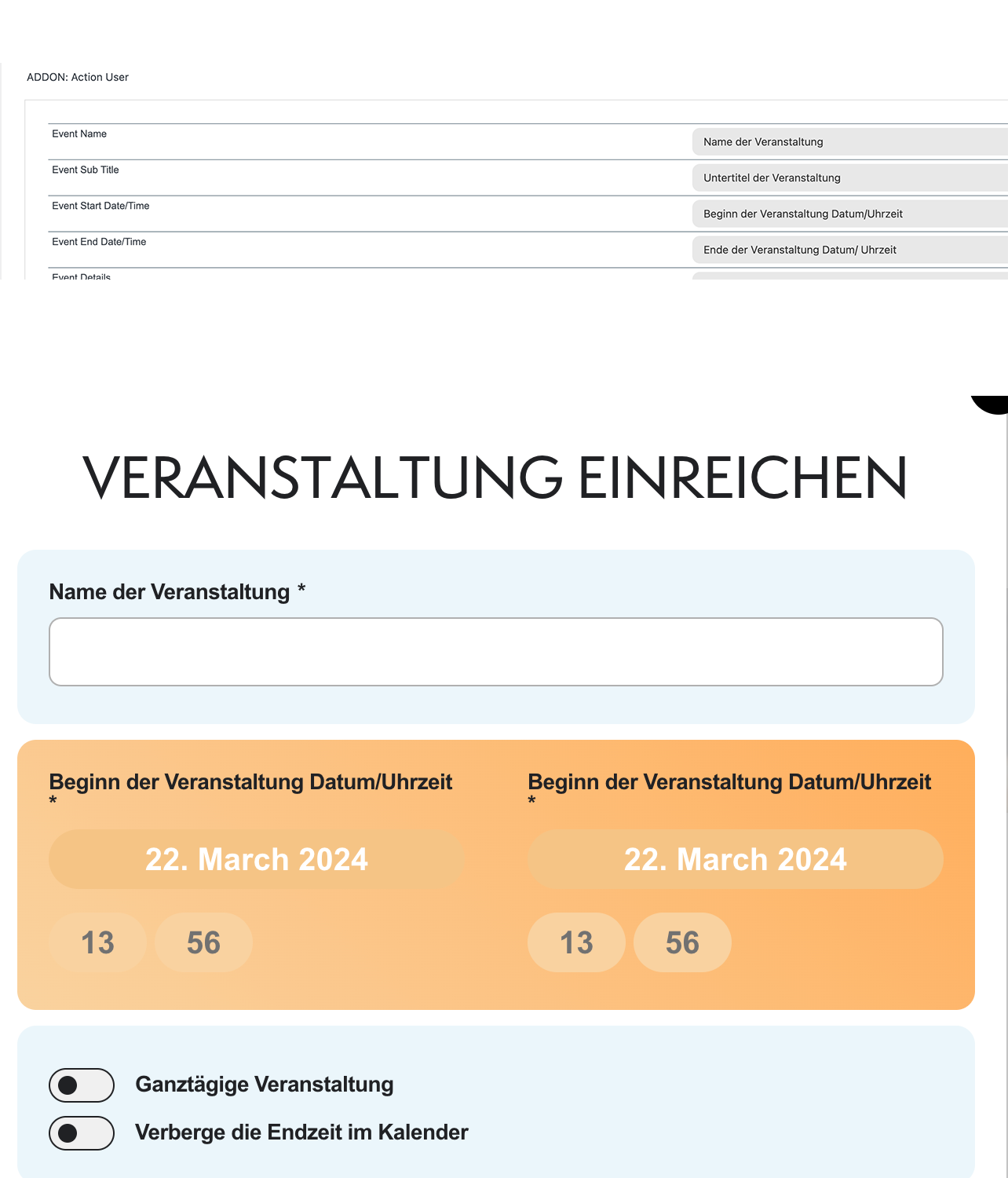
Ashan,
Lightbox title is always white, so when a customer uses white background:
https://dev2.myeventon.com/test-452/
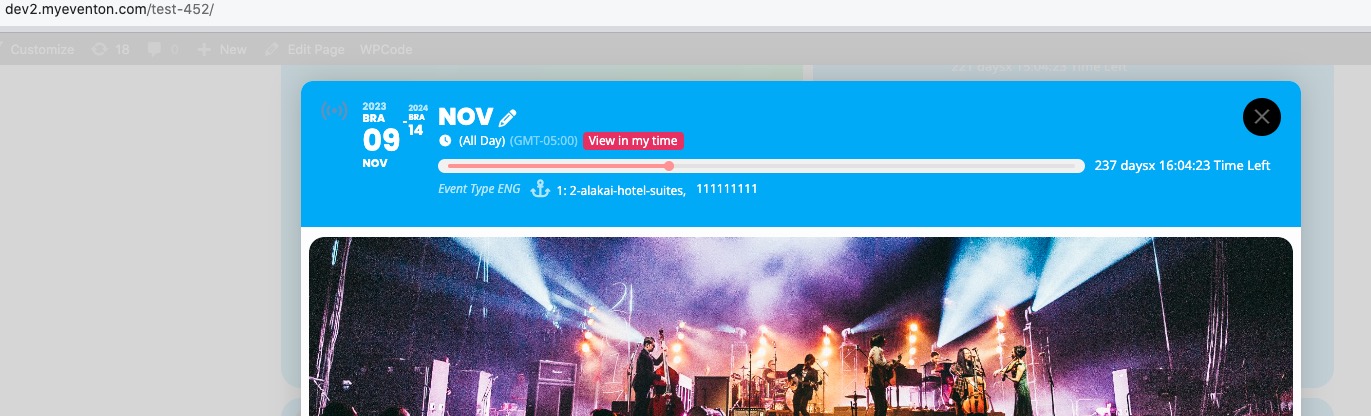
It looks like this:
https://helpdeskx.s3.amazonaws.com/wp-content/uploads/2024/03/21083340/Screenshot-2024-03-21-103249.jpg
Please take a look at this message from Ashan related to the image issue:
Hello there thank you for bringing this to our attention. We have switched the featured image to be clickable which would open a lightbox with full size image adjusted to screensize.
We will add the featured image display style option back to allow to show full size image on eventcard as well.
Much appreciate your understanding.
Also, I just noticed that the text in the header of the pop up for an event is apparently white again – not black – so it appears to be blank. I’ve attached a screenshot of this for you to see.
https://helpdeskx.s3.amazonaws.com/wp-content/uploads/2024/03/21083340/Screenshot-2024-03-21-103249.jpg
Thank you for your messages, I am going to assign this ticket to Ashan and he will be able to take it from here and find you a solution. Please allow some time for him to get back to you, we greatly appreciate your patience and thank you for being a eventon customer! Also please disable any IP blocking on your site if there are any.
I checked it on my IPad too and the huge white space appears there too – so it’s not just my browser on my desktop.
Are you having the same issue with this page:
https://dev2.myeventon.com/test-452/

Hi Ashan,
I updated the EventON – Weekly View add-on version 2.1.2 & EventON version 4.6. But still issue has not been resolved. Please check ASAP.
Test link: https://tfltest.wellbeingontheweb.com/calendar-test-page-i-e-f-r/
Hello,
Please take a look at this message from Ashan related to this issue:
Hello there thank you for bringing this to our attention. We have switched the featured image to be clickable which would open a lightbox with full size image adjusted to screensize.
We will add the featured image display style option back to allow to show full size image on eventcard as well.
Much appreciate your understanding.
Please take a look at this message from Ashan related to this issue:
Hello there thank you for bringing this to our attention. We have switched the featured image to be clickable which would open a lightbox with full size image adjusted to screensize.
We will add the featured image display style option back to allow to show full size image on eventcard as well.
Much appreciate your understanding.
I am going to close this ticket since the issue has been resolved. If you have more questions, kindly send us a new ticket and we would be more than happy to help you resolve your issues!