Hello,
Could you go to EventON > EventCard > open EventCard Designer > make sure that all fields are added and save settings? Even if they all there, still save the settings.
I also cannot access wp-admin:
Denied – contact your hosting provider
Replies for tickets on suppota
Hello,
Could you go to EventON > EventCard > open EventCard Designer > make sure that all fields are added and save settings? Even if they all there, still save the settings.
I also cannot access wp-admin:
Denied – contact your hosting provider
This part is what you need to change:
<script type=”text/css”>.ajde_evcal_calendar.evoapi #evcal_list .eventon_list_event .hasFtIMG .evcal_desc { padding-left: 0 !important; padding-right: 170px; } .ajde_evcal_calendar.evoapi .eventon_events_list .eventon_list_event .hasFtIMG .evcal_cblock { left: 0; right: 0; } .ajde_evcal_calendar.evoapi .eventon_events_list .eventon_list_event span.evoet_time_expand.level_3 { } .ajde_evcal_calendar.evoapi .eventon_events_list .eventon_list_event .ev_ftImg { margin-right: 10px; } .ajde_evcal_calendar.evoapi .eventon_events_list .eventon_list_event .hasFtIMG .evcal_cblock { left: 0; right: 90px; } .ajde_evcal_calendar.evoapi .eventon_events_list .evcal_time.evo_tz_time { padding-right: 165px; } .ajde_evcal_calendar.evoapi .eventon_events_list .eventon_list_event .evcal_cblock span { float: right; }</script>
Try replacing it with:
<style type=’text/css’>.ajde_evcal_calendar.evoapi #evcal_list .eventon_list_event .hasFtIMG .evcal_desc { padding-left: 0 !important; padding-right: 170px; } .ajde_evcal_calendar.evoapi .eventon_events_list .eventon_list_event .hasFtIMG .evcal_cblock { left: 0; right: 0; } .ajde_evcal_calendar.evoapi .eventon_events_list .eventon_list_event span.evoet_time_expand.level_3 { } .ajde_evcal_calendar.evoapi .eventon_events_list .eventon_list_event .ev_ftImg { margin-right: 10px; } .ajde_evcal_calendar.evoapi .eventon_events_list .eventon_list_event .hasFtIMG .evcal_cblock { left: 0; right: 90px; } .ajde_evcal_calendar.evoapi .eventon_events_list .evcal_time.evo_tz_time { padding-right: 165px; } .ajde_evcal_calendar.evoapi .eventon_events_list .eventon_list_event .evcal_cblock span { float: right; }</style>
So what I changed is replaced script with style and also changed quotes around text/css.
Hello,
No documentation related to Event API, unfortunately, because if you want to change how it looks, you can follow:
https://docs.myeventon.com/documentations/change-css-calendar/
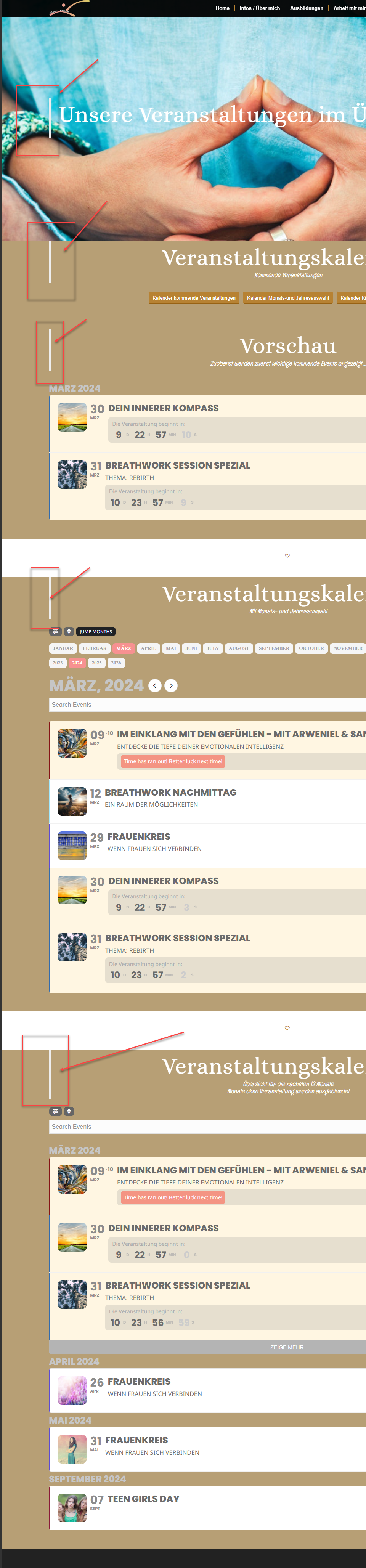
I will now add an image as well …
If ever you could provide me the latest Update BEFORE Version 4.6, maybe Version 4.5.9.
The latest Version before updating I had on our website was Verison 4.5.1
Where can we find the slider?
Social icons. Please go to EventON > EventCard > Open Designer > make sure that “Social Share Icons” is added. Even if it is, please save changes anyway.
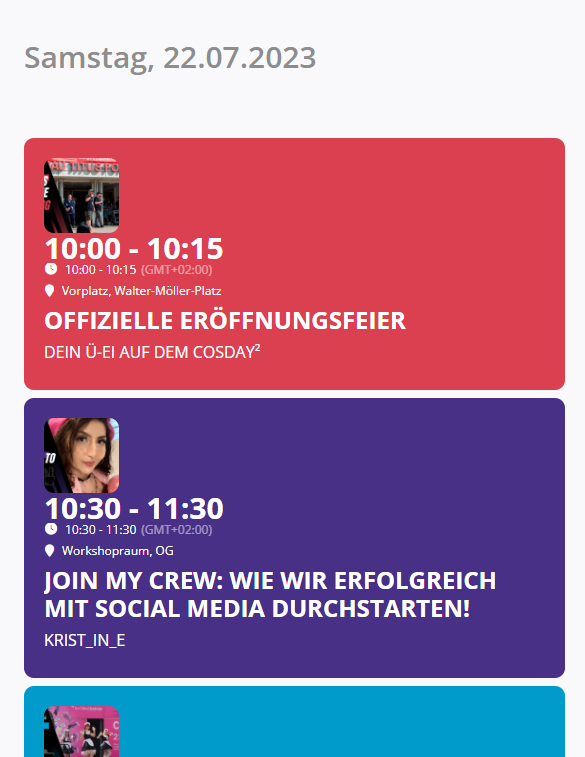
Hello together,
The problem is now occurring again. The image is back on top instead of next to it. This does not look good.
See screenshot.
Best regards,
Alexander
This is what hides the calendar: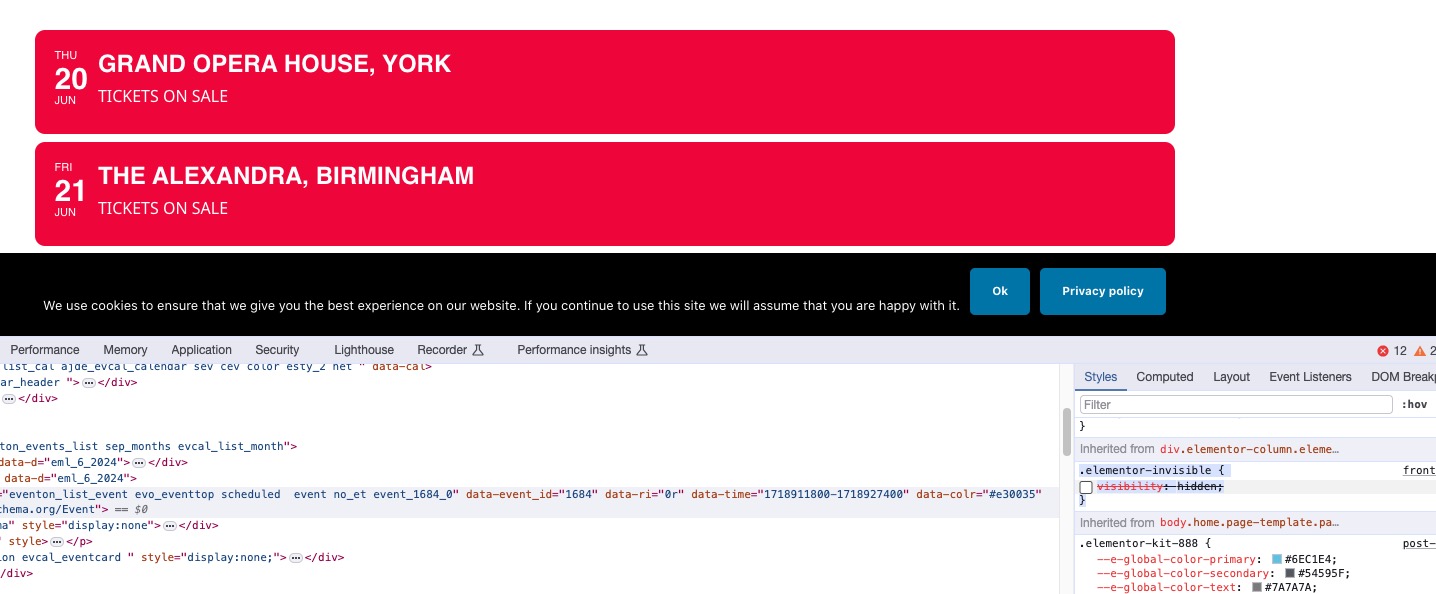
The colors on my side:
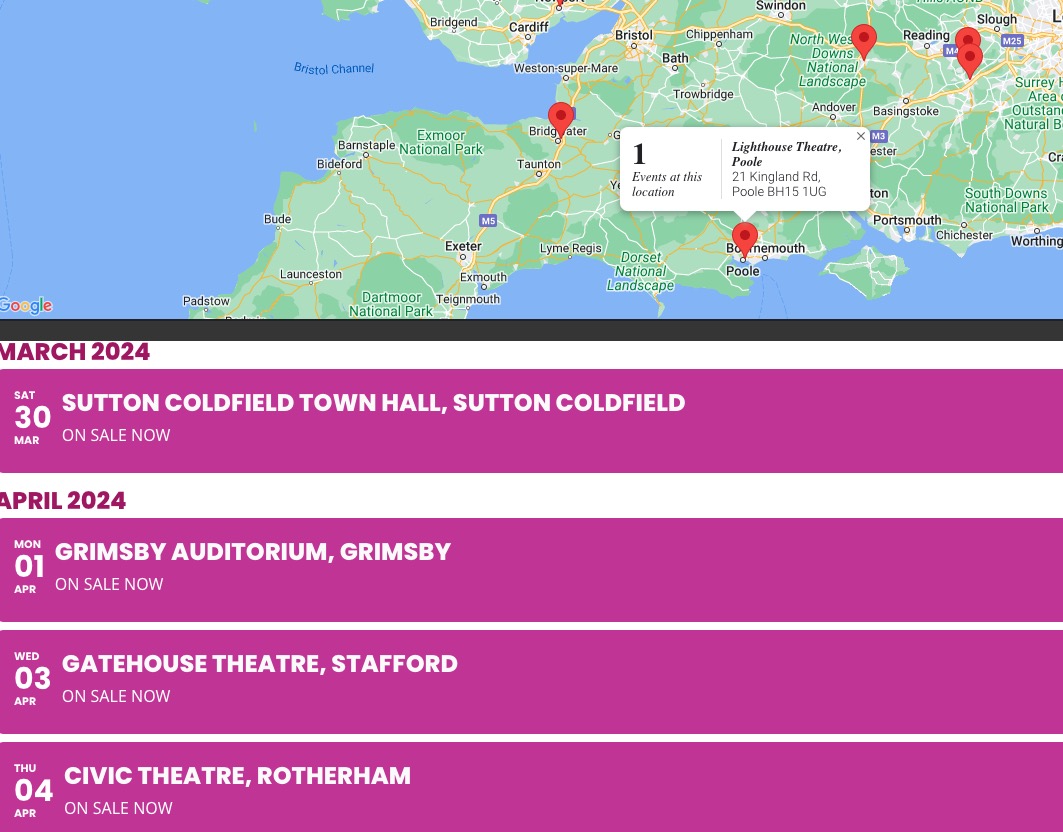
Please use this code to change the box size:
.evo_lightbox_content, .evolb_box { max-width: 600px; }
inconsistent popups on some devices but not others
Everything working but popups twice the size they used to be (dinosauradventurelive.com)
Please make sure that the browser cache on all devices is cleared.
Set +2 timezone on our test site. Could you try purchasing this event:
https://dev2.myeventon.com/events/time-test/
Could you update to 4.6 and also try disabling your cache plugin for a test?
Seems to be working on our test site:
https://dev2.myeventon.com/test-441/
Sorry for the issue caused.
Are you referring to “Autocomplete WooCommerce Orders” plugin?