Good morning! Just checking in on this ticket. Can you please provide an update on the status of the troubleshooting?
Thank you!
Replies for tickets on suppota
Good morning! Just checking in on this ticket. Can you please provide an update on the status of the troubleshooting?
Thank you!
That site in my previous reply is the staging site.
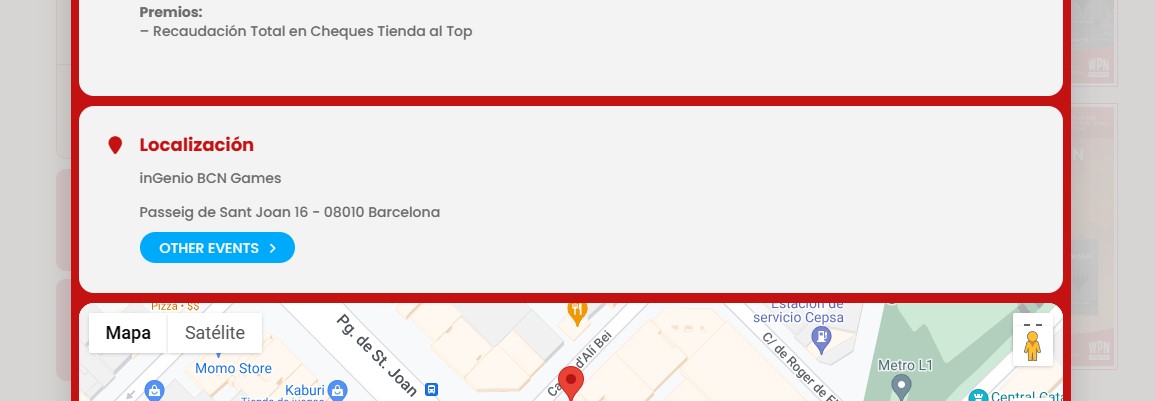
After reviewing the new version 4.6, I take advantage of this thread to ask you a new question.
I see that in “Location” you have added a button that shows Other Events. I have looked everywhere how to make it not show, but I don’t see the option.
Is it possible to remove this button?
Using Full Call it makes no sense to open a new pop up, within another pop up, with that information.
The documentation is not clear on this subject. I’ve created an event, I select within the event that I want to use a ticket. That’s it. When I look in the dashboard at Ticket Orders is see 4 orders but none of them send an e-mail with the QR code.
Hello,
Please take a look at
https://docs.myeventon.com/documentations/hook-eventtop/
You can also use Custom Meta fields and put the image inside and then show it on EventTop:
https://docs.myeventon.com/documentations/setup-use-custom-meta-fields-events/
Ashan,
The same on dev2:
https://dev2.myeventon.com/wp-admin/edit-tags.php?taxonomy=post_tag&post_type=ajde_events
Hello,
Thank you for your messages, I am going to assign this ticket to Ashan and he will be able to take it from here and find you a solution. Please allow some time for him to get back to you, we greatly appreciate your patience and thank you for being a eventon customer! Also please disable any IP blocking on your site if there are any.
Ashan,
Another ticket with the Feature Image issue.
Please check #344865
Al Jameson and Petr Jaroň,
Thank you for letting us know. We are looking into this. The fix will be available soon.
Hello,
Could you update QR Code to 2.0.1?
To update eventon addons: You can download latest eventon addons from myeventon > my account. Then you can go to your website, deactivate old addon and install new one and activate then delete the old addon. This link will further explain the process. Also you can follow us on twitter to get real-time announcements on updates!