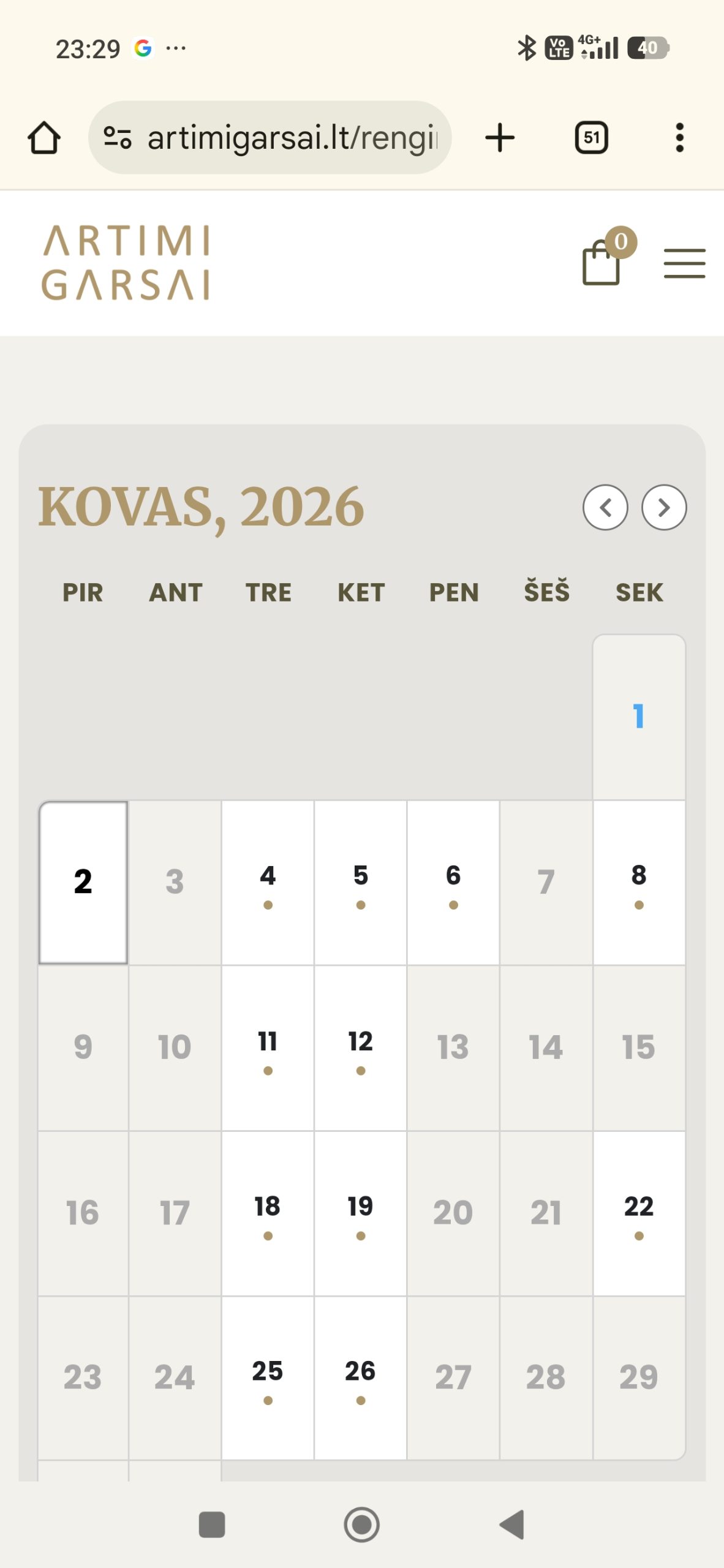
This is how it looks also in your demo webpage. So just wondering, can this be fixed? In the future maybe? On desktop it is useful layout, but in mobile – it becomes too strectched and not usable.
Replies for tickets on suppota
This is how it looks also in your demo webpage. So just wondering, can this be fixed? In the future maybe? On desktop it is useful layout, but in mobile – it becomes too strectched and not usable.
Could you also send us the paypal account email?
Hello,
Thank you for your messages!
I am going to escalate this ticket to our account manager to help in here. Please allow us some time to address this, and we truly appreciate your patience. Thank you for being a valued EventON customer!
Hello,
We don’t have any recommendations related to which SEO plugin to use.
The thing is that EventON event schema to each event that search engines can use to get all the info about events.
Could you try checking your website with this tool to figure out any issues with SEO:
https://search.google.com/structured-data/testing-tool/u/0/
There is no need to open events as Single Event Page as search engines use schema data.
Hello,
Please add this CSS code to EventON > Styles (If you don’t see any change, EventON > Scripts & Styling > turn off Write dynamic styles to header > save settings > turn on Write dynamic styles to header).
You can also add this code to wp-admin > Appearance > Customize > Additional CSS.
.single-ajde_events .content { width: 1000px !important; }
Also, maybe it would help SEO if I make the event list open in a new page, rather using a popup, maybe the search engines would see it better?
For example, if I search the name of.my event, ”Ryto innerdance” google finds a product page, but not an event page! Becouse I use ticket addon, it creates a product in woocommerce, and google finds it, but does not find the event page. Or if it finds it redirects not to event page, but to homepage. Can you help with this?
Or to be more specific, is there any guidelines about SEO and eventON plugin, what are best practices or tricks or options for best outcome in google search results?
Hello, after updating to Eventon 5.08, Tickets 2.5.2, and WooCommerce version 10.5.2, purchased tickets, QR codes, and the download button are no longer displayed in the customer account or on other pages using the shortcode [woocommerce_order_tracking]. Additionally, the ”View Ticket” button under ”Event Tickets” in the customer account is not working. Please investigate this issue. Thank you.
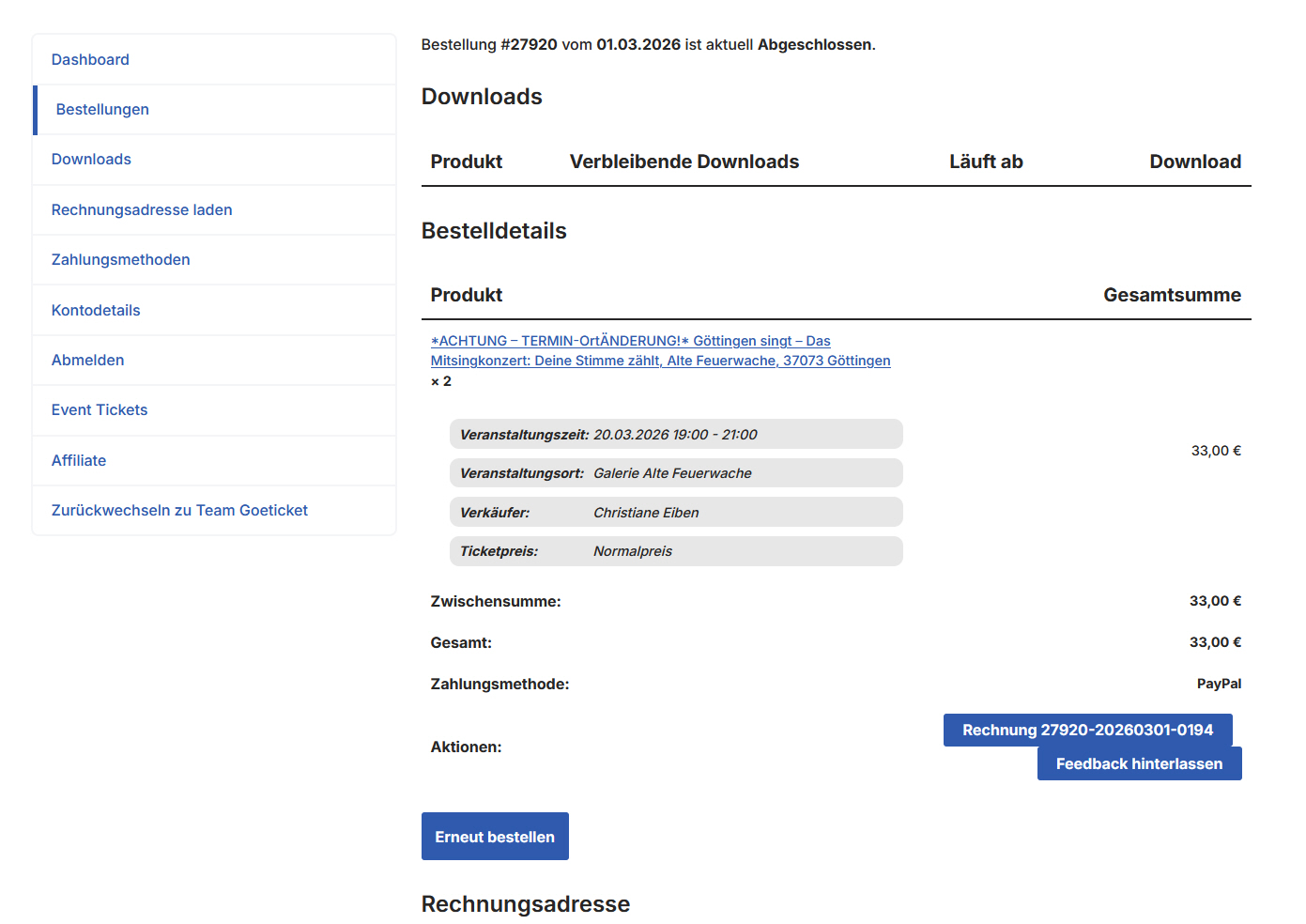
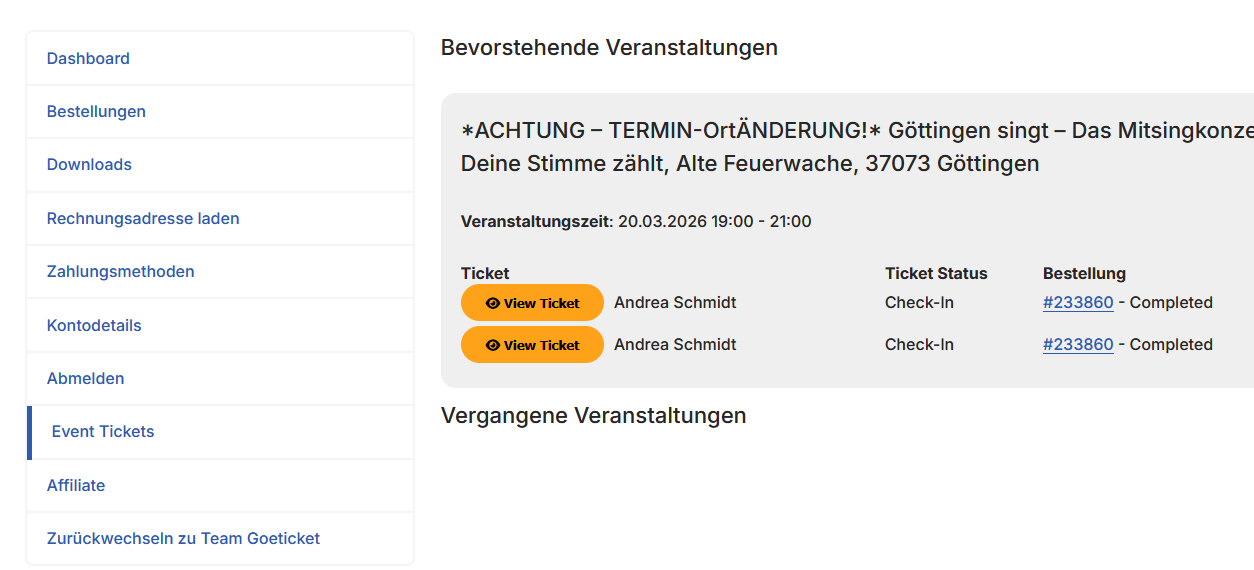
Another attempt to include some screenshots.