Helo,
Thank you for your messages, I am going to assign this ticket to Ashan and he will be able to take it from here and find you a solution. Please allow some time for him to get back to you, we greatly appreciate your patience and thank you for being a eventon customer! Also please disable any IP blocking on your site if there are any.
I wanted to rename Site Health plugin folder to deactivate it to fix the fatal error.
Can you enable Troubleshooting Mode while being logged-in as dev@:
https://www.tinwoodestate.com/wp-admin/site-health.php?tab=troubleshoot
Hello,
What is your version of EventON? Seems to be working on our test server with 4.6:
https://dev2.myeventon.com/test-420/
Hello,
It seems that your version of RSVP is outdated. Please update to 2.9.11.
To update eventon addons: You can download latest eventon addons from myeventon > my account. Then you can go to your website, deactivate old addon and install new one and activate then delete the old addon. This link will further explain the process. Also you can follow us on twitter to get real-time announcements on updates!
Please send us wp-admin access to your site as a private message for us to further assist your situation.
Now it needs more memory, I am afraid:
[15-Mar-2024 12:06:12 UTC] PHP Fatal error: Allowed memory size of 536870912 bytes exhausted (tried to allocate 20480 bytes) in /var/www/vhosts/niveloculto.com/httpdocs/wp-includes/class-wpdb.php on line 3179
Could you try increasing it to 768MB or 1GB, if available?
Hello,
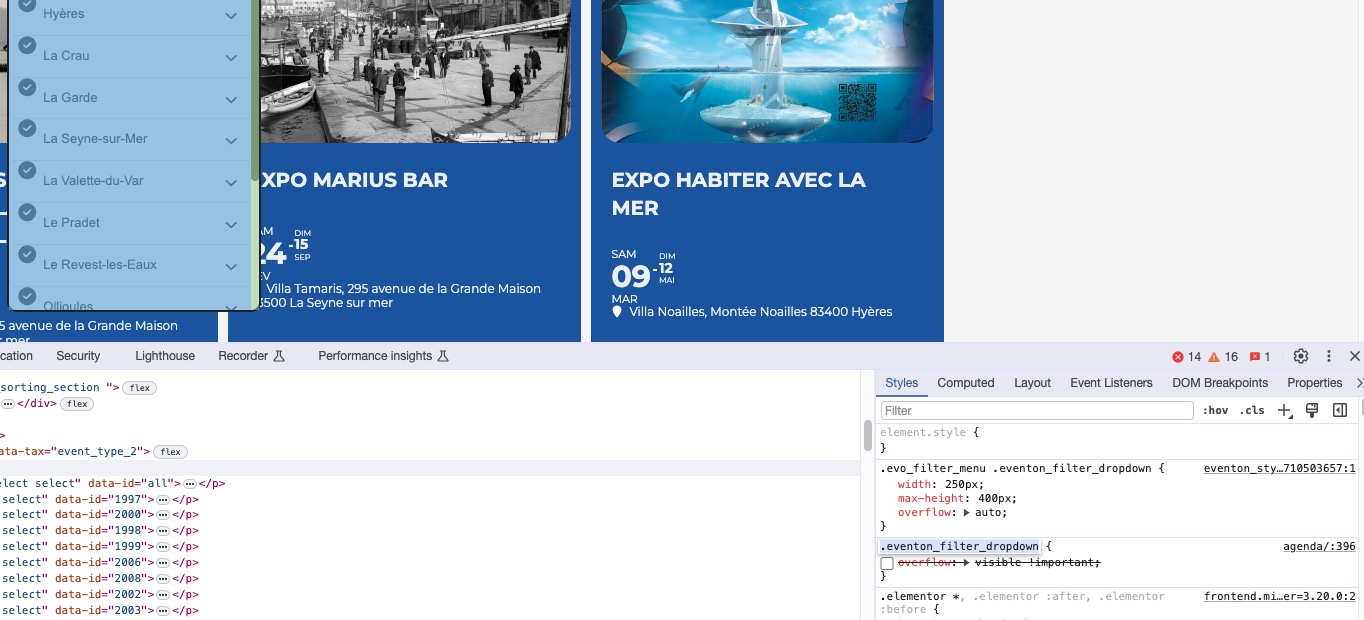
Please remove this custom CSS code:
.eventon_filter_dropdown { overflow: visible !important; }

Should be located in wp-admin > Appearance > Customize > Additional CSS.
Hello,
You can use one of our add-ons. For example, WeeklyView
https://www.myeventon.com/addons/weekly-view/
So customers can go through available events weekly.
Or DailyView:
https://www.myeventon.com/addons/daily-view/
There is also FullCal:
https://www.myeventon.com/addons/full-cal/
Try on
https://dev.myeventon.com/wp-admin/
Ashan,
Not sure if the option is available.
Hello,
Thank you for your messages, I am going to assign this ticket to Ashan and he will be able to take it from here and find you a solution. Please allow some time for him to get back to you, we greatly appreciate your patience and thank you for being a eventon customer! Also please disable any IP blocking on your site if there are any.