so the event location works but I now need to check that each location has the correct lat long as well… complicated?
Replies for tickets on suppota
so the event location works but I now need to check that each location has the correct lat long as well… complicated?
All event types show up when this is the shortcode: [add_eventon show_et_ft_img=’yes’]
Some events show all event types with this shortcode: [add_eventon tiles=”yes” tile_count=”4″ tile_height=”250″ ]
But when event type 1 is not present, no event types show up when using tiles.
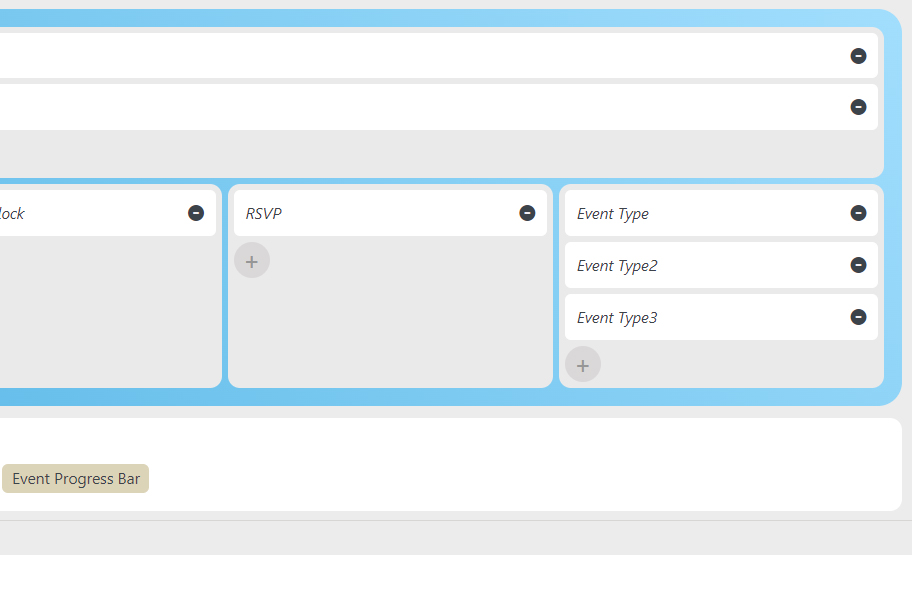
They are added. I know how it works. I’m telling you there is a bug because all the types show up in the normal calendar but they don’t show when the block calendar is used. The settings are correct.
I did an update after when the dates for the next month stopped working.
Hello,
Yes, I am referring to exporting events via EventON > Download all eventON events (CSV download).
I updated the plugin, did a fresh download and the times are still incorrect.
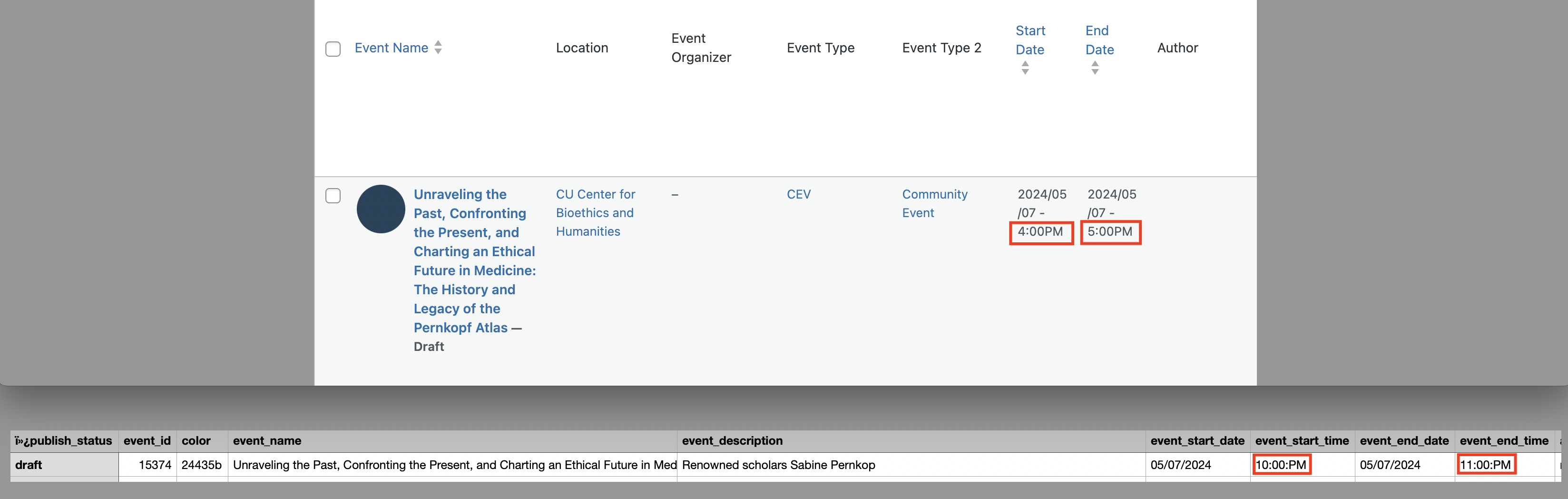
For example, I’ve attached an image that show the same event showing the event time as 4-5pm on the dashboard (GMT-6) and 10-11pm in the download (GMT-0) (eventon-event-time-shift-dashboard-v-download.png).
Looking to correct that so that the event times in the download are consistent with the actual event times as shown in the dashboard.
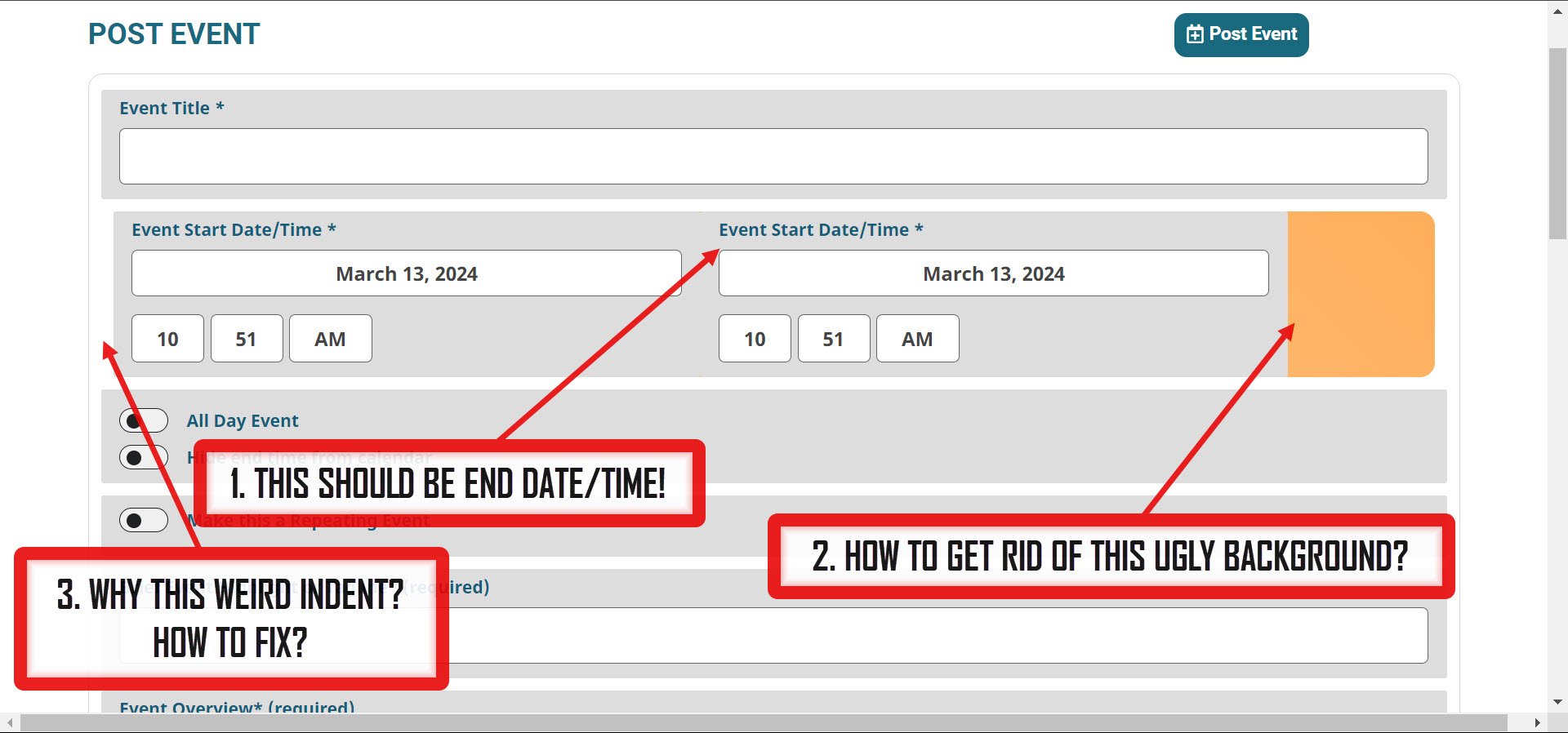
I am seeing additional issues with this updated Action User Add-on ($80). Do you test these before releasing them to clients with operational websites?
See attached image:
Thank you.
Hi Artem,
I swapped the checkout fields we had and inserted the default shortcode. We are still experiencing the same issues though.
If someone is logged into our website it appears their name will show up, but still no email. We’d like the name and email to show up in all cases though, whether or not someone is logged in at the time they register.
I’ve setup this test event that can be used. https://nyflora.org/events/testing/
Thanks in advance.
~Kyle
I have the same problem.
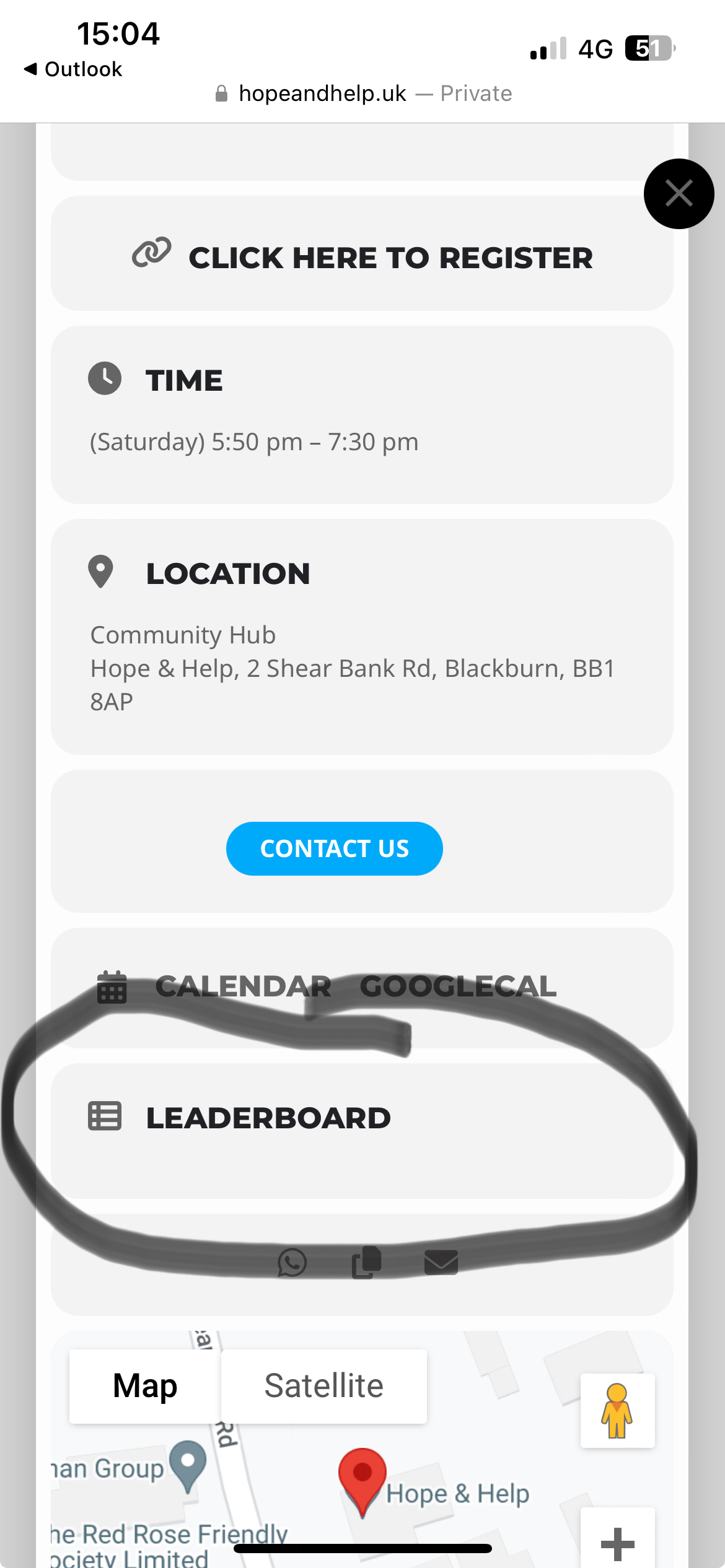
Hello its a custom Field which was created
see attached acreenshot
Hi there. It doesn’t appear to be working. It still shows the dots for cancelled events.
I’ve input the code: [add_eventon_fc event_type=”111,112″ hide_cancels=”yes”]
I put it on this page and it still shows the dots:
https://www.tinwoodestate.com/experience/vineyard-tours/