Hi, The calendar is simply a page on our website. Anyone can navigate to it and view it. It’s our listing of classes. We want everyone to see it. No one logs into anything to view this class calendar.
You are currently designated as a wordpress editor user on our site. What access level do you need to access eventon? I think the only higher level remaining is admin? …and I’m reluctant to do that?
Both plugins are updated however the issue still remains.
Could you enable WP_DEBUG so the error can be recorded to debug.log?
https://helpdeskx.s3.amazonaws.com/wp-content/uploads/2024/02/08035340/Screenshot-2024-02-08-at-11.53.14.jpg
The timezone on this screenshot is from EventON > Time Settings > Timezone.
At this moment, do you have any events with the issue, so we can take a look at it?
Please restore your password using this link:
https://www.myeventon.com/my-account/lost-password/
Ashan,
On dev2:
https://dev2.myeventon.com/wp-admin/post.php?post=52829&action=edit
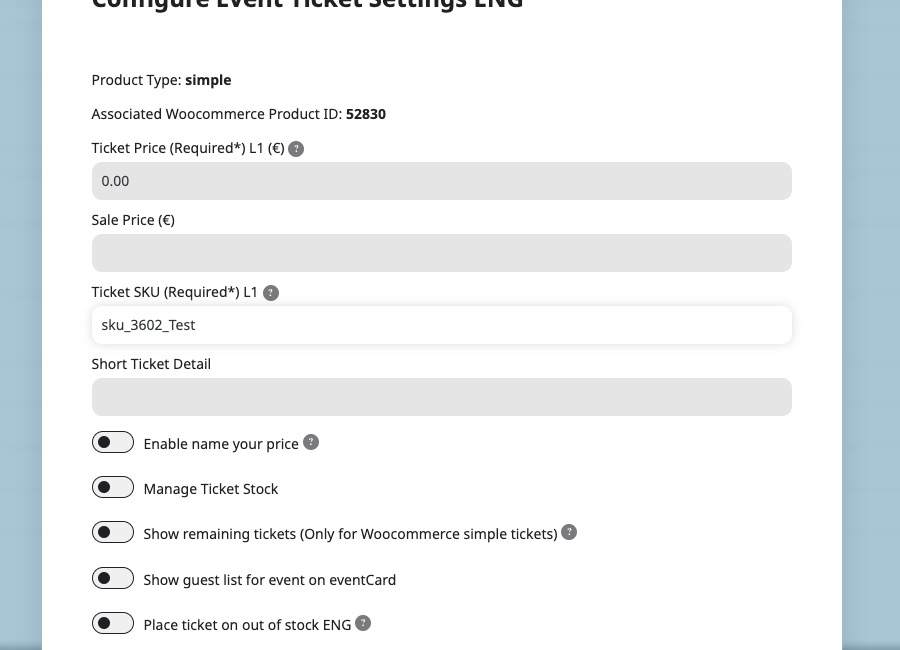
Before I updated the event:
Hello,
Thank you for your messages, I am going to assign this ticket to Ashan and he will be able to take it from here and find you a solution. Please allow some time for him to get back to you, we greatly appreciate your patience and thank you for being a eventon customer! Also please disable any IP blocking on your site if there are any.
Hello,
1. By default Filter Relationship for Multiple Event Types is set to AND. So please add filter_relationship=”OR” to the shortcode to make it OR.
2.1 Thank you for your great suggestion, at the moment it is not supported. However please create a new ticket and select Feature Request as category so others can vote on your idea and get it moved into development faster.
2.2 It’s not possible to show multiple months at once, I am afraid.
Hello,
Could you update EventON and FullCal to the latest version?
To update eventon to latest version: If you are unable to do autoupdate, you can go to codecanyon your account > download and get the latest eventon version as zip file. Then you can go to your website > make sure “Delete eventon settings & data when EventON is uninstalled” is Deslected from eventon settings, delete old eventon, install new one and activate. This link will further explain the process it. Also you can follow us on twitter to get real-time announcements on updates!
To update eventon addons: You can download latest eventon addons from myeventon > my account. Then you can go to your website, deactivate old addon and install new one and activate then delete the old addon. This link will further explain the process. Also you can follow us on twitter to get real-time announcements on updates!
Thanks. It’s not really a new suggestion. In the older version of the RSS feed there was not start/end date included in the description field. It appeared after I updated the addon.
Thank you for your help,
Marek