Ah sorry about his. Your Edit Event is completely different. Please do this: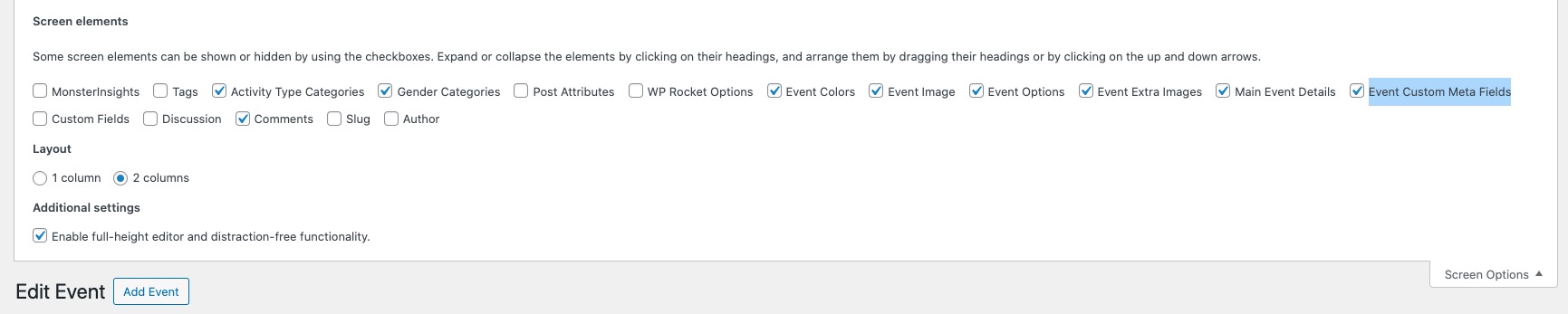
Archives: Replies
Replies for tickets on suppota
Reply to: tickets(338993)
Hello these are my login details
ok here are the details
u – info@hopeandhelp.uk
p – Adminhope1236++
Log In ‹ Hope & Help — WordPress (hopeandhelp.uk)
Reply to: tickets(338993)
ok so i click on events, then i goto the one thats listed for male archery. i do not see any dots or anything..
please can you just sort it out for me if i send you my login
thanks
Reply to: tickets(340054)
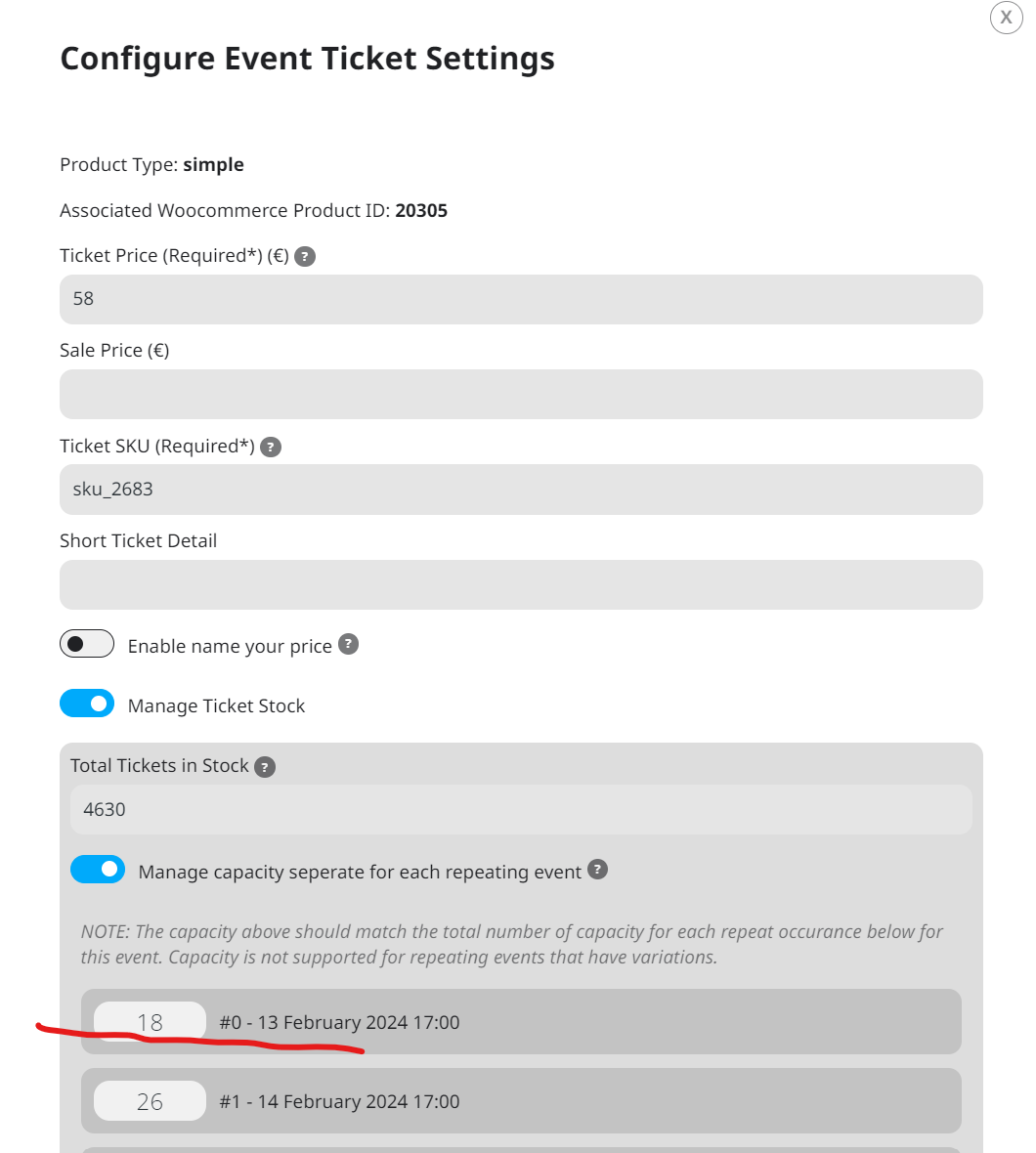
other image attached of the backend where you’ll see 18 capacity on 13 february.
Please check because the two problems are very big and a solution is very urgent.
Reply to: tickets(340054)
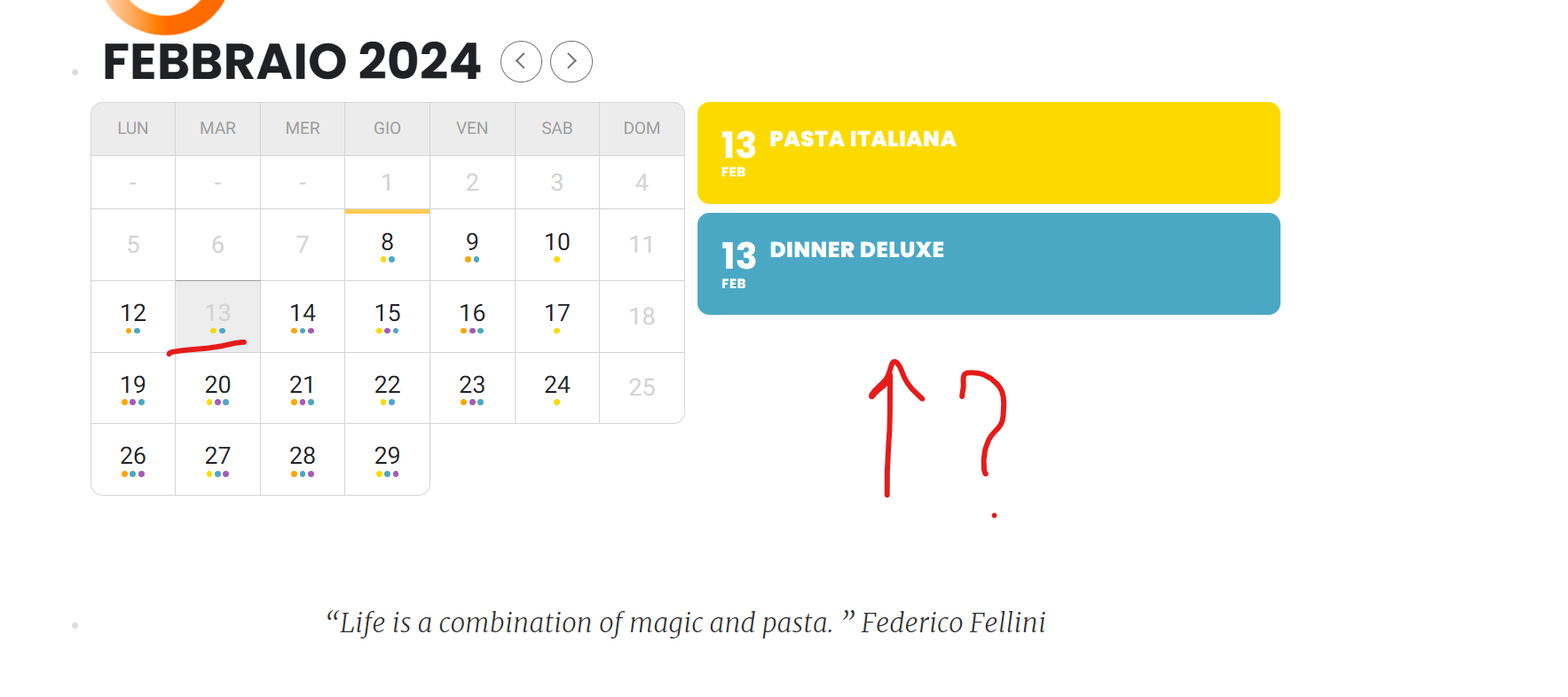
The problem is that sometimes save the capacities but the day after are all wrong.
Other things is that on calendar in frontend are missing day.
You could look at 13 february in Pasta Italiana – Pomeridiano.
Here attached you’ll find image.
Reply to: tickets(339660)
Hello Guys,
we really need your final word on this because the 60/120 minutes issue is a serious one for us.
We have several events and each one has a 60minutes limit. But we have a “time” change twice a year and therefore the system should take this into account as it was before.
We cannot edit/change events accordingly but should count on the fact that id our local time is 10am this 60 minutes time will result in not being able to change rsvp after local 9am.
Reply to: tickets(339759)
My question to clearing browser and cache how does that change the fact that everything was corrected manually? Also were any settings changed when you accessed the settings or?
Reply to: tickets(340323)
Reply to: tickets(340215)
I’ve resolved the issue. I was uploading the whole file and not just the correct ZIP. My bad.
Reply to: tickets(340124)
www.siteground.co.uk
user eventON
email joanne@foodsorcery.co.uk
https://my.siteground.com/accept/collaboration/17073402745343933596b8ed665b3c5c6ed32079b2d20e