Ashan,
The same on dev2:
https://dev2.myeventon.com/wp-admin/post-new.php?post_type=ajde_events
Replies for tickets on suppota
Ashan,
The same on dev2:
https://dev2.myeventon.com/wp-admin/post-new.php?post_type=ajde_events
Hello,
Thank you for your messages, I am going to assign this ticket to Ashan and he will be able to take it from here and find you a solution. Please allow some time for him to get back to you, we greatly appreciate your patience and thank you for being a eventon customer! Also please disable any IP blocking on your site if there are any.
Hello,
Thank you for your messages, I am going to assign this ticket to Ashan and he will be able to take it from here and find you a solution. Please allow some time for him to get back to you, we greatly appreciate your patience and thank you for being a eventon customer!
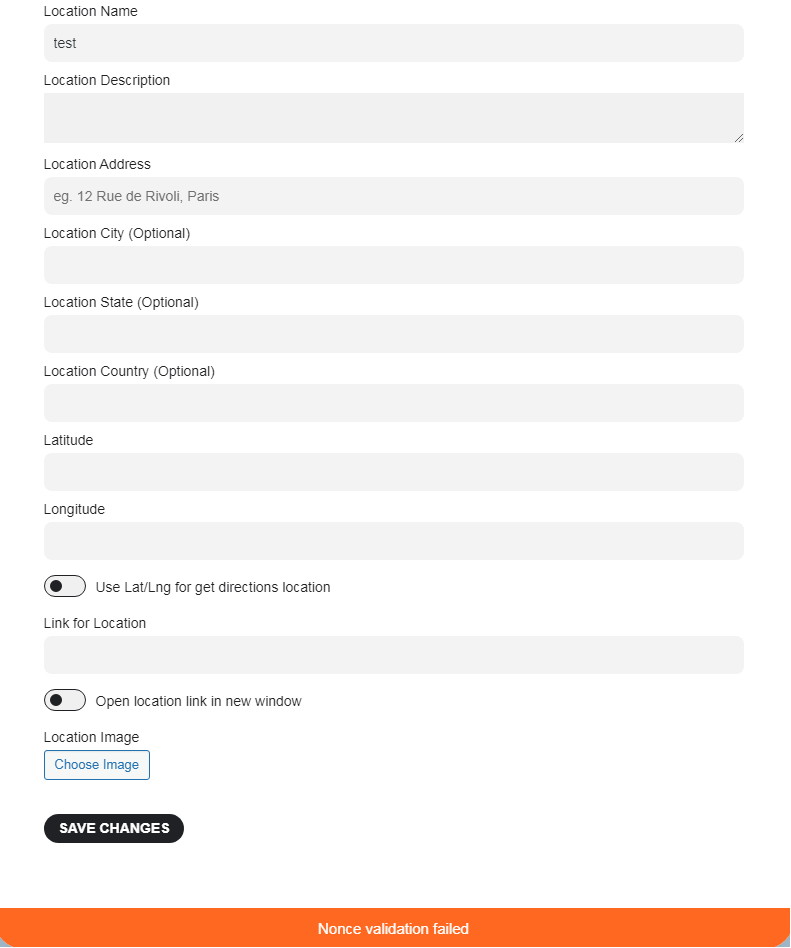
I don’t know why you can’t login. you can try :
https://www.atda.fr/admindaonkvm/
g.plaze@w3plus.fr
aViW%KhZj4U/Pi3vùnEx*WzµFYo
I try to add new location on the edit event page, inside edit location popup (in attachement)
yes very easy see video below
https://vimeo.com/901823918
oops heres the link to the desktop page https://www.foodsorcery.co.uk/eventon-testing-2/
from the look of it you are using the sidebar widget to display the full calendar which would make everything smaller (so it fits in a sidebar)
see video below on the easy fix to that issue to use the desktop version of the calendar
https://vimeo.com/901822331
the only change in the latest version would be the font used to poppins – but at the endof the video above theres a way to select your desired font
of course updating via staging sites is your best bet although a slight hassle to set up if you have never done that before, but is the safest way to update to see before you make it live
if you have anything in myeventon>>Styles- copy and paste that into a notepad file “just in case” its lost in the update (and you can simply paste it back in)
Hello Ashan
Yes, it now works! Thank you!
Anka
always good to get different feedback
works for me as well
https://vimeo.com/901819032
I can’t seem to log in or rather I thought I logged in but could not find the wp-admin access
could you check the username and password and provide a link to your dashboard please
also with regards to the error: were you adding the location on the edit event page? and if you could provide the details in a reply of what you were entering into the location fields