Interesting. so looking at your account it seems you resubscribed to the order after it was cancelled?
Did you resubscribe to the entire order with all the addons or just few? would you mind sharing the screenshot of active licenses from myeventon.com?
Hello,
Thank you for your great suggestion, at the moment it is not supported. However please create a new ticket and select Feature Request as category so others can vote on your idea and get it moved into development faster.
Hello,
Please add this CSS code to EventON > Styles (If you don’t see any change, EventON > Scripts & Styling > turn off Write dynamic styles to header > save settings > turn on Write dynamic styles to header):
.evcal_evdata_cell .eventon_desc_in p a { color: red; font-weight: bold; }
Hello,
I cannot check the page, because it’s larger than 2MB:
https://validator.schema.org/#url=https%3A%2F%2Flexcolibrary.com%2Fevent-location%2Fcayce-west-columbia%2F
Could you send us a screenshot of the error?
Hello,
Could you go to EventON > Time Settings > enable Use UTC offset time globally on calendars?
Please send us wp-admin access to your site as a private message for us to further assist your situation.
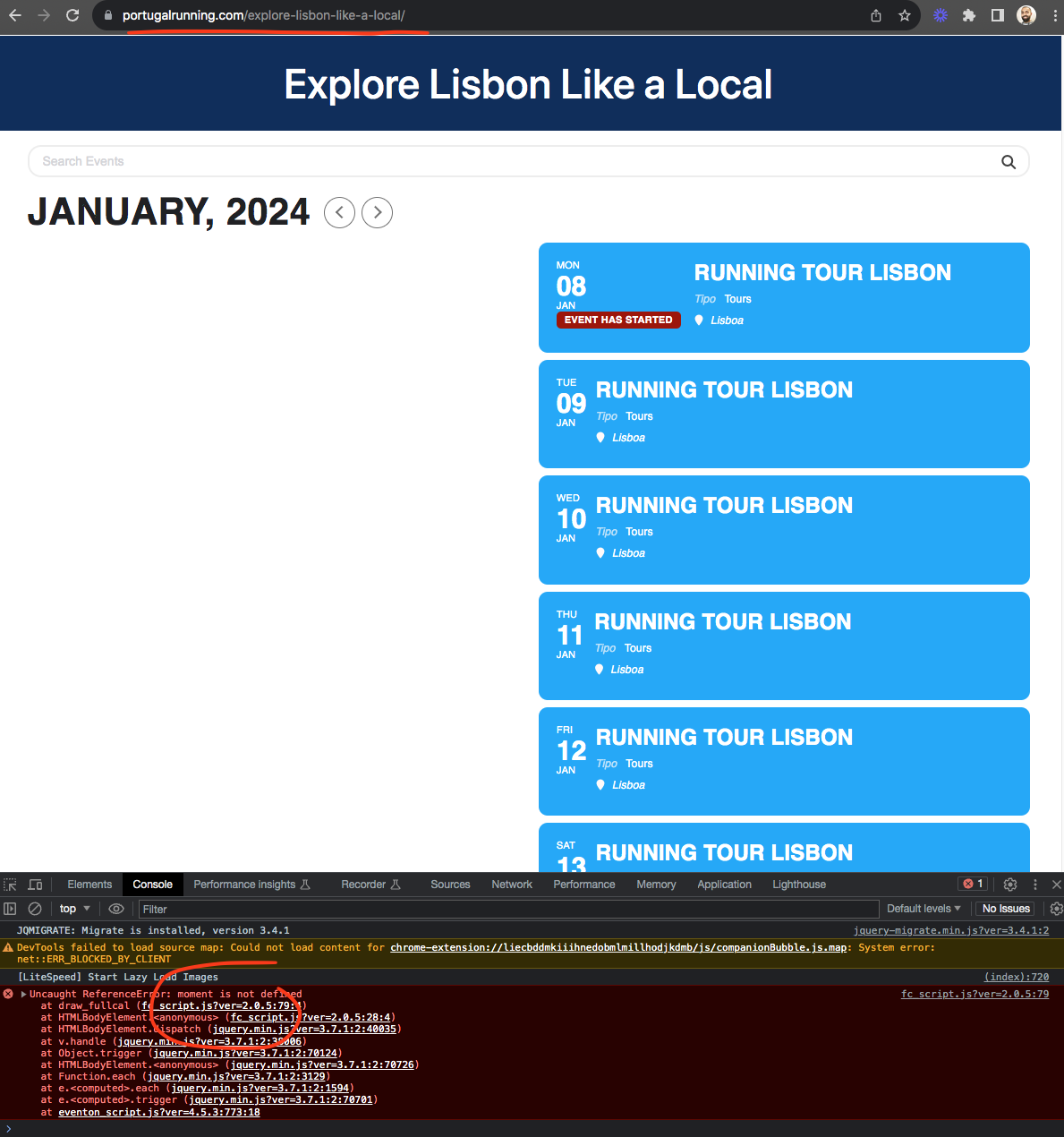
as for the js error make sure eventon settings > scripts & styles you have moments js script NOT disabled from loadin.
there is a js error on the page that is why the calendar is not working.
To disable search go to eventon settings > search events and disable search on all calendars.
zulugames.net/wp-login.php
U: EventOn
P: rFahD&wC9T2)2(gBUzHeSxCO
And, yes, Enable duplication event name check during importing is enabled.
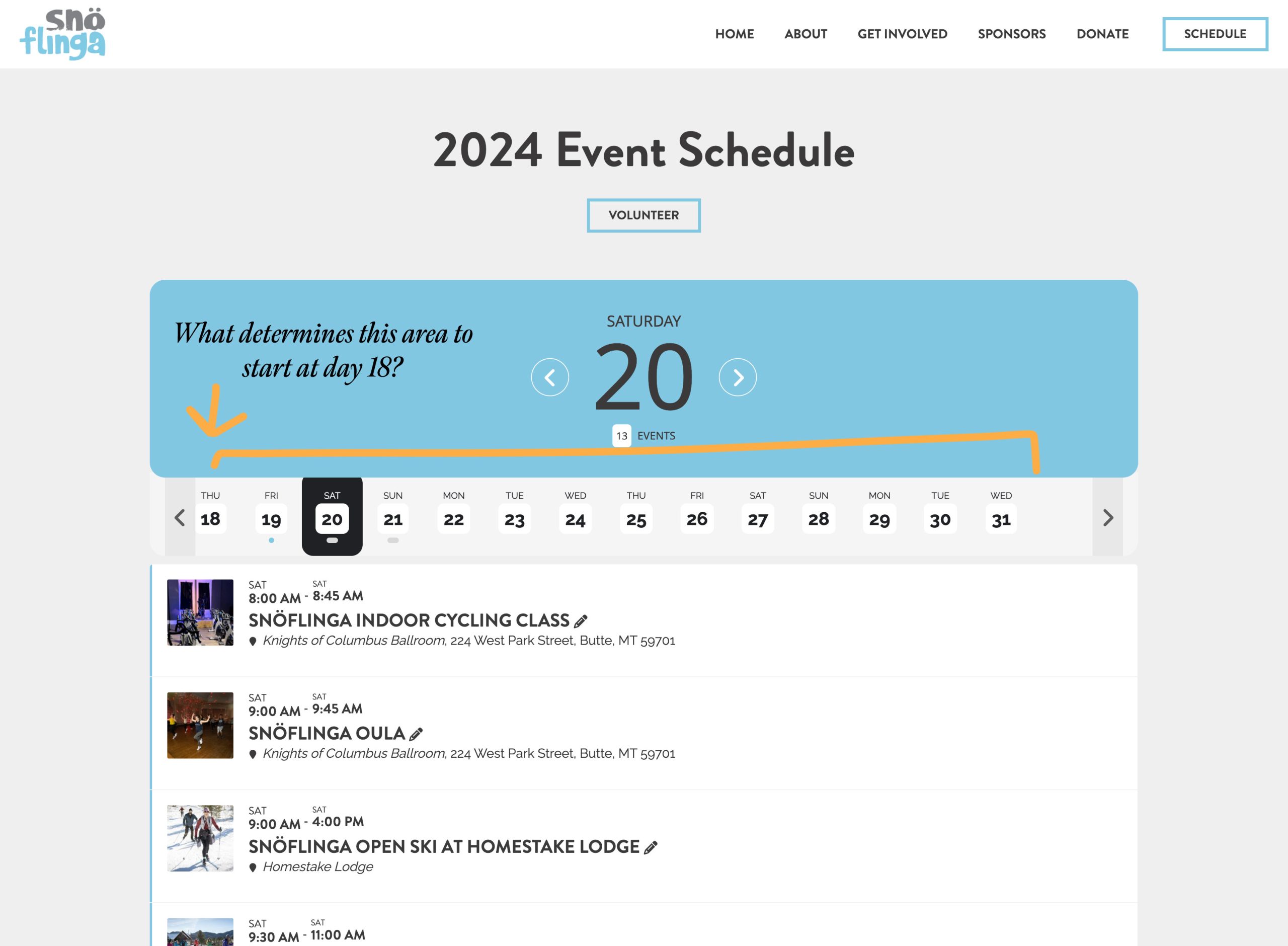
What determines the days that get displayed? It starts at a random number – 18 – in the month. https://snoflinga.org/schedule/