Hi Ashan – I was wrong. The “Happy Thanksgiving!” item for 11/22 had disappeared form calendar (and everywhere) this morning (11/23). I put up a new one for 11/23 called “Happy Thanksgiving” (no exclamation point this time) and will monitor its progress.
Archives: Replies
Replies for tickets on suppota
Reply to: tickets(332584)
If I try to set the end date the start date just disappears.
I’ve used this plugin for years with the same time format and I’ve never had an issue before.
If you try and set up an event just with name test and any date next year, you will see what I mean
Reply to: tickets(332611)
Please add this CSS code to EventON > Styles (If you don’t see any change, EventON > Scripts & Styling > turn off Write dynamic styles to header > save settings > turn on Write dynamic styles to header):
.eventon_events_list .eventon_list_event .evcal_list_a { padding: 13px; }
Should make the padding smaller.
Reply to: tickets(332653)
Hello,
Action User allows organizers to enable Tickets on their events while submitting. But not “They should receive the money directly, or maybe after a cut was taken on my half.”.
However, this plugin should help:
https://wordpress.org/plugins/dokan-lite/
Please check and let us know.
Reply to: tickets(332530)
we have also found that pages look differently depending on what device you check.
I think this is because of cache plugin (if you have one) on your server.
Please send us wp-admin access to your site as a private message for us to further assist your situation. I need to check EventON > Appearance.
Try going to EventON > Appearance > EventTop > make sure that Event Title font color and Colorful EventTop General Text Color are set to the wanted color.
Reply to: tickets(332584)
You need to set both Start and End. It seems that this happens because your Date Format is set to Custom:
http://richardleachjazz.co.uk/wp-admin/options-general.php
It won’t show the year, but still should wok. Please try and let me know.
Reply to: tickets(332584)
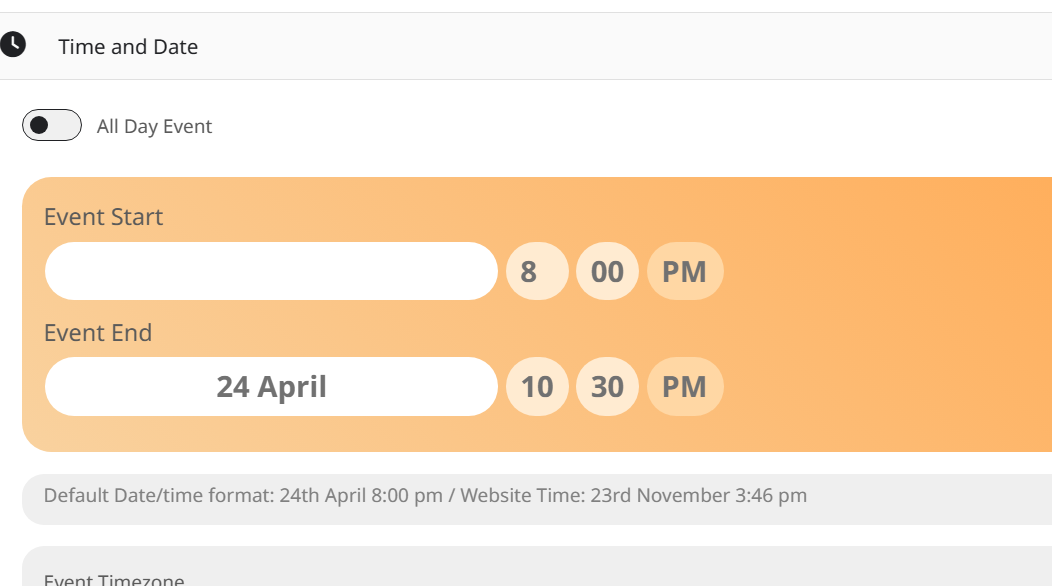
I tried to change the end date but what happens is the year vanishes as does the start date.
If I do a new gig and put 24th april 2024 then change the end date to 2024 both dates lose their years and display under Nov 2023.
Reply to: tickets(332530)
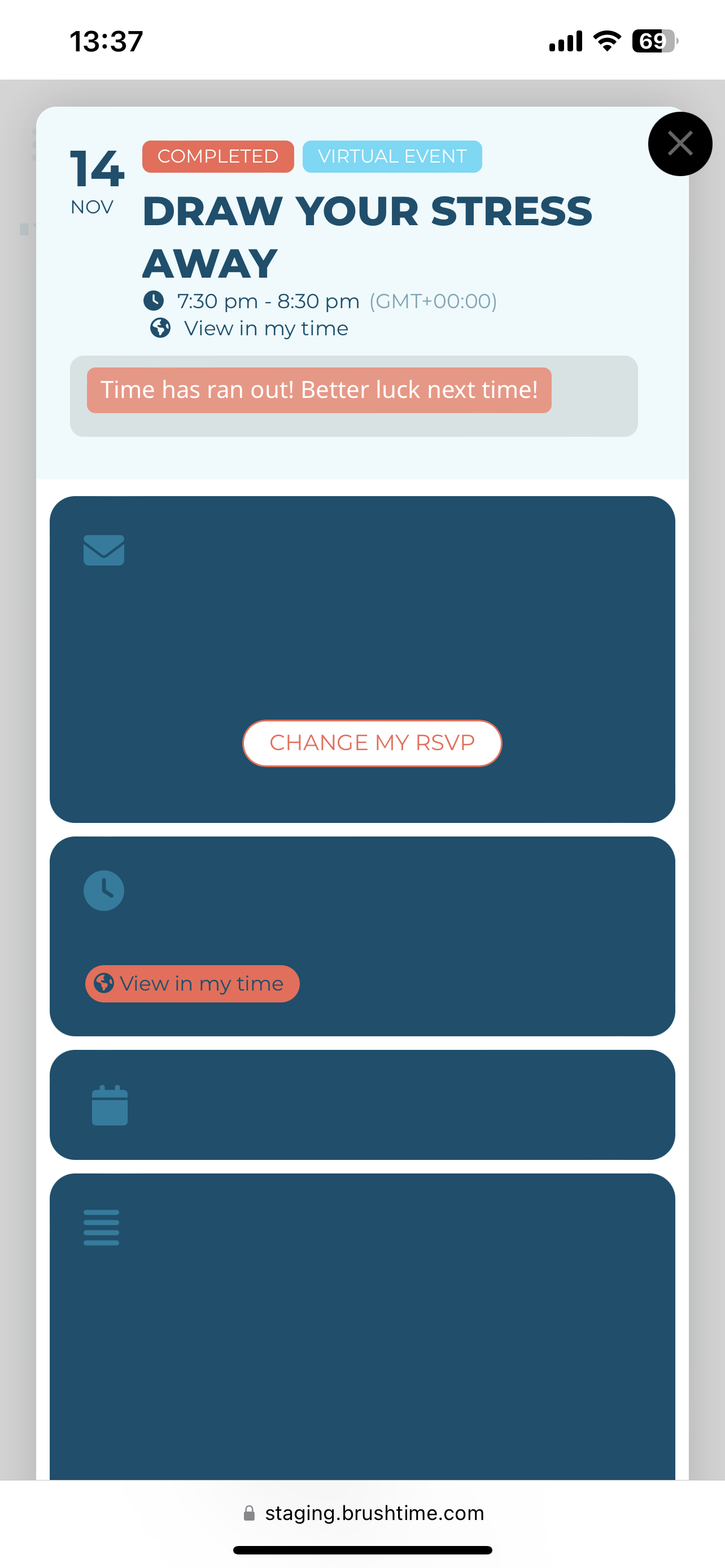
Thank you. We have tried your suggestions – however it has not worked. When testing, we have also found that pages look differently depending on what device you check.
Unfortunately I can not attach multiple screenshots, so I have only attached 1.
Reply to: tickets(332134)
Yes, thank you for your help. Now I have one more doubt related with this ticket.
At the end I was able to create the webhook and to connect it to EventOn whith Zapier. The problema I have now is that I can’t get any data comming from the additional fields that I have configured from the RSPV form.
The information that the webhook is giving me is this one:
type new_rsvp
new_rsvp_id 14712
rsvp_status y
first_name Damián
last_name Rodriguez
email drodriguez@isaval.es
count 1
event_id 14674
querystring
Could you please give me the code to generate in the trigger optioons a Child Key to get this extra info?
Thank you very much.
Regards.
Reply to: tickets(332584)
Your Event End Date is 2023, when it should be 2024: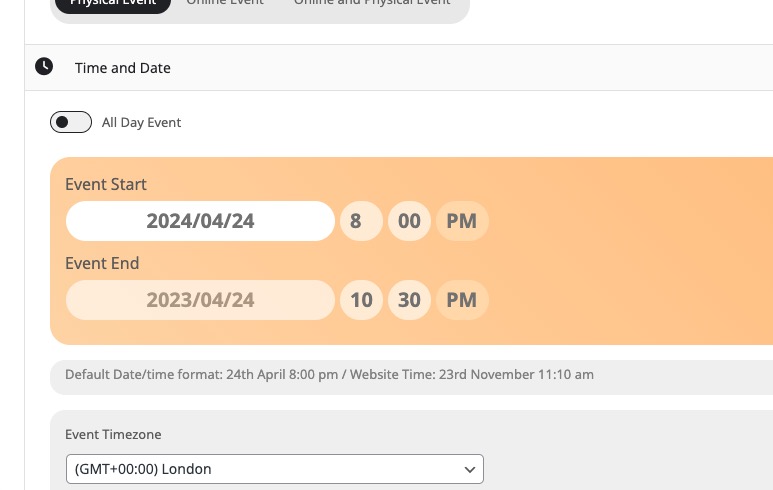
Could you check and change this?