Hello,
Please add this CSS code to EventON > Styles (If you don’t see any change, EventON > Scripts & Styling > turn off Write dynamic styles to header > save settings > turn on Write dynamic styles to header):
.eventon_events_list .eventon_list_event .evoet_cx span.evcal_desc2, .evo_pop_body .evoet_cx span.evcal_desc2 { text-transform: none !important; }
Hello,
Please send us wp-admin access to your site as a private message for us to further assist your situation.
I need to check your events (Event Start and End Time/Date) and recreate them on our test server.
Thanks Ashan for the update.
Happy Thanksgiving to you and your family.
Hi Andrew, it seems in your website the wp_remote_get() function is returning a strange spam message instead of proper json data. Kindly allow me some more time to debug into this. I will have your ticket open. It will be a bit before I can address this as we have several things going on for cyber week. Much appreciate you understanding!
You should still be able to use the addons via shortcode generator.
Ah interesting. So I wonder if there is a cache in your server and that is whats showing those old content way past it was hidden.
The test event I set it to be only visible for loggedin users.
So very interesting, you deleted the test event but it was still showing. So that means cache is still showing those events that in real-time are not visible.
Hide past is calculated at server level and output results for calendar so this 16 hr I think may very well be related to cache.
I have put the test event in draft now.
How do you manage cache on your website? is there cache on your server?
Excellent! Glad I was able to figure this out for you Ben! May you have a blissful day!
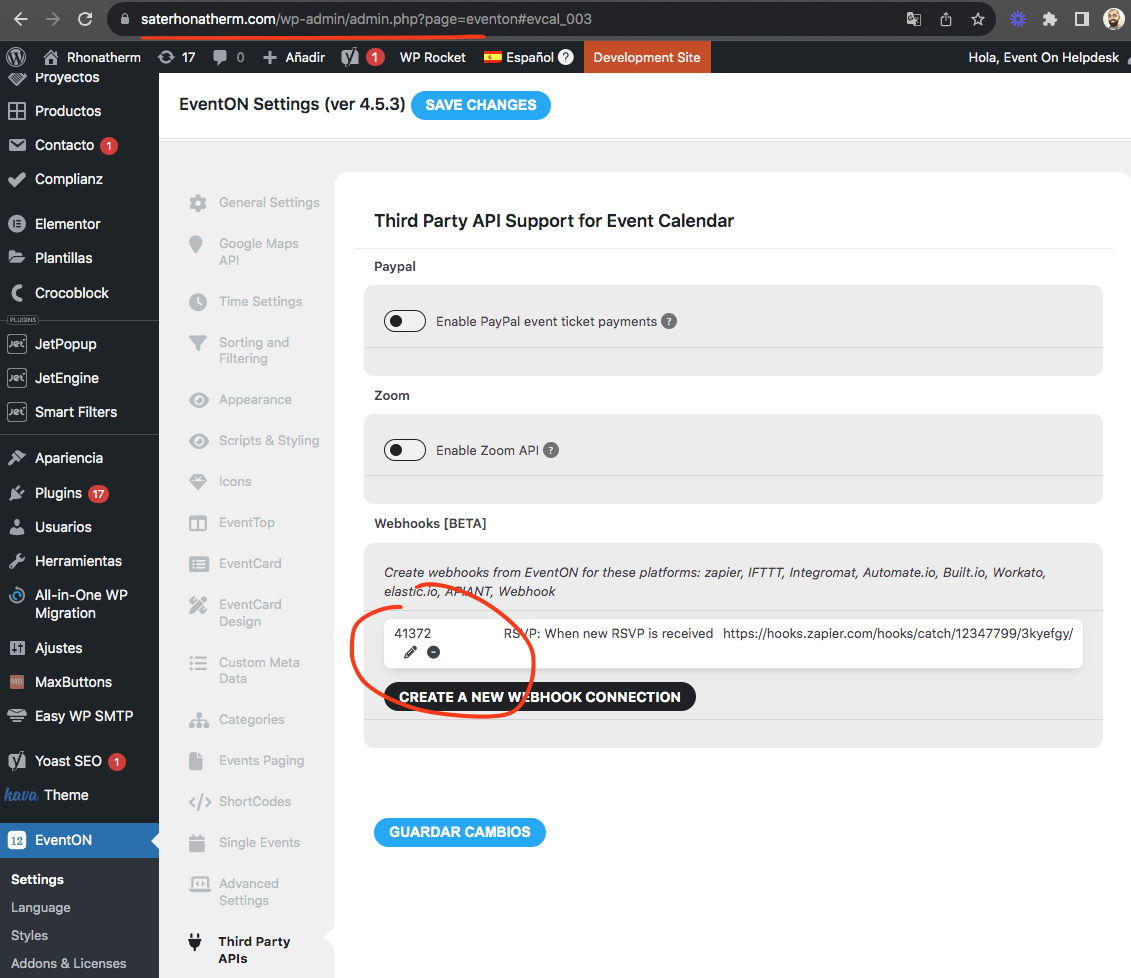
Look like the webhook data is already saved in your website?
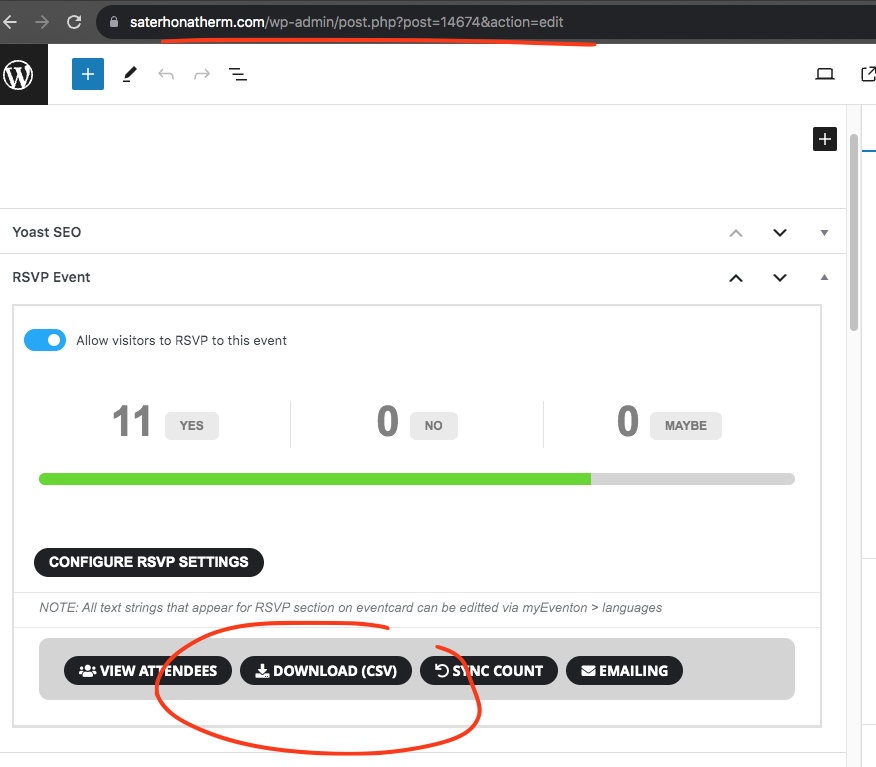
You can export RSVP data as CSV file from going to the event > RSVP event meta box > Download
WOW! Great – thank you so much, you really helped me out!!!!
You mention server performance, what should I ask my host?
Thanks again! Heimo