Hi,
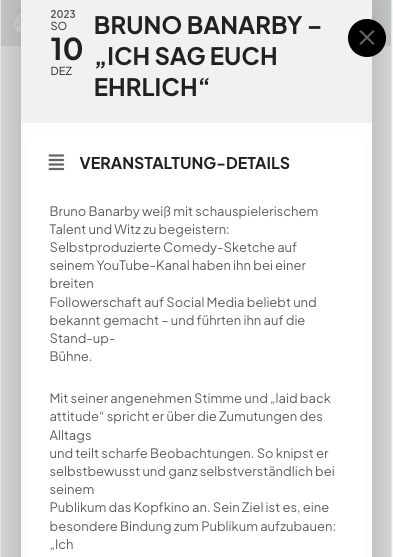
the popoup works now on mobiles, because the caching plugin is deactivated.
On this page, WP Optimize is used.
I think, it would be necessary to have some exception rules for JavaScript minifying & deferring and / or CSS minifying.
Do you have some hints for me?
The errors in the browser dev tooling, your message from Oct 27,2023 AT 12:24PM are still there.
Best,
Martin
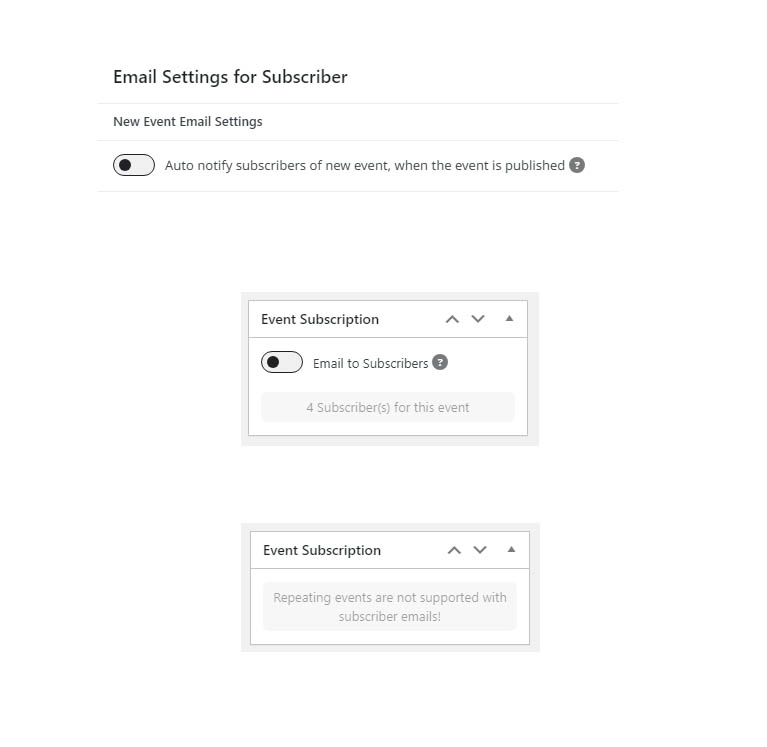
I have attached an image with email settings. These settings are for the main settings and the new event page settings. I believe what you see means that it is off and will not be emailed. From my tests duplicating a repeating event to create a new event sent an email. Also, creating a new event from scratch sent an email. These two ways to create an event sent an email which I was not expecting from the settings shown in the screen print. Adding another date to a repeating event does not send an email. The 2 events (cooking classes) were Test No Email From New and Test No Email Master Class
I have done this on a new cloned site with the subscriber list deleted except for me. I have the plugin WP Mail Logging to show emails sent from my tests. The details for the new cloned site are https://wordpress-604696-3964944.cloudwaysapps.com/wp-admin and your username is support-ext and the password is CzL#X91sNziESt#%
I deactivated Loco Translate, WP Statistics and TablePress plugins and it fixed the issue.
Errors in debug.log related to plugins:
[29-Oct-2023 22:33:54 UTC] PHP Fatal error: Uncaught Error: Failed opening required ‘/storage/content/17/1103117/annapfarrei.ch/public_html/wp-content/plugins/tablepress/libraries/freemius/includes/class-fs-security.php’ (include_path=’.:/opt/alt/php80/usr/share/pear:/opt/alt/php80/usr/share/php:/usr/share/pear:/usr/share/php’) in /storage/content/17/1103117/annapfarrei.ch/public_html/wp-content/plugins/tablepress/libraries/freemius/require.php:50
Stack trace:
#0 /storage/content/17/1103117/annapfarrei.ch/public_html/wp-content/plugins/tablepress/libraries/freemius/start.php(486): require_once()
#1 /storage/content/17/1103117/annapfarrei.ch/public_html/wp-content/plugins/tablepress/tablepress.php(57): require_once(‘/storage/conten…’)
#2 /storage/content/17/1103117/annapfarrei.ch/public_html/wp-content/plugins/tablepress/tablepress.php(87): tb_tp_fs()
#3 /storage/content/17/1103117/annapfarrei.ch/public_html/wp-settings.php(462): include_once(‘/storage/conten…’)
#4 /storage/content/17/1103117/annapfarrei.ch/public_html/wp-config.php(107): require_once(‘/storage/conten…’)
#5 /storage/content/17/1103117/annapfarrei.ch/public_html/wp-load.php(50): require_once(‘/storage/conten…’)
#6 /storage/content/17/1103117/annapfarrei.ch/public_html/wp-blog-header.php(13): require_once(‘/storage/conten…’)
#7 /storage/content/17/1103117/annapfarrei.ch/public_html/index.php(17): require(‘/storage/conten…’)
#8 {main}
thrown in /storage/content/17/1103117/annapfarrei.ch/public_html/wp-content/plugins/tablepress/libraries/freemius/require.php on line 50
[29-Oct-2023 22:32:22 UTC] PHP Fatal error: Trait “WhichBrowserAnalyserHeaderUseragentEngine” not found in /storage/content/17/1103117/annapfarrei.ch/public_html/wp-content/plugins/wp-statistics/includes/vendor/whichbrowser/parser/src/Analyser/Header/Useragent.php on line 5
Could you fix the errors above?
Hello,
Please note that we have limited support for customizations according to CodeCanyon’s Support Policy.
…but sometimes the data is not transferred.
Could you elaborate? In what circumstances does it happen, so we can recreate this.
I enabled WP_DEBUG.
Could you tell us more about the issue?
I don’t really understand what should I do to recreate it.
For example, when I go to
https://tlninside.fr/soumettre-un-evenement/
I can just submit events.
There is a Paypal bug during payment on my tln inside Android application
Not sure how this is related to EventON. Could you tell us more?
Hello,
Please take a look at
https://docs.myeventon.com/documentations/setting-up-repeating-events/
At first use Week Repeats and create repeats that also include “Thursday in November”, press Publish event and refresh the page.
Now switch to Custom Repeat and remove “Thursday in November”.
Please try and let me know.
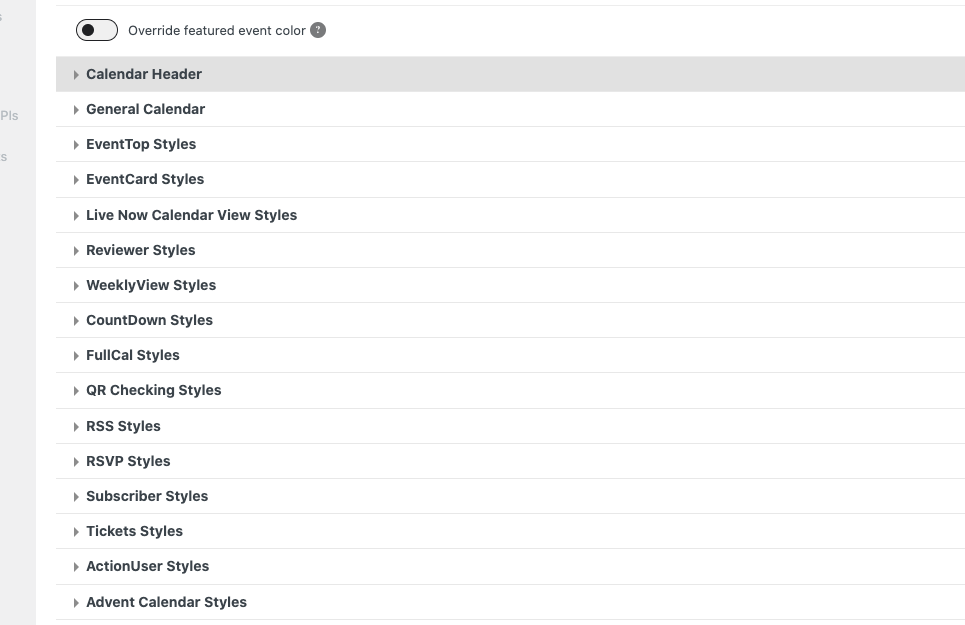
And what about color options that are available:
What I mean is that you can change every aspect of the plugin using options above and set your own style.
For example, Jumper from https://helpdeskx.s3.amazonaws.com/wp-content/uploads/2023/10/24071319/theme-color-issue.jpg can be changed by going to EventON > Appearance > Calendar Header > Jumper settings. If you don’t see any change, EventON > Scripts & Styling > turn off Write dynamic styles to header > save settings > turn on Write dynamic styles to header.
Do you have any issues with individual Appearance settings?
Could you send us a screenshot of when the popup is open?
The popup looks completely find on mobiles:

EventON > Time Settings > Default Event Timezone is set to +1, while wp-admin > Settings > Time Zone is set to +2. Which one is the correct?
Also please try going to EventON > Time Settings > enable Use UTC offset time globally on calendars.
Hello,
I cannot find the attached image. Could you send it again?
Please also take a look at this guide:
https://docs.myeventon.com/documentations/change-css-calendar/
About the color. Please try this:
.eventon_filter_line .filtering_set_val { color: darkgray !important; }