Hello,
Please add this CSS code to EventON > Styles (If you don’t see any change, EventON > Scripts & Styling > turn off Write dynamic styles to header > save settings > turn on Write dynamic styles to header):
.evcal_cblock .evo_start {font-size: 15px;}
.evcal_cblock .evo_start em.month, .evcal_cblock .evo_end em.month, .evcal_cblock .evo_start em.day {font-size: 15px;}
.evcal_cblock .evo_end {font-size: 15px;}
.evcal_cblock .evo_end em.year {font-size: 15px;}
Also take a look at
https://docs.myeventon.com/documentations/change-css-calendar/
Hello,
I cannot find EventON plugin installed on the server:
https://bostonpublicmarket.org/wp-admin/plugins.php
Could you install it first, so we can take a look?
Hello,
You need to save Settings first. I did, so it looks like this:
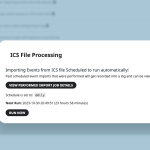
Please check and let me know.
Hello,
Please either go to https://eurogasdev.flywheelstaging.com/wp-admin/admin.php?page=eventon and enable “Hide past events for default calendar(s)“.
Or add event_past_future=”future” to your shortcodes.
Hello,
By following this guide you can show past events using Event Lists shortcode:
https://docs.myeventon.com/documentations/how-to-show-past-events/
Also Event Lists: Ext add-on allow you to show either Past events or Date Range:
https://www.myeventon.com/addons/event-lists-extended/
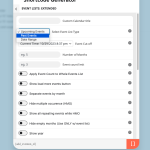
Try on
https://dev.myeventon.com/wp-admin/
Is it possible to view past events on another page using the “View past events” option?
You can add a link to a page where the shortcode is that shows past events.
Hello,
Please add these to your shortcode to enable Jumper and expand it by default:
jumper=”yes” exp_jumper=”yes”
This allows users to jump between months and also shows the current month.
The event is this one https://bostonpublicmarket.org/wp-admin/post.php?post=14188&action=edit
https://bostonpublicmarket.org/wp-admin/
username: eventonsupport
pw: )GbBldW^@POV@27FTn66Svz9
Looks like it’s fixed already.
Please send us wp-admin access to your site as a private message for us to further assist your situation.
Thank you for your great suggestion, at the moment it is not supported. However please create a new ticket and select Feature Request as category so others can vote on your idea and get it moved into development faster.
it might I repeat Might be possible to have a comment plugin working in a custom meta field-
so you find a comment plugin (perhaps on the repository) – and then create a custom meta field in myeventon>>>settings>>>>custom meta field
make it multi lines of text and possibly add the shortcode of that found comment plugin within that new field but thats theory and I have not tested it