Hope you were able to verify and get the new version. From now on please use the license from myeventon.com on your website to get updates. We are planning to move out of codecanyon at some point.
Do let us know if you have any further questions!
Kind Regards!
Ashan
We are currently in the process of wrapping up an update to tickets and seats addon, Hoping to get this out within this week.
Sounds good thank you very much for the information. We will see about adding an easy to use interface for the data editing and batch control. Would be excellent if you could kindly share a video of how the new custom coding make your workflow go now.
BYI We have already processed your refund on Feb 23rd.
That is strange, I wonder if it was an update to something else that fixed it. Anyways I would recommend making a backup copy on the working version so you know next time something goes unexpected. Kind Regarsd!
Sam, if you activate the addon in your website. you should see new update notices and should be able to get new updates from your website.
Thank you for sharing this Kevin. Usually they sent a full report for these issues, but we have not received anything. I have reached out to the guy at Patchstack (Darius) hoping to hear back with full report.
Hello Iain, hope the event went smoothly over the weekend and do let us know if you see any features that you and your team felt that could have helped better 🙂 Kind Regards!
Hi, I have uploaded the access info
Hello, the CSS seems to have fix that issue!
What about the double time and map not loading on organizer page? I’d rather just hide the map if possible. I also noticed one other thing, we are testing out changing to tiles with featured images and for some reason some of them have a pinkish overlay and some of them seems to show correctly that slightly darkens when you hover which would be the preferred way it shows.
https://www.loom.com/share/b90bc8fa06bb47b78ba5f5ab7015b205
I will put in the feature request for the FAQ via CSV – one of the big reasons I wanted to update was to get that feature.
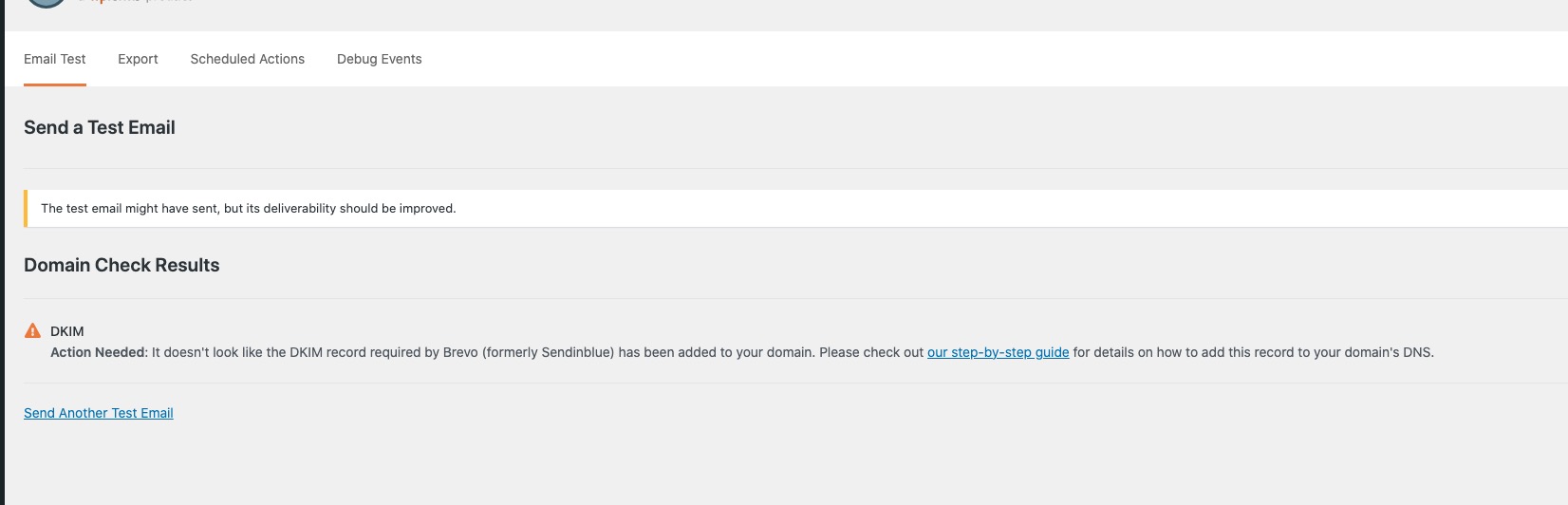
Could you check this message from SMTP plugin:
https://nyflora.org/wp-admin/admin.php?page=wp-mail-smtp-tools&tab=test