It seems that this one as well as https://helpdesk.ashanjay.com/ticket/locations-display-twice-in-filters-on-weekly-view-addon/ are both fixed now.
Do you need our help with anything else or can I close the ticket?
Replies for tickets on suppota
It seems that this one as well as https://helpdesk.ashanjay.com/ticket/locations-display-twice-in-filters-on-weekly-view-addon/ are both fixed now.
Do you need our help with anything else or can I close the ticket?
Hello,
Can you please send us a direct link to where the actual issue is happening?
It seems that there is an issue with the theme or a third-party plugin. We need to check HTML structure and CSS styles.
It’s orange on my side: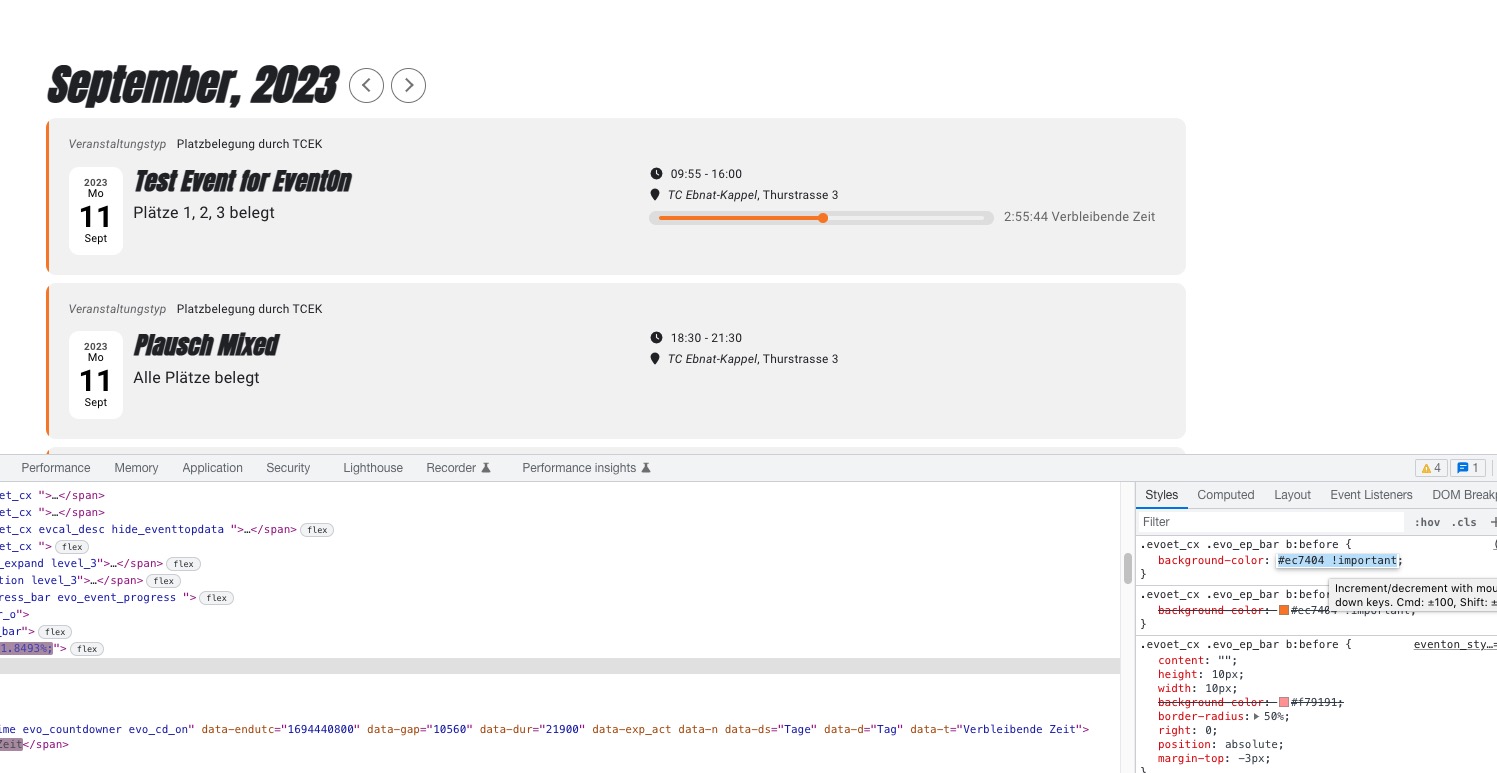
Could you send us a screenshot?
we’ve had a problem for a while where all featured events dont always show.
Since this is your main issue, I suggested you to update EventON, because usually, the old version is the main reason for any issue.
Additionally, our events page is now showing the events for a single month with a option to change month. and then a full list of all other events on a page
Sorry for not specifying, but these two questions are basically the same. In order to fix both I suggested to use Event Lists shortcode:
[add_eventon_list number_of_months=”12″ hide_empty_months=”yes”]
and is there a limitation to how many events we can show?
My answer: Please use event_count=”4″ to limit the amount of events.
This is the shortcode you need to show all events + Load More button:
[add_eventon_list number_of_months=”12″ hide_empty_months=”yes” event_count=”4″ ]
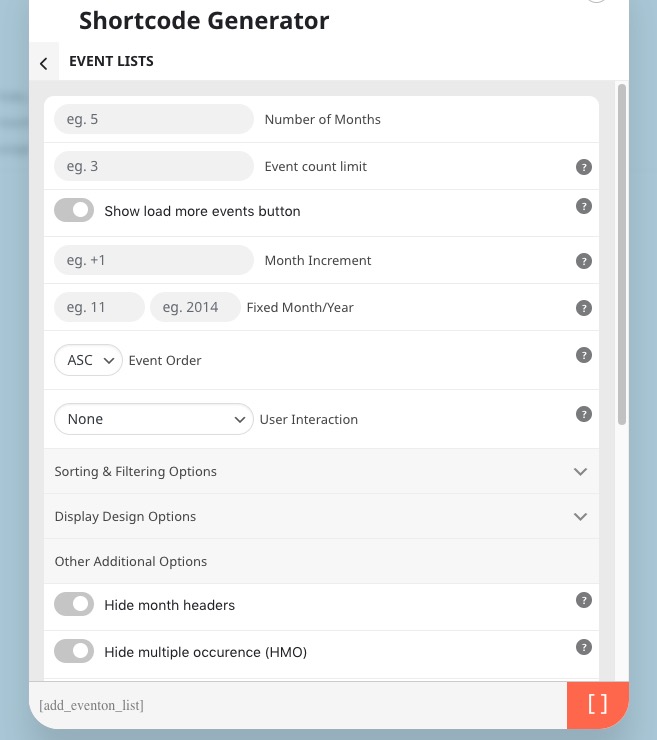
I should’ve specified that you can change number_of_months to show more months. If you go to Shortcode Generator and find Event Lists shortcode, this is the first option:
What can we do to ensure that all featured events are showing first
This can be fixed by adding ft_event_priority=”yes” to your shortcode. Please take a look at my answer from my previous message.
I also read this again and it seems that you want to show a list of only featured events and then another list of regular events, correct?
The only way to filter featured events is to use Event Type:
https://docs.myeventon.com/documentations/confused-event-type-categories/
Create a new category and then assign it to featured events. Now you can filter them by following the guide above.
My question: Could you send us link to some events that aren’t visible?
I didn’t receive any examples of featured events that aren’t visible so we can recreate the issue on our test server and fix this.
…‘settings and data management’ option…
Could you send us a screenshot of the settings? Did you enable it or disable it before updating? Also which version did you update EventON from?
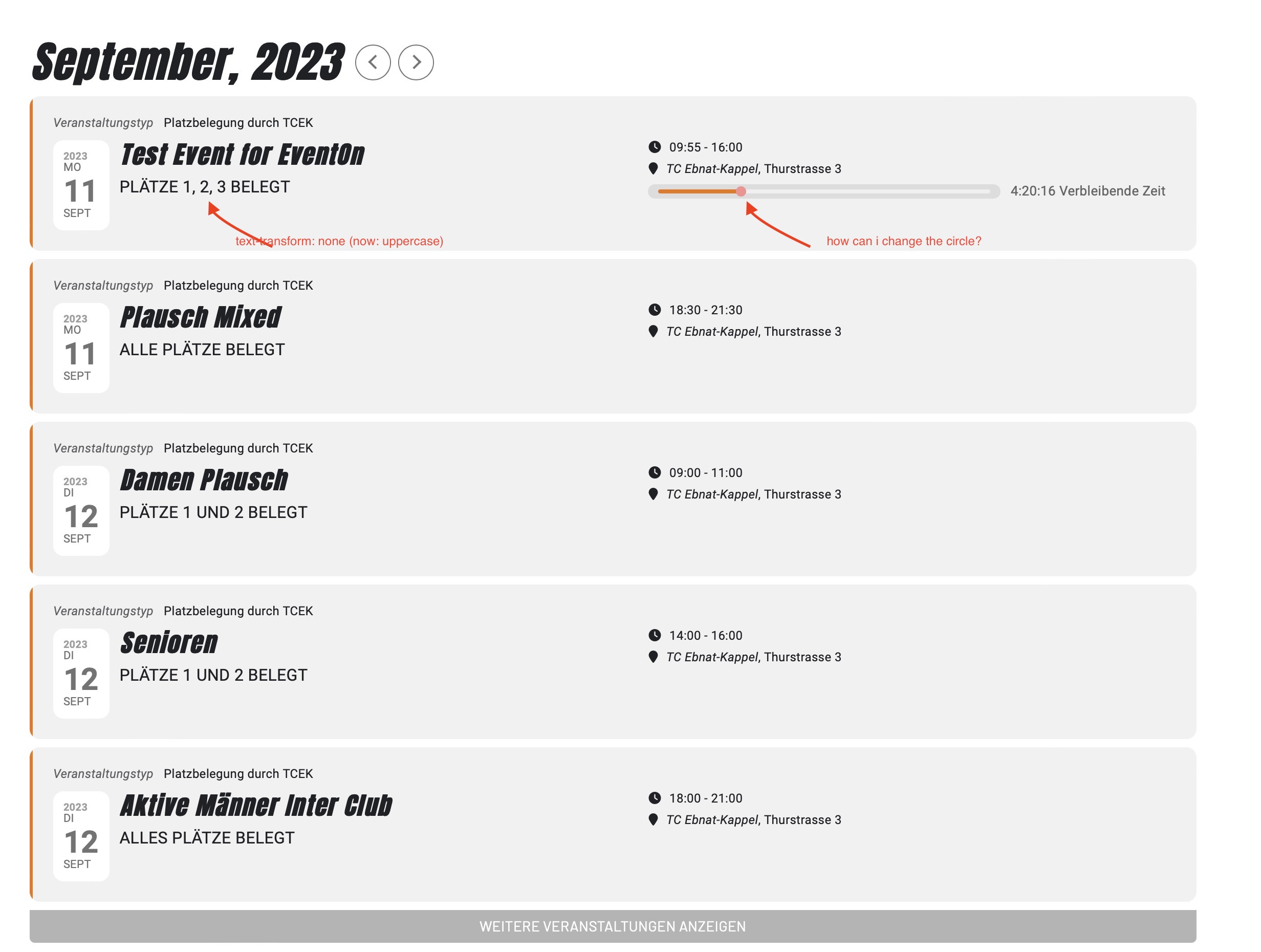
So far so good, Super! I was able to change the font with the command !impotant – although I had tried it before.
I only have the problem with the progress bar, the CSS code does not change anything:
.evoet_cx .evo_ep_bar b:before {background-color: #ec7404}
We are glad your issue is resolved, if you have any further questions or concerns please create a new ticket.
Edit Event – general setting that allows users to edit events, except private events (similar to private posts https://www.wpbeginner.com/beginners-guide/how-to-create-a-private-post-in-wordpress/) and events that were submitted by other users. Private – a user can edit their own private events. Other – a user can edit others users events.
When you apply any kind of custom CSS code make sure to put !important as well:
.eventon_events_list .eventon_list_event .evoet_cx span.evcal_event_subtitle, .evo_pop_body .evoet_cx span.evcal_event_subtitle { text-transform: none !important }
Otherwise EventON can still override it in some cases.
It seems that you’ve already fixed the dot issue as well with this code:
.evoet_cx .evo_ep_bar b:before {background-color: #ec7404}
Please let me know if you need any help with the progress bar.
Hello,
Is this event was created from scratch or by duplicating:
https://www.dada.wien/wp-admin/post.php?post=705&action=edit
Did you create it first and then imported .json data or created seats without importing them?
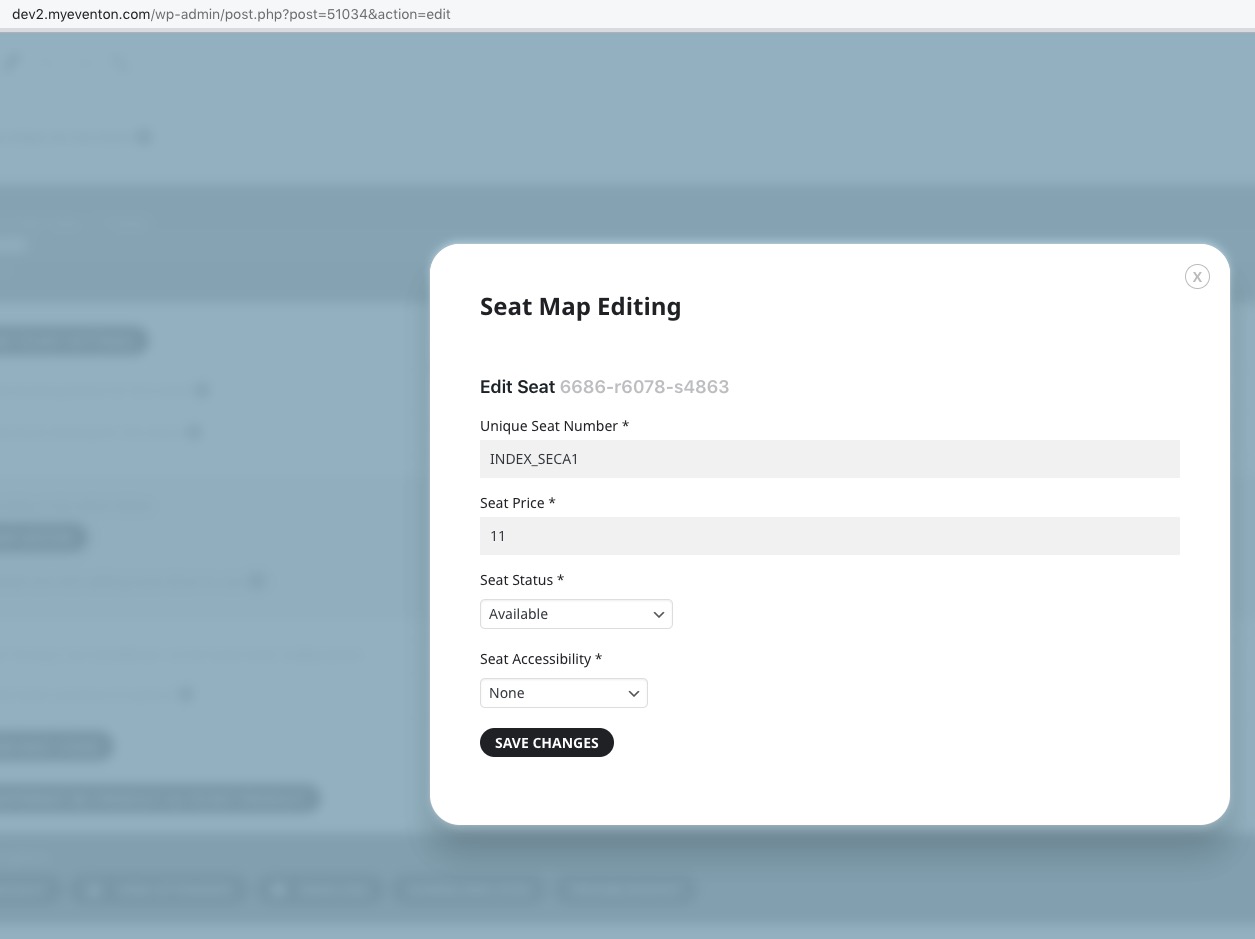
I can see that when you try to edit a single seat it doesn’t show any data:
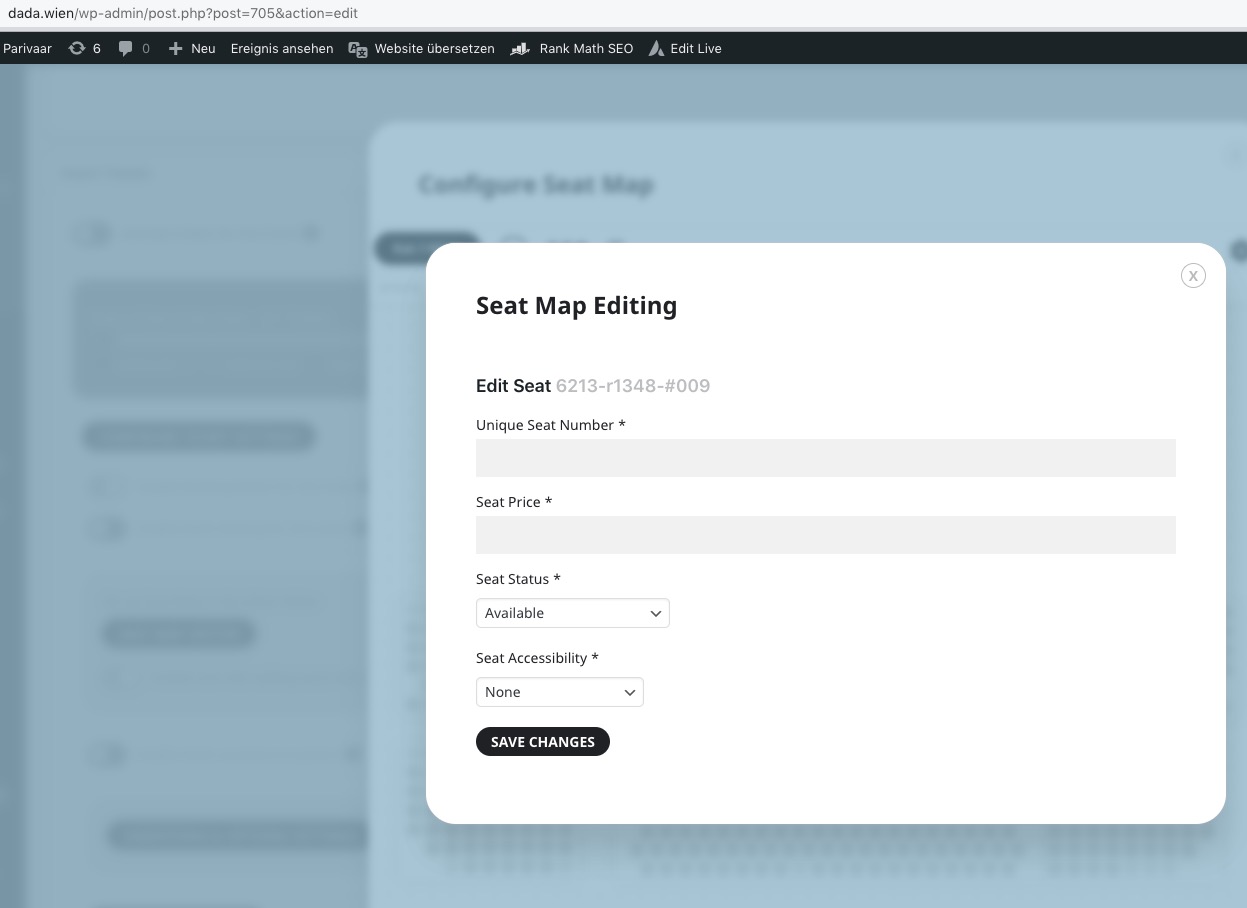
At the same time when I try to do the same on our test site it works:
Could you let us know?