https://www.metaphysicalevents.com/wp-admin
user: eventonAdmin
pass: eventonPassword123!
Replies for tickets on suppota
https://www.metaphysicalevents.com/wp-admin
user: eventonAdmin
pass: eventonPassword123!
I can not login to your website to edit the eventon code. Are you able to provide wp-admin access link and enable plugin editor on your site>
https://docs.myeventon.com/documentations/how-to-enable-plugin-editor-for-wordpress/
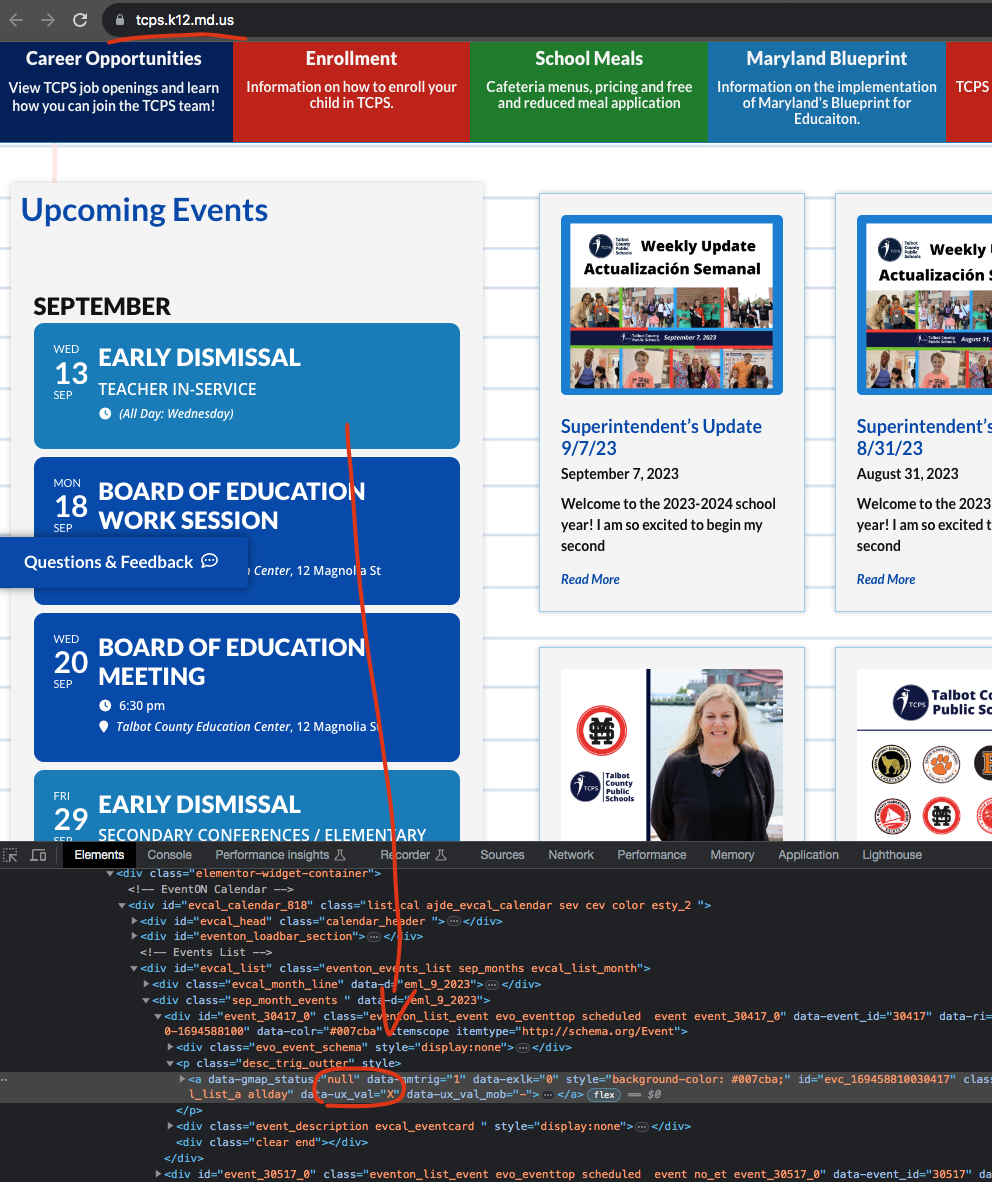
Seems like tab index is not a valid way to do this. We will add href value into <a> tags when using ux_val =4 in the next version update.
Great! It works!
Thanks a lot!
UPDATE: I found the short code (not in online documents, but in admin) and added it to the page. However when the QR code is scanned it still comes back with 404 error.
I think I figured this out, or at least can help. The original QR code scanned to this URL:
https://bmwra.org/?page_id=145386?id=MTcyMDI3LTE3MjAyNi0xNjYwNzNUMA==
Since that includes a page_id which doesn’t exist anymore, I assume that’s why it gives a 404 error page, correct?
So how can I adjust this so it works again, since the new page ID is
https://bmwra.org/?page_id=172029
And everyone already has tickets with the old QR code / page ID. Recreating the QR codes isn’t an option since that event takes place next week.
Could I just go into the database tables and change the ID for the new page to the old one? If so which tables would I do this for? Please advise.
…Sorry and… the event submission form is not showing on the front end??
after setting up Action User and adding the short code to a page
https://www.staging.tourismnewwestminster.com/event-submission-test/
Thanks in Advance
ps Also… is this have anything to do with Adding the Action user add-on?
getting messages about Action Scheduler:
action_scheduler/migration_hook
the shortcode you want on the page is
[evo_checking_page]
copy and paste that into the html part of the editor (not the visual so that you don’t copy additional code from this helpdesk)
also in myeventon>>>>settings>>>>>qr code
QR Code Check-in page set it to the new page
is that the same login you use?
I am just thinking you have a bunch of user role restrictions or user role editors which might be impacting the ability to edit the event
as when I click edit profile I see a bunch of things that are unique to your site