Hello,
I cannot recreate the issue. The code is there:
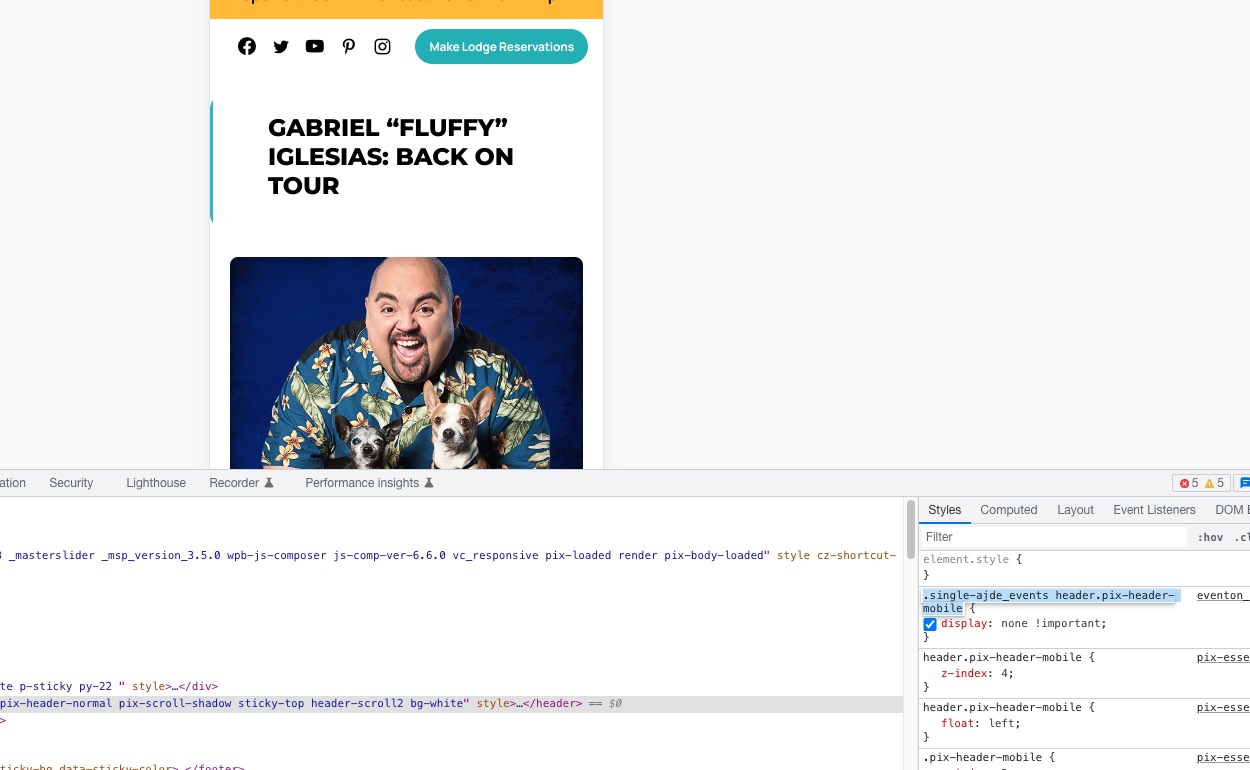
Could you send us a video or a screenshot of the issue?
Replies for tickets on suppota
Hello,
I cannot recreate the issue. The code is there:
Could you send us a video or a screenshot of the issue?
Hello,
eventon-action-user-paidftev isn’t our product. Was this a custom work?
Hello,
I am sorry, the access information you have provided did not work for us. Please check them and post the correct login information as a private message, thank you!
Do you want to show Location on Event Top or Event Card? It seems to be visible on Event Card.
If EventTop, please go to EventON > EventTop > add Location to EventTop Designer.
Please take a look at this guide:
https://wp-mix.com/remove-all-matching-options-wordpress-database/
We are glad your issue is resolved, if you have any further questions or concerns please create a new ticket.
If you have a moment, we would greatly appreciate if you could kindly leave us a review at codecanyon! from your account > downloads. Cheers!
Cool.. So how would I do it then? Where would I run the delete_option(‘_evo_wishlist’) function from? I just need to wipe out all data related to the wishlist. Can you give me step by step instructions on how to do this please?
Im suggesting that a users ability to flow through a site is paramount. And last I checked the lightbox was not working on mobile(as pictured above).
So why not set organizer archive page to open in a new window, instead of a lightbox that may be problematic and risky… A steve jobs minimal design is becoming more attractive as all of our lives become more complex..
You know?
And I think the lightbox is counterproductive. I could be wrong.
Thank you. It fixed
Hello,
Please fix this issue:
Geocoding Service: You must enable Billing on the Google Cloud Project at https://console.cloud.google.com/project/_/billing/enable Learn more at https://developers.google.com/maps/gmp-get-started
We are glad your issue is resolved, if you have any further questions or concerns please create a new ticket.
If you have a moment, we would greatly appreciate if you could kindly leave us a review at codecanyon! from your account > downloads. Cheers!