Ok, let me know when this is ready 😉
So you think this issue is specific to the payment gateway?
Replies for tickets on suppota
Ok, let me know when this is ready 😉
So you think this issue is specific to the payment gateway?
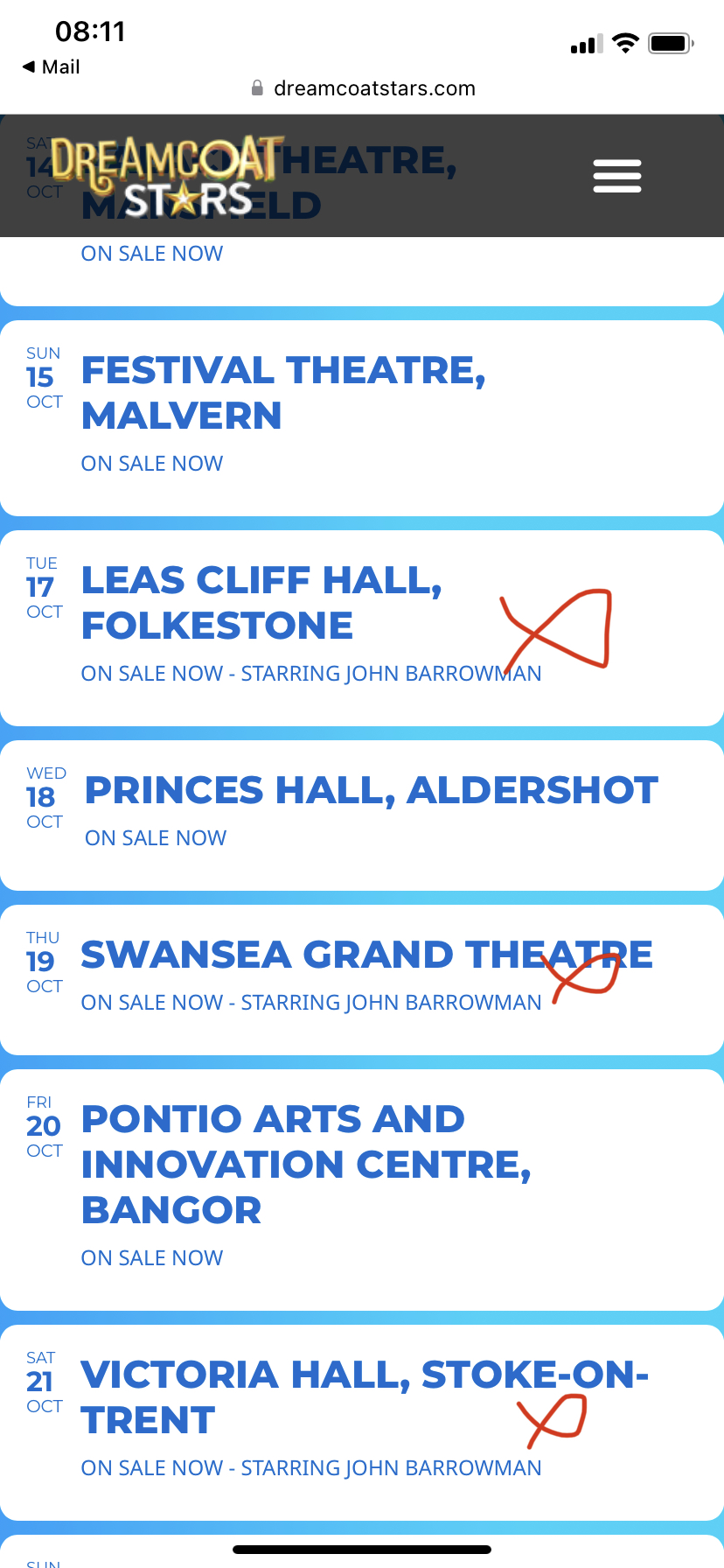
Thankyou for your response.
I have attached a screenshot of the 3 events I wish to be a gold colour instead of white. You will see it is in the list view. I want all the others to remain the same white background.
I don’t have any coding knowledge, I was able to do this much. It’s really important to me if you have a chance to add it. I can give 5 stars for you and get 1 more license in return. (You have my admin information)
Ashan,
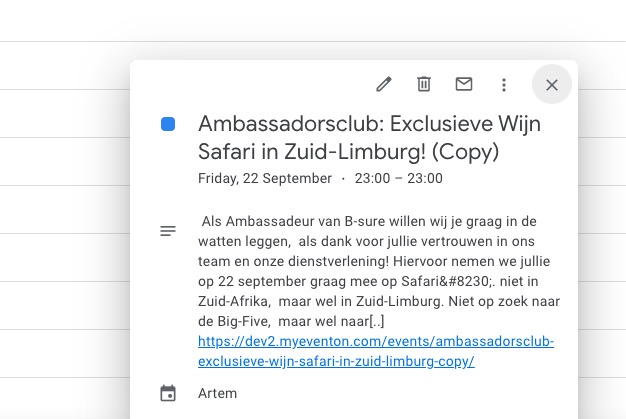
Second, It is not possible to download the ics calendar file from the eventcard on the event page, IF the event is a private (not public event).
Private events cannot be downloaded when click on “CALENDAR“:
https://dev2.myeventon.com/events/ambassadorsclub-exclusieve-wijn-safari-in-zuid-limburg/

Is this correct?
Also I enabled EventON > Disable ICS file special character encoding, but it still shows …
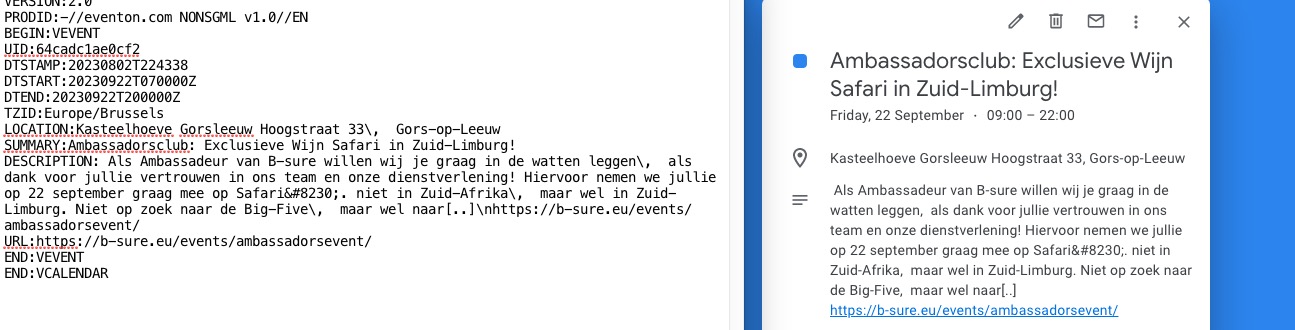
Second, It is not possible to download the ics calendar file from the eventcard on the event page, IF the event is a private (not public event).
This is because the event is private. I am going to assign this ticket to Ashan, so he can take a look as well.
Could you please check the ics export file as attached? in the text strange symbols + the text is interrupted (link of event page is correctly mentioned, but I would prefer if the whole event description would be exported in the ics file)
There are limitations on how much text you can put into the description field:
https://stackoverflow.com/questions/63915340/issue-cut-off-the-description-when-add-event-to-google-calendar-from-ics-file
…in the text strange symbols…
Slashes “” are there for Google. Also when you import the event, they are removed:
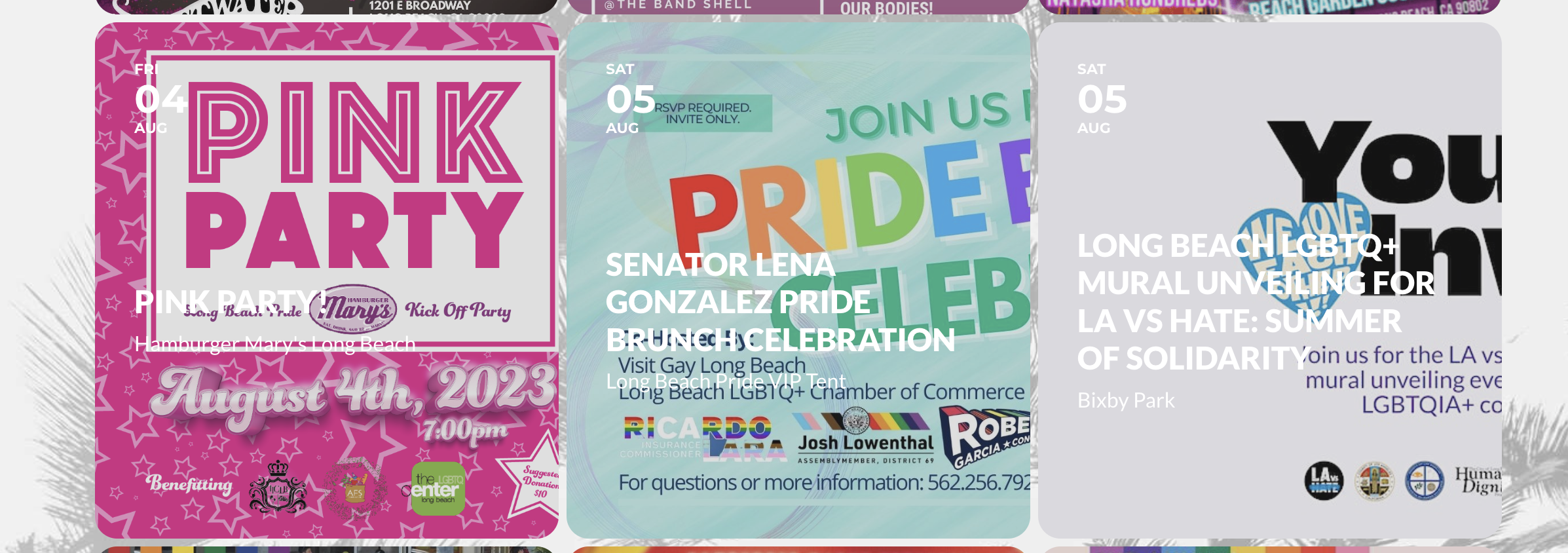
Looks great – thank you! The only thing I see is that images that aren’t square are no longer centered…is it possible to fix that?
Hello,
Can we please try the instructions mentioned in this documentation? I want to try to disable Zoho plugin.
Is it possible to update EventON and Tickets add-on? There are new versions available.
To update eventon to latest version: If you are unable to do autoupdate, you can go to codecanyon your account > download and get the latest eventon version as zip file. Then you can go to your website > make sure “Delete eventon settings & data when EventON is uninstalled” is Deslected from eventon settings, delete old eventon, install new one and activate. This link will further explain the process it. Also you can follow us on twitter to get real-time announcements on updates!
To update eventon addons: You can download latest eventon addons from myeventon > my account. Then you can go to your website, deactivate old addon and install new one and activate then delete the old addon. This link will further explain the process. Also you can follow us on twitter to get real-time announcements on updates!
Please take a look at this guide:
https://docs.myeventon.com/documentations/how-to-add-additional-fields-at-checkout/
You added only one part of the code. Please also add the other two.
When done follow this guide
https://docs.myeventon.com/documentations/how-to-add-additional-fields-to-download-attendees-csv-file/
The part you need is
$td – the ticket data array holds an array of data for the ticket. You can use print_r($td) within the code to see what information is there and use correct associate path in the array to show those information.
eg. $td[‘oD’][‘ordered_date’] – will get you the date the ticket was ordered.
$td[‘oDD’][‘order_id’] – will give you order ID for the ticket.
Please understand that we have limited support for customizations, since any customizations are against CodeCanyon’s Support Policy.
Sorry for the inconvenience caused. I am going to close this ticket. Please open a new one whenever you need our help.