Apologies. The login URL is:
https://theoasisbbs.com/sign-in/?redirect_to=https%3A%2F%2Ftheoasisbbs.com%2Fwp-admin%2Findex.php
Replies for tickets on suppota
Apologies. The login URL is:
https://theoasisbbs.com/sign-in/?redirect_to=https%3A%2F%2Ftheoasisbbs.com%2Fwp-admin%2Findex.php

Hello. I didn’t see an email respone of tihs reply and only noticed a reply when I logged back in just now.
Thanks for your response.
User: eventon
pw: E5KmBq9lYZV1Ozsd8suM@f#g
We are glad your issue is resolved, if you have any further questions or concerns please create a new ticket.
Hello,
1. Not possible, unfortunately.
2. With Event Map they can find events by their location, but manually:
https://www.myeventon.com/addons/events-map/
Try on https://dev.myeventon.com/wp-admin/
3. If you go to EventON > Search > enable Enable additional search queries (may not work for all sites), users can type requests with numbers and letters to search for events by, for example, postcode, but unfortunately, EventON compares texts and no more.
Please also take a look at this guide:
https://docs.myeventon.com/documentations/how-to-use-event-types-to-do-more/
You can create a filtering system with locations, but everything must be done manually.
Thank you Ashan, it is working right now.
Please note that when I ask for your help, before I correspond with you I have already done a series of tests so that the flow of information is minimized and we save ourselves responses like: (Unfortunately, we cannot say how much time this will take. #318613)
Thank you for your support and have a nice day
Guido
I fixed the problem myself. The reason was the “Cookie Banner”, which deactivated access to Google Maps despite consent. I have now deactivated the “Content Blocker” in Maps and it works now. Please excuse me for bothering you with this.
ok, step 3 done. I hope to get the other two 🙂
Have a good weekend!
thanks Ashan! I hope to help with other issues 🙂
user: flawzyyy@gmail.com
pass: T!EqdO&JDY(AX%v*z$MHQ1B1
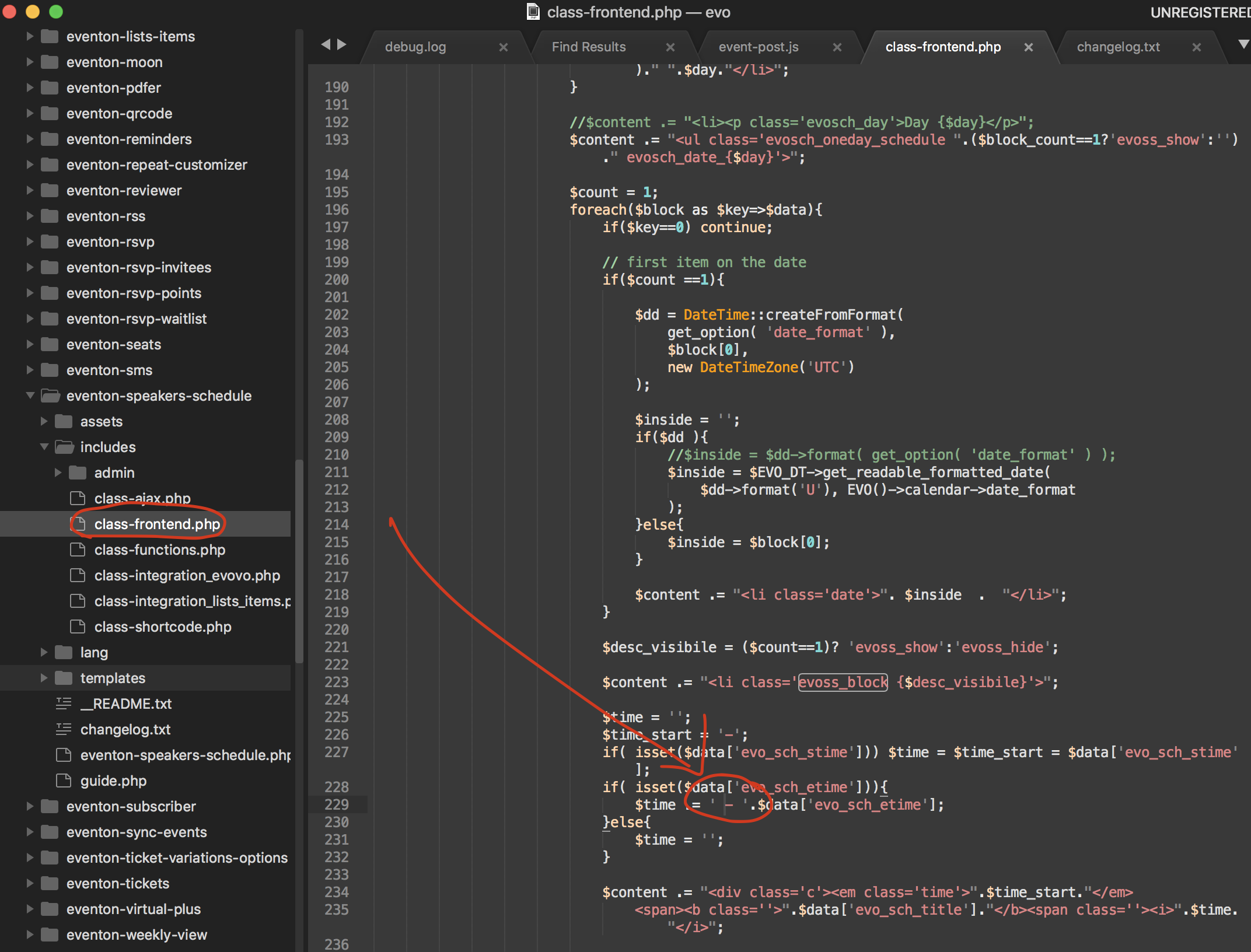
Here is the patch fix to fix the gap after start time for the speaker schedule.