Ashan,
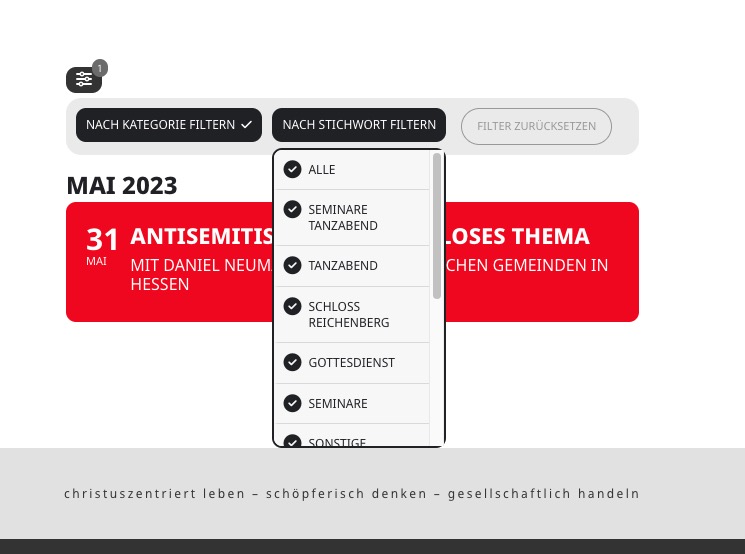
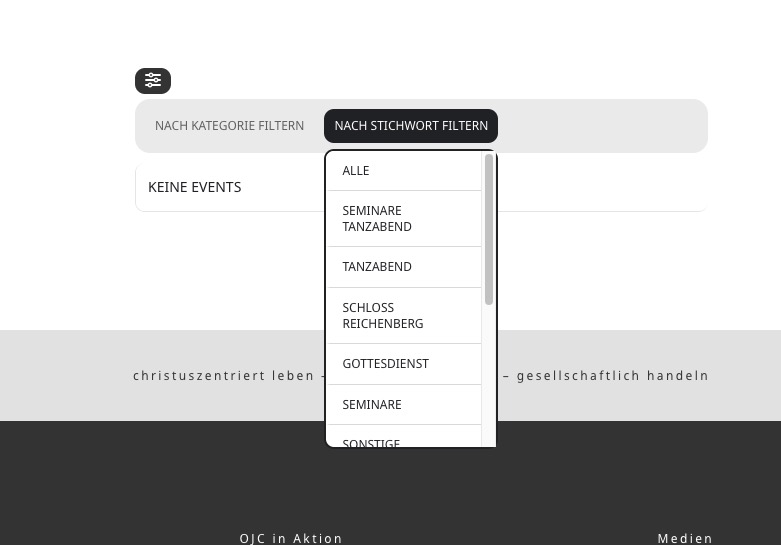
I applied to patch, but it still doesn’t work. Before/after I pressed the clear button:
Replies for tickets on suppota
Ashan,
I applied to patch, but it still doesn’t work. Before/after I pressed the clear button:
Thank you for your messages, I am going to assign this ticket to Ashan and he will be able to take it from here and find you a solution. Please allow some time for him to get back to you, we greatly appreciate your patience and thank you for being a eventon customer! Also please disable any IP blocking on your site if there are any.
Hello,
Thank you for your great suggestion, at the moment it is not supported. However please create a new ticket and select Feature Request as category so others can vote on your idea and get it moved into development faster.
If this option is not yet implemented, then I need you to help me to create a function/hook or event help me where in the source code it may be possible to implement this function.
Unfortunately, we unable to help with customization requests since it’s against CodeCanyon’s Support Policy.
Hello,
Please take a look at this guide:
https://docs.myeventon.com/documentations/how-to-set-up-front-end-event-manager-for-users/
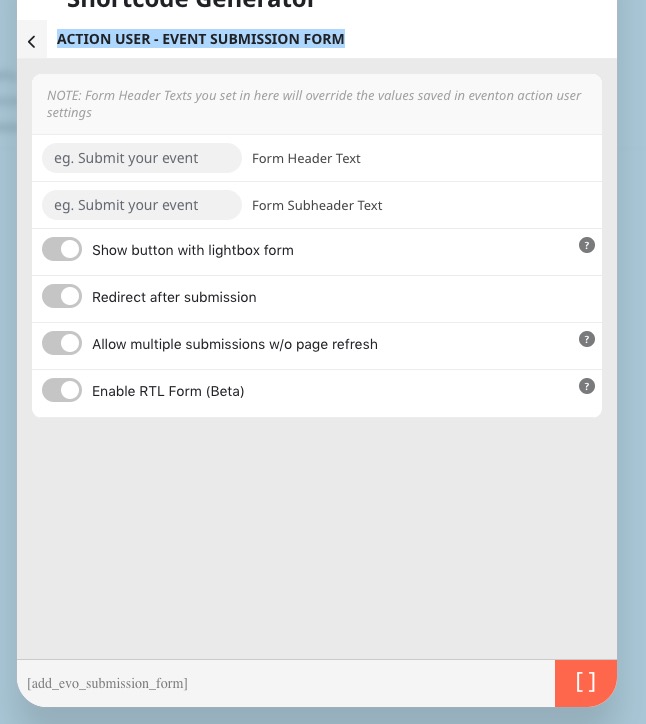
The same with Action User’s Submission Form:
More guides can be found here:
https://docs.myeventon.com/documentation/addons/action-user/
Just let me know if you have any particular questions.
Hello,
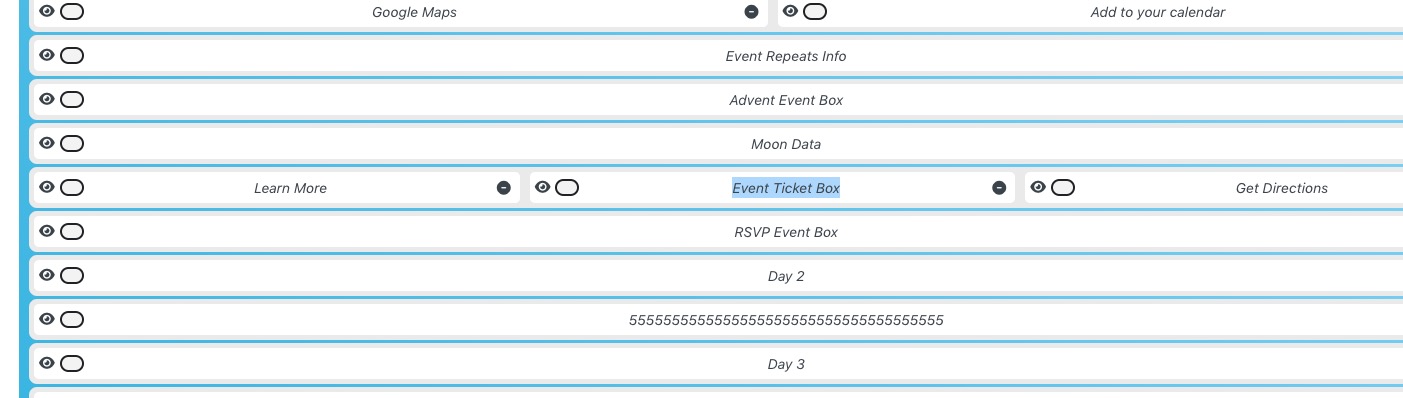
Could you go to EventON > EventCard Design > make sure to add Event Ticket Box:
Hello,
Could you make sure that you are using the latest 2.4.1 version of Action User add-on?
To update eventon addons: You can download latest eventon addons from myeventon > my account. Then you can go to your website, deactivate old addon and install new one and activate then delete the old addon. This link will further explain the process. Also you can follow us on twitter to get real-time announcements on updates!
I think you will better understand if you look at all the taxonomies – tags, events types 1 & 2, locations and organisers. The data imported in just an integer and incorrect when we import it to our new website build. Do you want me to import and give you access so you can see?
Can you let me know when you did the test to check for the image as it looks like it’s from last year
Hi Artem
here is a wordpress admin login for you:
https://neu.ojc.de/lnr/wp-login.php
user name: artemevent23
pw: GpDxefXV&MWr*^I9UImFJxG(
Hi Artem
I checked just now, unfortunately it still isn’t working. I cleared all caches and reloaded several times.
When I click filter reset it shows no events. I can’t expect users to reload the page.
So what do you suggest? I really need this to work.
(also I just renewed the support licence)