use www.foodsorcery.co.uk/login
Replies for tickets on suppota
use www.foodsorcery.co.uk/login
There was a typo in this part: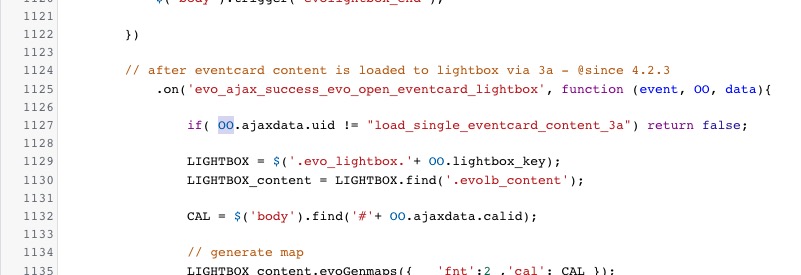
Seems to be working on
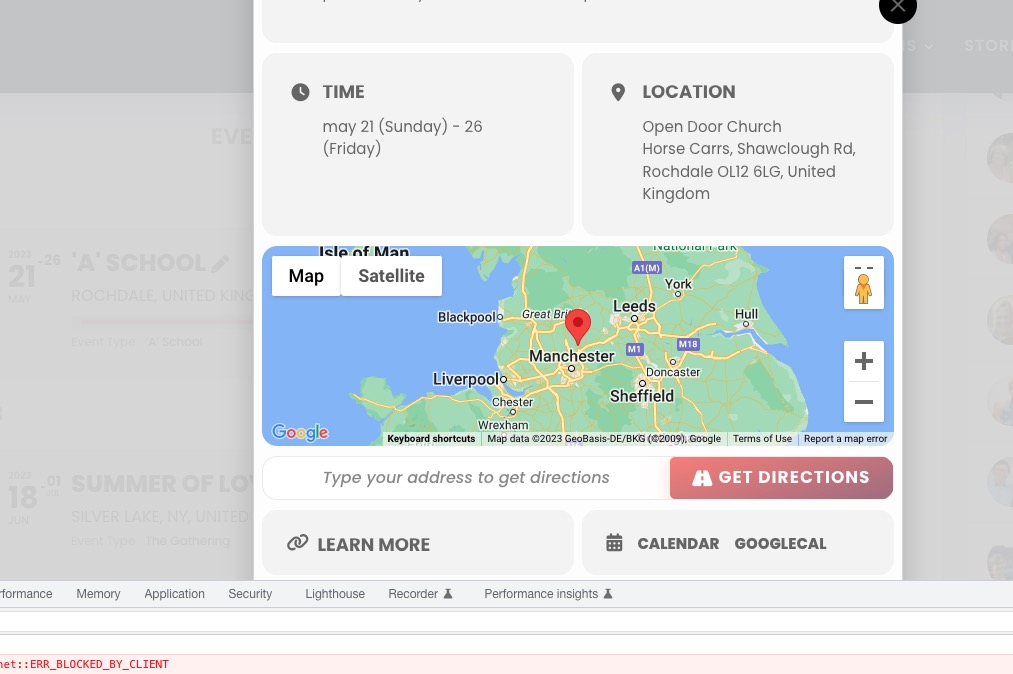
Make sure to check with cleared browser cache.
I don’t know why you cannot connect, this is the same login page since this successfull connection : EventOne 87.222.1.155 21 February 2023 12 h 01 min.
I try to add the CSS code in additional CSS, without result.
Unfortunately, it doesn’t work. I also tried to login to the website’s wp-admin using the info from your previous message, it didn’t work as well.
Did you make any manual changes to this product assigned to the event:
https://shop.kochdichturkisch.de/wp-admin/post.php?post=1374412&action=edit
Could you update EventON to 4.3.5?
To update eventon to latest version: If you are unable to do autoupdate, you can go to codecanyon your account > download and get the latest eventon version as zip file. Then you can go to your website > make sure “Delete eventon settings & data when EventON is uninstalled” is Deslected from eventon settings, delete old eventon, install new one and activate. This link will further explain the process it. Also you can follow us on twitter to get real-time announcements on updates!
Lists shortcode on our test page with added ux_val=”4a”:
https://dev2.myeventon.com/test-53/
…‘no items detected’…
Please try adding cal_init_nonajax=”yes” to the shortcode. The best solution is to use Yoast or similar plugin, create a sitemap and provide it for Google to scan.
I cannot login because saint-claude.fr/freshclic-admin/ leads to the main page.
Please try adding the code to wp-admin > Themes > Customize > Additional CSS.
I tried to import it on our test server and it worked completely fine. The issue is that you are using old versions of the main plugin and the add-on. Please update and try to import again.
I would love to see this feature – at the moment is messes up our SKU’s
Hi,
Here are the login details
name eventON
pass Eventevent123!!!
Thanks for your help