In this event https://dev02.kanu-petry.de/events/rur-geschlossene-gruppe/ there are two variations set to 0.00. When variations are enabled, Ticket Price doesn’t matter since EventON doesn’t use it at all, only the price of variations.
Archives: Replies
Replies for tickets on suppota
Reply to: tickets(313275)
Perfect! If you have any further questions or concerns please create a new ticket.
Reply to: tickets(313275)
The solution is in the wp um social plugin:
<?php
function um_social_activation_redirect()
{
function _my_plugin_php_warning()
{
echo ‘<div id=”message” class=”error”>’;
echo ‘<p style=”color:#ff0000;”><b>Ultimate Member</b> needs to be installed and activated at first before you start using <b>WP UM Social</b> Plugin. Please click <a href=”‘ . admin_url() . ‘plugins.php”>here</a> to install/activate <b>Ultimate Member</b> plugin.</p>’;
echo ‘</div>’;
}
if (!is_plugin_active(‘ultimate-member/ultimate-member.php’)) {
add_action(‘admin_notices’, ‘_my_plugin_php_warning’);
}
if (intval(get_option(‘um_social_activation_redirect’, false)) === wp_get_current_user()->ID) {
delete_option(‘um_social_activation_redirect’);
wp_safe_redirect(admin_url(‘/options-general.php?page=um-social-setting-admin¬ice=1’));
exit;
}
}
add_action(‘admin_init’, ‘um_social_activation_redirect’);
Reply to: tickets(314536)
Hi Johannes,
You can only skip empty months when using the [add_eventon_list] Short code instead of [add_eventon]
Regarding adding the filter, take a look at the tutorial below on how to do it
https://docs.myeventon.com/documentations/how-to-set-up-and-use-the-filter-bar-on-calendars/
Reply to: tickets(314401)
https://dev02.kanu-petry.de/kalender/
backend: https://dev02.kanu-petry.de/wp-admin/
the logins:
htaccess: eventon & B1tBA1uO0w7Tj2cY
wp-admin: eventon & temsev-wUtbix-hyvzo3
Reply to: tickets(314402)
So if you create a variation there will be a new field “weight”. There it is possible to put in a number, standard will be 1. It can be between 0 and infinite (the datatype in database will limit the value). By this number the ticket stock will be reduced when the variation is purchased.
Example 1:
Ticket stock: 100
Family variation for 4 attendees: weight 4
Ticket stock after purchasing one family variation: 96
Example 2:
Ticket stock: 50
Pet variation (example: you can bring you dog with you, only 5 dogs at one event allowed, but it doesn’t reduce the ticket stock): weight 0
Ticket stock after purchasing pet variation: 50
I hope it is understandable. Do you have more questions? Is it possible to implement?
Reply to: tickets(314519)
Hi James,
I would advise that you create a testing site and send us admin access so that we can be able to troubleshoot the issue there.
Let us know if this is something you can do.
Reply to: tickets(314251)
Hello,
Version 8.1
Reply to: tickets(314251)
Which version of PHP are you running on your website?
Reply to: tickets(314373)
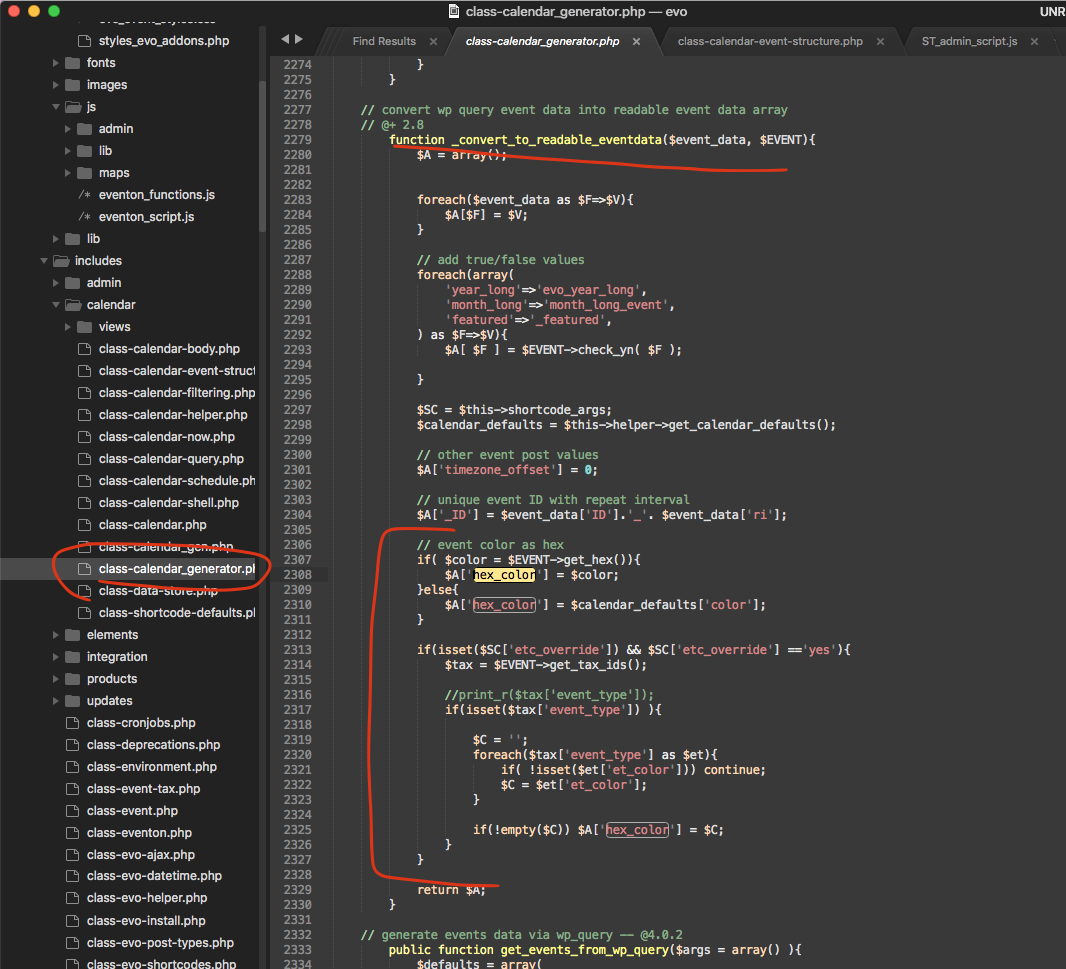
I am not sure how you are setting a primary vs secondary event type categories? because in the current eventON latest version there is no identification between each category you assign to an event as primary vs secondary. Right now the way the code is built it will use the last event type that its assigned to as its color if etc_override is set.
Here is the part of the code that does this.