Hello,
Please update manually by following:
To update eventon to latest version: If you are unable to do autoupdate, you can go to codecanyon your account > download and get the latest eventon version as zip file. Then you can go to your website > make sure “Delete eventon settings & data when EventON is uninstalled” is Deslected from eventon settings, delete old eventon, install new one and activate. This link will further explain the process it. Also you can follow us on twitter to get real-time announcements on updates!
Your custom Single Event page template needs to be updated:
https://pm-eschool.com/wp-admin/theme-editor.php?file=eventon%2Fsingle-ajde_events.php&theme=wplms
The updated version can be found here:
https://pm-eschool.com/wp-admin/plugin-editor.php?file=eventON%2Ftemplates%2Fsingle-ajde_events.php&plugin=eventON%2Feventon.php
Hello,
If you want to add an image to each individual event, please go to Events > Edit Event > Event Image.
If you want to set a default image for all events at once, please go to EventON > EventCard > enable Set default event image for events that doesnt have images.
Hello,
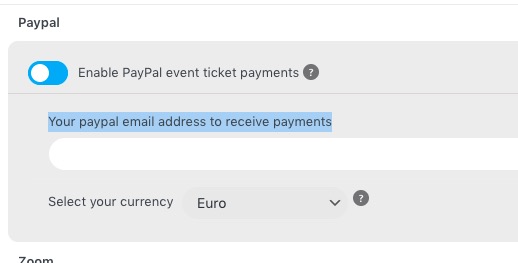
“Your paypal email address to receive payments” is required as well:
 Please add it to show the button.
Hello,
Could you send us an email associated with 138299? I cannot find it among your purchases.
Hi,
I have raised refund request 10 days ago in code-canyon, still there is no reply. I have raised dispute also but still no luck.
Dear Support Team ~
this is the only event with problems so far… so I guess it has to do something with the settings.
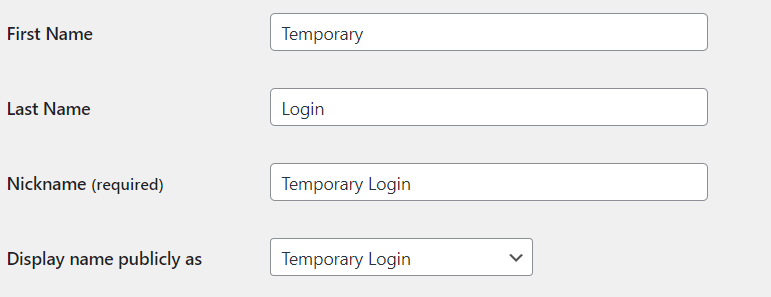
PW: Temporary Login
Hi Kenneth,
I believe my EventOn plugin is the latest version “Version 4.3.4”.
Can you please further check my problem?
Thanks.
If i keep my past event but remove the speaker of those events, do you think it will work ?
Hello,
Please update your plugin to the latest version and check if that fixes the issue.
To update eventon to latest version: If you are unable to do autoupdate, you can go to codecanyon your account > download and get the latest eventon version as zip file. Then you can go to your website > make sure “Delete eventon settings & data when EventON is uninstalled” is Deslected from eventon settings, delete old eventon, install new one and activate. This link will further explain the process it.