Hello,
1. This option controls the order of events:
event_order=”DESC”
However, please note that it orders events within a month and not for the whole list. For the whole list of multiple months you need to use Event Lists: Ext add-on and this option:
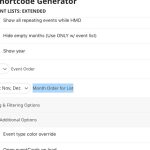 2. Where can I see this page: https://helpdeskx.s3.amazonaws.com/wp-content/uploads/2023/03/10023705/Screenshot-2023-03-10-at-10.34.52.png
https://chiefmarketer.co.uk/meetings/ is similar but not the same.
Hello,
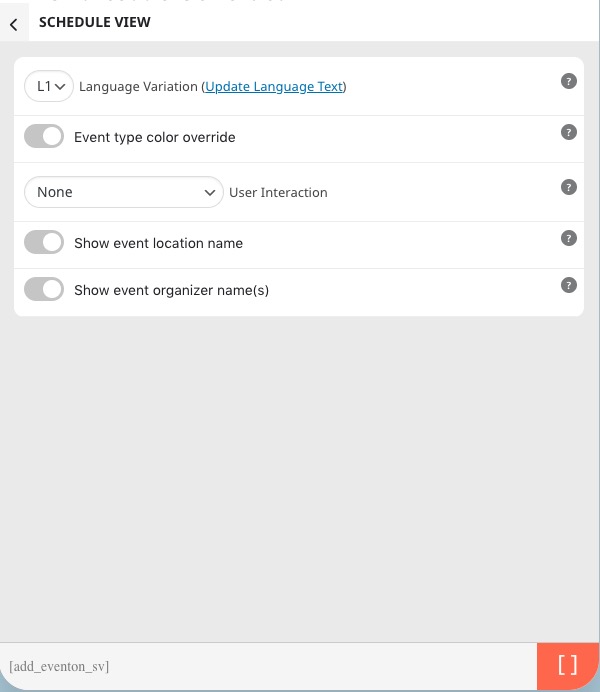
For “Schedule View” you need to use a certain shortcode:
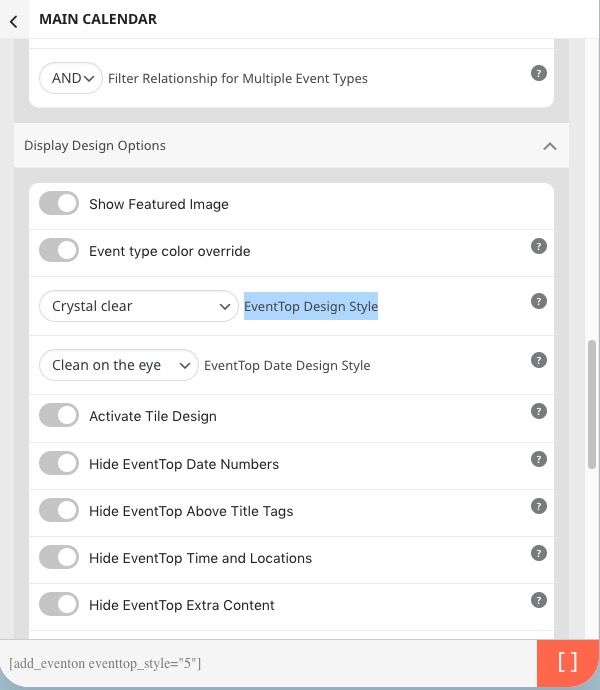
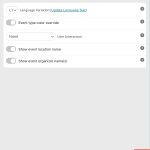 For “Crystal Clear”, please use “EventTop Design Style: Crystal clear”:
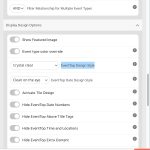 Just add eventtop_style=”5″ to the shortcode. Make sure not to enable Tile Design.
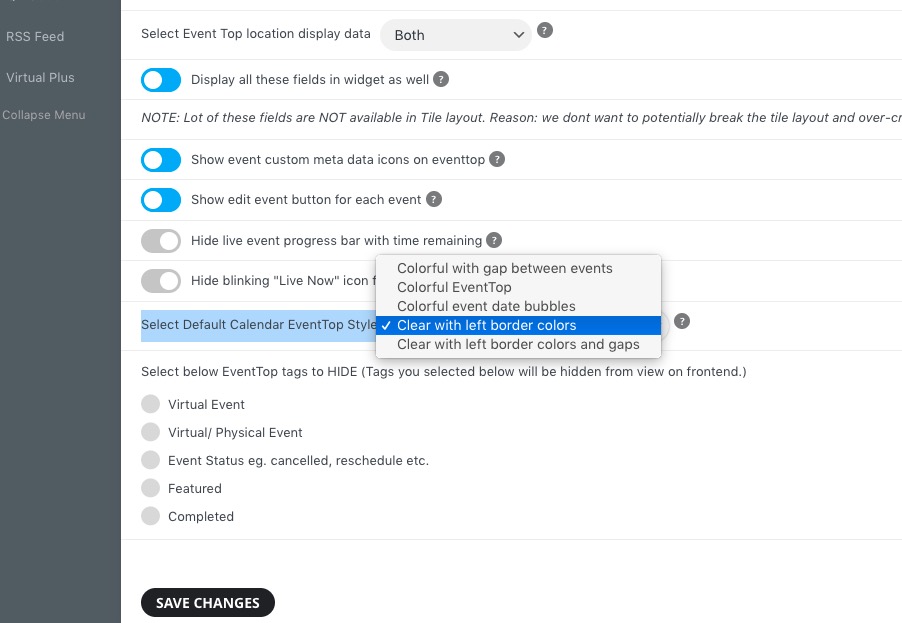
You can also use EventON > EventTop > Select Default Calendar EventTop Style:
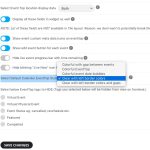
Unfortunately, Crystal Clear isn’t available there.
Instagram login page link is this one:
https://www.instagram.com/accounts/login/
Hello, you have a news? Thanks
Hello,
Could you send us a link to the event you are referring to?
For example, I found this one https://restonstation.com/wp-admin/post.php?post=14924&action=edit and it has incorrect Event End Date/Time, unfortunately.
Event Start and End Date/Time of the event should be Start/End Date/Time of the first repeat.
Could you check and let me know?
Ashan,
The same on dev2:
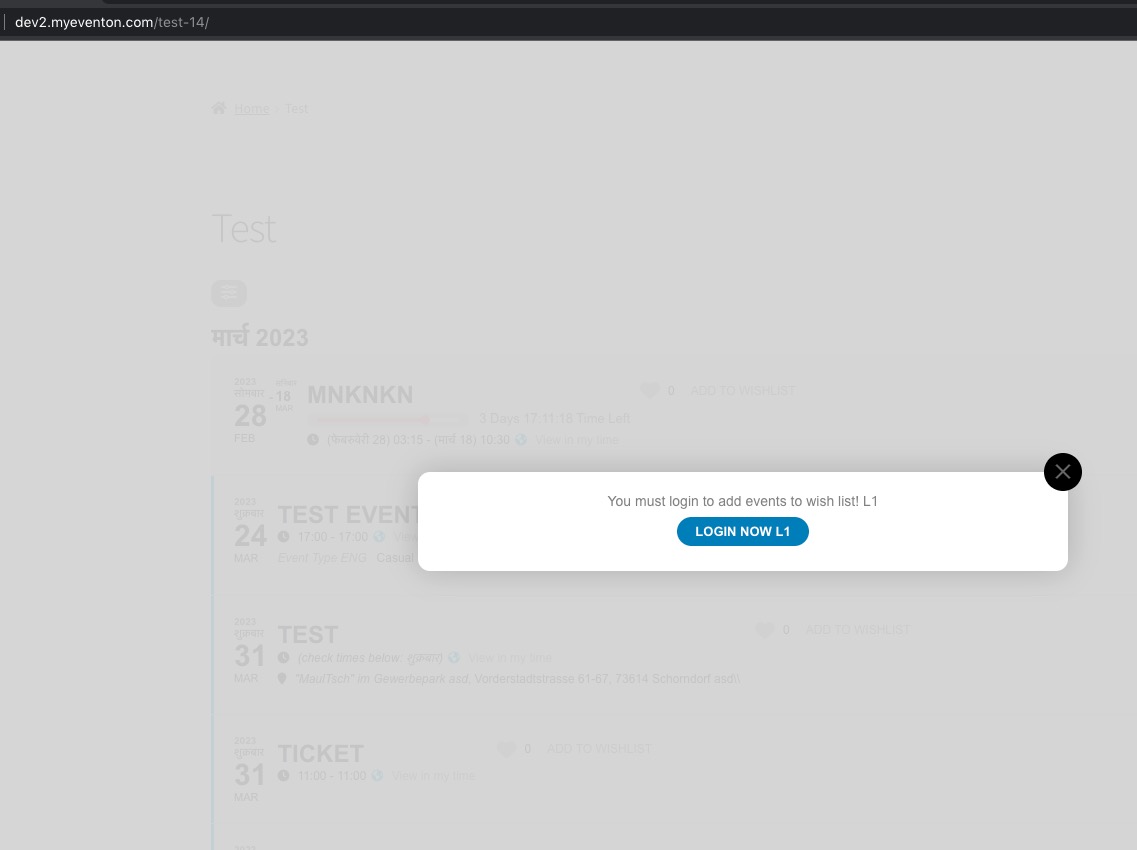
https://dev2.myeventon.com/test-14/
The shortcode has lang=”L2″, but it shows this message:
Thank you for your messages, I am going to assign this ticket to Ashan and he will be able to take it from here and find you a solution. Please allow some time for him to get back to you, we greatly appreciate your patience and thank you for being a eventon customer! Also please disable any IP blocking on your site if there are any.
There is a new version of Event Lists: Ext add-on available – 0.22. Could you update?
To update eventon addons: You can download latest eventon addons from myeventon > my account. Then you can go to your website, deactivate old addon and install new one and activate then delete the old addon. This link will further explain the process. Also you can follow us on twitter to get real-time announcements on updates!
I also checked your hook documentation, and I can’t find an action that can hook every creation of events when the calendar is generated.
If I hook this action: eventon_eventcard_additions with hook like this:
<?php
add_action( ‘eventon_eventcard_additions’, function () {
?>
<script type=”text/javascript”>
console.log(“new addition”)
</script>
<?php } );
I don’t get any console print
Hello,
Please send us wp-admin access to your site as a private message for us to further assist your situation.
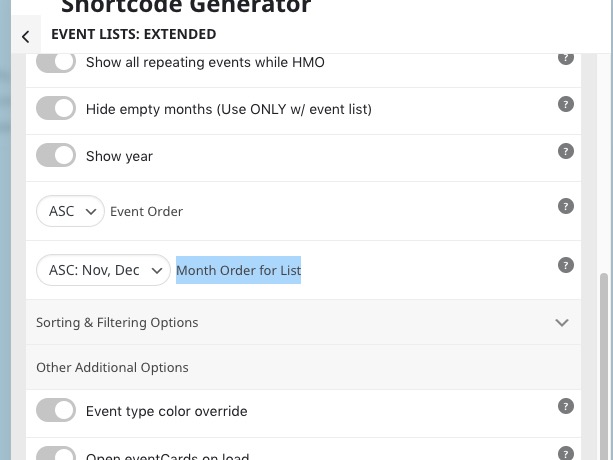 2. Where can I see this page: https://helpdeskx.s3.amazonaws.com/wp-content/uploads/2023/03/10023705/Screenshot-2023-03-10-at-10.34.52.png