Reply to: tickets(311264)
Replies for tickets on suppota
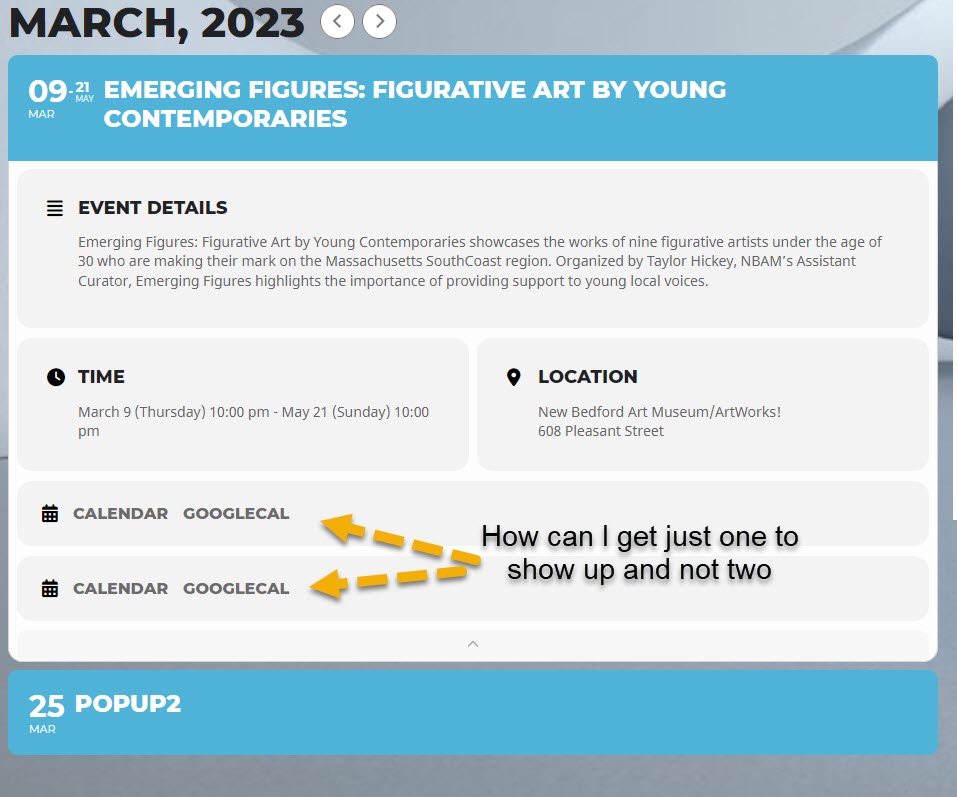
go into myeventon>>>settings>>>>event card design and simply delete one of them- then click save
That worked great, thank you very much for your help.
Cheers,
Kassie
the agregator is a different plugin that might be able to do the same thing but for free- its not made by us but can import into eventon
we don’t know anything about Rock Gym Pro its not a plugin I have heard of before and we don’t know the ins and out of how it imports or exports
myeventon.com is not the same as codecanyon- they are seperate owners
Hello,
So I tried to first use ‘clear all seat map data’ and then upload the updated json-file. Upload worked, but no seats appeared in admin-view and on the event-page. What’s the cause? Did I something wrong or unexpacted? Or is it a bug?
Could you send us a link to the file? Need to test it.
Could you update your custom Single Event page template:
https://novanatureadventures.ca/wp-admin/theme-editor.php?file=eventon%2Fsingle-ajde_events.php&theme=simplyducky-child
Updated version can be found here:
https://novanatureadventures.ca/wp-admin/plugin-editor.php?file=eventON%2Ftemplates%2Fsingle-ajde_events.php&plugin=eventON%2Feventon.php
Hello,
Can we take a look at wp-admin? Please send us wp-admin access to your site as a private message for us to further assist your situation.
Seems to be working on our test site:
https://dev2.myeventon.com/33429-2/
Hello,
Can we take a look at wp-admin? Please send us wp-admin access to your site as a private message for us to further assist your situation.
Seems to be working on our test site:
https://dev2.myeventon.com/33429-2/
Hello,
Could you try EventON > Scripts & Styling > turn off Write dynamic styles to header > save settings > turn on Write dynamic styles to header?