Hello
Was trying to fix my site speed using LSCWP, however there is some problem and the patch that Ashan sent did not resolve this issue.
So, I have deferred and delayed some JS and CSS files to fix my page load speed. I suspect this may have caused an issue and Im now receiving errors about font size.
When I try to correct the specific pages, it seems that ALL the body copy in ALL my event pages have gotten smaller(14px). Perhaps this is reverting to the default small font of eventon?
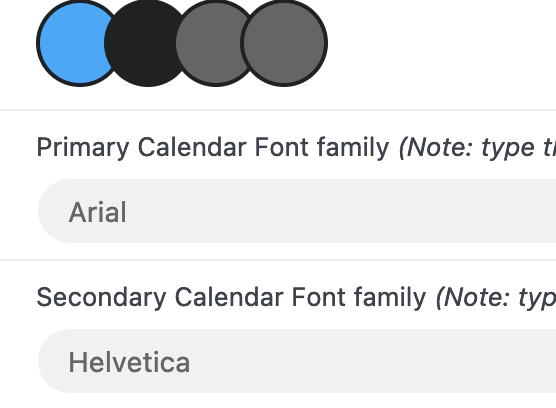
Im using the arial/helvetica font in eventon, the same used by my theme(i hope). And Im not concerned about a specific font being used in eventon. I am concerned with the size being legible so I can maintain lightweight page for speed.
There are nearly 1000 pages effected. How would I specify to make the current font to show in a larger size somewhere in the 16-22 px range?? Where it keeps the formatting uniform as it is now. I like the way it is locking down the size…. its just too small and getting flagged by google.
Also, Im assuming the body font is the problem. The other element on the page with this small of font is the “related events.”
Great! If you have any further questions or concerns please create a new ticket.
Ive built the site a different way by deferring the scripts individually. Instead of using litespeed cache “Guest optimization” feature. So I personally do not need this patch fix anymore.
go to eventon>>>settings>>>>>single events and choose the Select eventTop style (change it to something ese)
or if that doesn’t work try eventon>>>settings>>>>>event top and theres a similar opton there
then clear your cache
no this was never created
However please create a new ticket and select Feature Request as category so others can vote on your idea and get it moved into development faster.
Ashan, is this something to explore, will it boost the frontend shortcodes by not processing so much json in a repeat event ? (i have 300 events, of which 80% have 26 repeats).
Alternatively what about a way that the shortcode result can be cached ?
I am using litespeed, but with or without ajax parameter, it is always a non-cached call
I have invested my skills and customisations heavily in Eventon, i want to stick with it.
Hi guys, I’m really trying to resolve this issue. It’s been several weeks, and we’re still no closer to fixing it. Could we get some help? Thank you!
Hello there,
This option didn’t change anything at all.
Here is the shortcode we are using: [add_eventon fixed_month=”3″ fixed_year=”2023 show_et_ft_img=’yes’ ux_val=”3″]
And here is the added CSS styles we got from your website. We use that so we have lower case writing on the calendar.
.evcal_evdata_row .evcal_evdata_cell h2, .evcal_evdata_row .evcal_evdata_cell h3 { text-transform: none; }
.eventon_events_list .eventon_list_event .evcal_desc span.evcal_desc2, .evo_pop_body .evcal_desc span.evcal_desc2 { text-transform: none; }
.eventon_events_list .eventon_list_event .evcal_desc span.evcal_event_subtitle, .evo_pop_body .evcal_desc span.evcal_event_subtitle { text-transform: none; }
.ajde_evcal_calendar .calendar_header p { text-transform: none !important; }
Was the feature to subscribe to the calendar ever created? This is one of the main reasons I purchased this plugin. I want users to be able to subscribe to the calendar so they get all the updates not have to download the event whenever a new on is added.