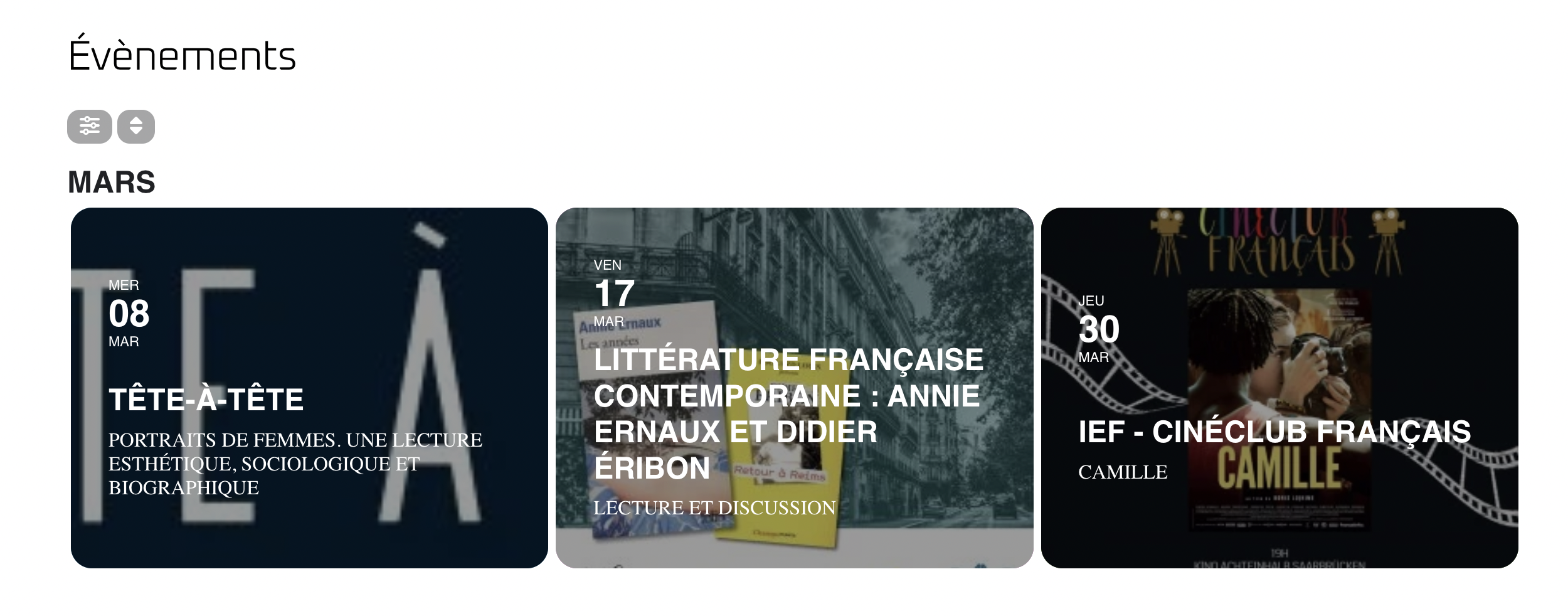
Hello,
a sreenshot from the french Site.
Replies for tickets on suppota
Hello,
a sreenshot from the french Site.
Here you can see the agenda : https://charlottebelhachecommunication.com/tt-essai-artiste-7/. Of the 3 dates, there is one with a button. It is on this one that the layout bug because the title and the address appear on 3 lines. I wanted them to have more space on the right so that they could appear on 2 lines. THANKS
Ah, that’s a cookie blocker, thank you, I disabled it and it works now.
Nevermind, I found it. I appreciate all of your support. Thank you
Thanks so much. It works. So, where do I insert the shortcode to change the styling for next time?
i’d advise using a cache plugin for your site I see you mentioned you used one in your opening ticket however I do not see it on the site
the cache plugins only work when not logged in
even saving the page takes a very long time
Hello, any news on this?
There used to be plugins that would differentiate between desktop and mobile and then someone figured out thats not needed
you simply hide or show content based on the width of the browser
so if you find this css works to hide it
.eventon_sorting_section {
display: none!important;
}
then you want to wrap that css in a width control css
see video below
try using
@media screen and (min-width: 420px) {
.eventon_sorting_section {
display: none!important;
}
}
and play around with that 420 to get the right size you want
and that
@media screen and (min-width: 420px) {
insert your css here
}
is universal so will work with other things you only want to show on mobile but not desktop
there is a search shortcode using the shortcode generator
go into myeventon>>>>settings>>>>shortcodes
set the number of months and you can put that where you wish
You save my live!!!!!!!! Just perfect. Thank you soooo much!
Warm regards Susanne