what is the order ID for this refund?
also what functuality did you require?
Replies for tickets on suppota
what is the order ID for this refund?
also what functuality did you require?
they might not appear in the shortcode generator however
you could add
event_type_2=”123,” etc_override=”yes”
to the weekly view to make it work
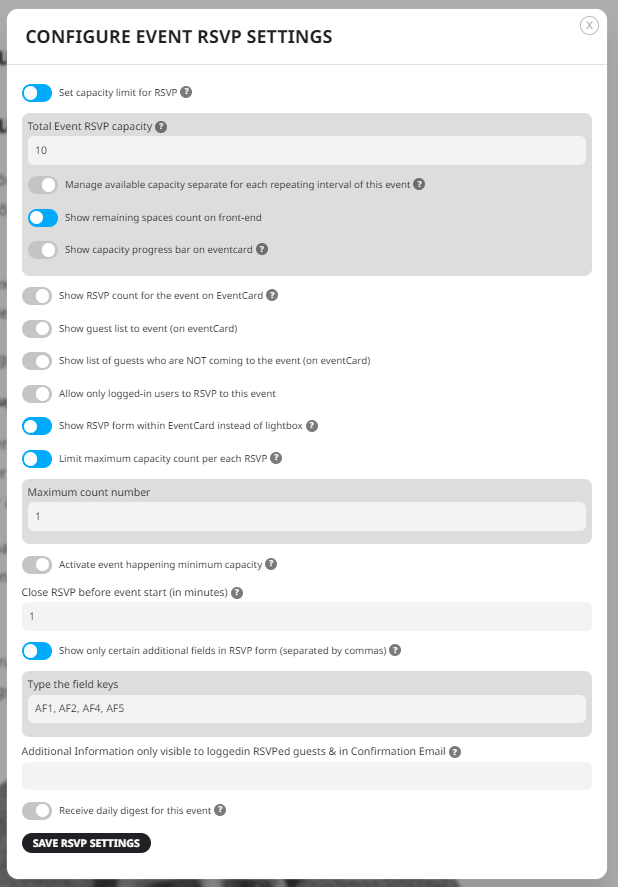
Hi Ashan – we are not using seperate settings per repeat, we are using total capacity for the whole repeat event (as in, we want the same people to show up at all of the repeats in an repeat event).
I can’t log into your site to try and set it up
when I add the password and click login it seems to add more to the password field for some odd reason
Any update about this ticket?
Posted 5 days ago.
Thank you.
No. I am not using the featured events option.
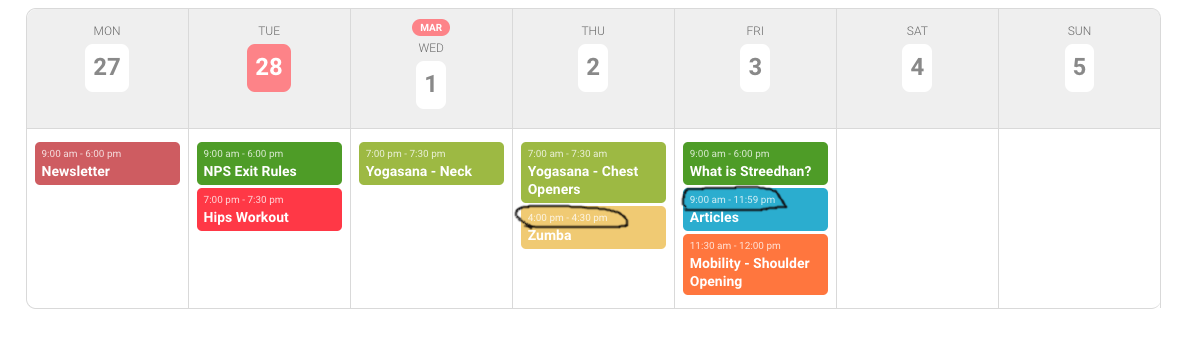
we are currently using the weekly view add-on week style 1 & table style 1. In this layout, we want hide the specific event time. It’s possible ?
Please refer the shortcode & attachment image.
[add_eventon_wv event_type=”160,” disable_week_switch=”no” hide_events_onload=”yes” members_only=”yes” ux_val=”3″ week_incre=”+0″ week_style=”1″ table_style=”1″]
Pretty much so. They should be able to post their events on their region site through the standard EventOn management, that then automatically updates the calendar on the national site.
Hi
Are there any more thughts on this?
Thanks
Hi Artem,
Thanks for getting back to me, and for showing how to display the recorded stream.
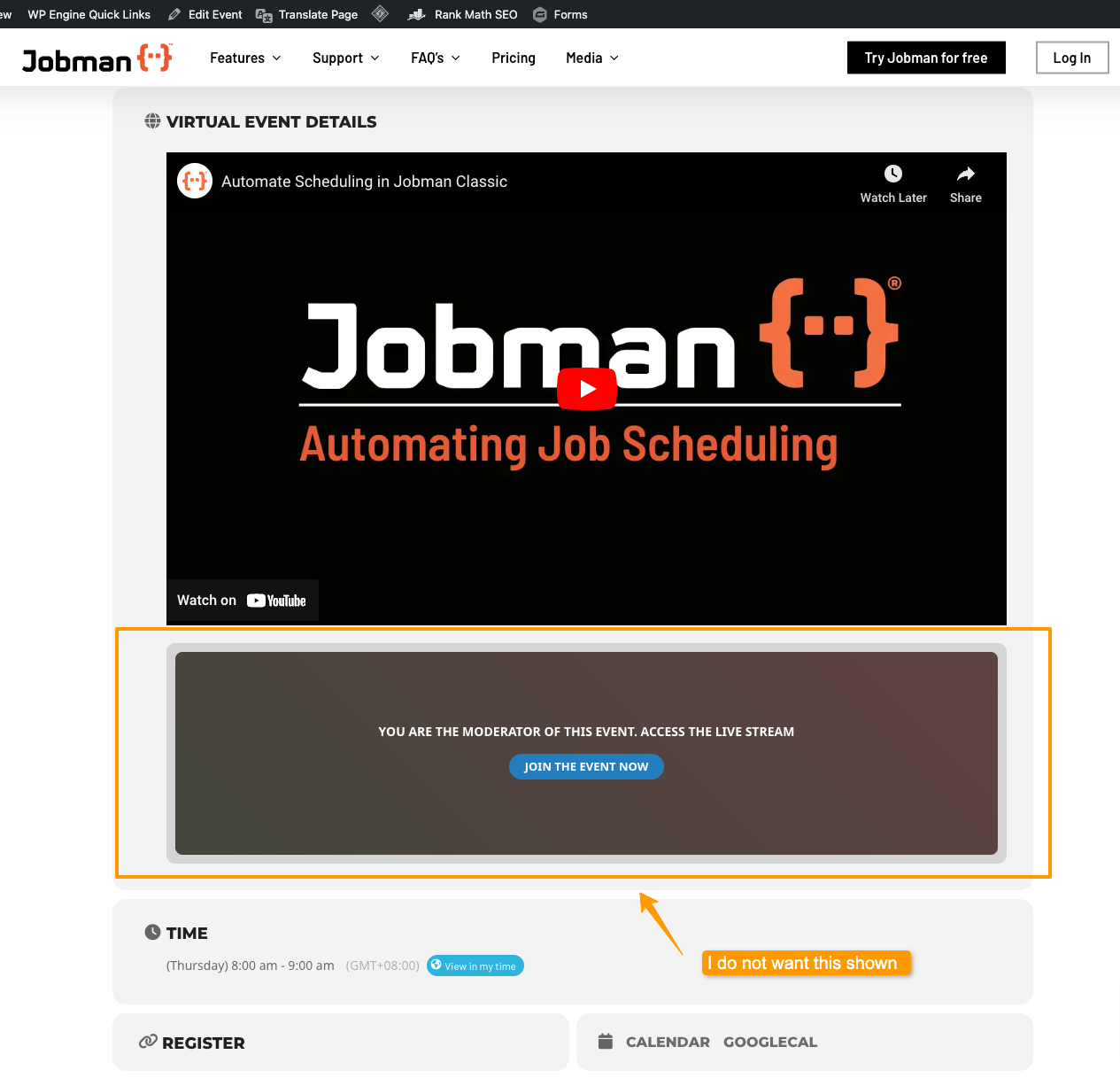
However the solution you provided is not what I’m after — I don’t want to show the “live stream” box for the event. Adding a live event URL is not suitable after the webinar has completed, it makes an extra box that should not be shown. Also when clicking on that box, it takes the user somewhere else, which we don’t want.
I just want to show the youtube recording after the event has been completed. Is this possible please?
see video
might be something as simple as clearing your browser cache
Firefox uses the same engine on all platforms.