Hello,
Please go to EventON > Action User > Form Settings > enable Hide existing items list for both Location and Organizer.
Replies for tickets on suppota
Hello,
Please go to EventON > Action User > Form Settings > enable Hide existing items list for both Location and Organizer.
Event Timezone was set to 0:00:
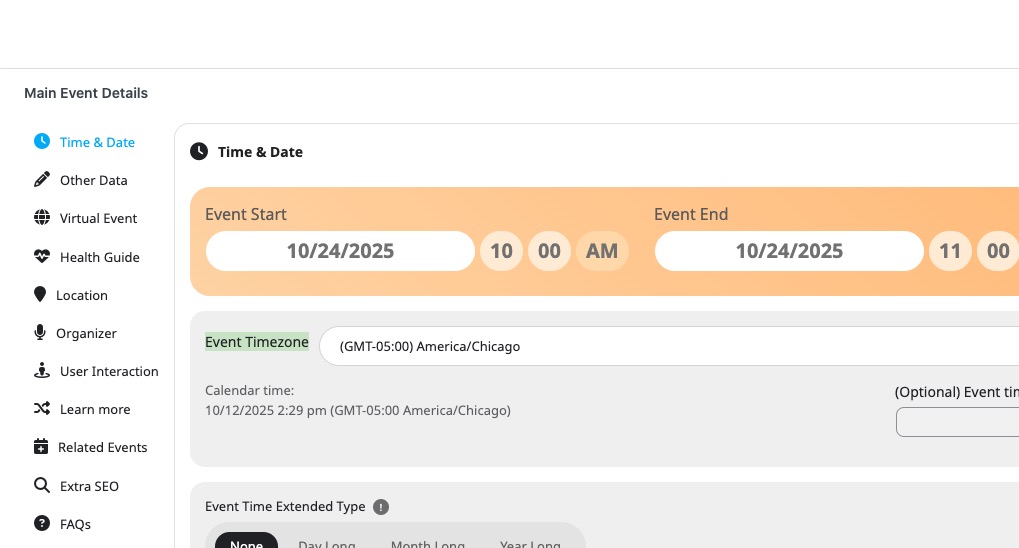
I changed it to -5:00 and the time is correct now. Please check and let me know.
Hello,
Could you please update RSVP add-on to the latest version and then check again?
To update eventon addons: You can download latest eventon addons from myeventon > my account. Then you can go to your website, deactivate old addon and install new one and activate then delete the old addon. This link will further explain the process. Also you can follow us on twitter to get real-time announcements on updates!
For example, in this event Location Address isn’t full enough for EventON to generate Lat/Long values:
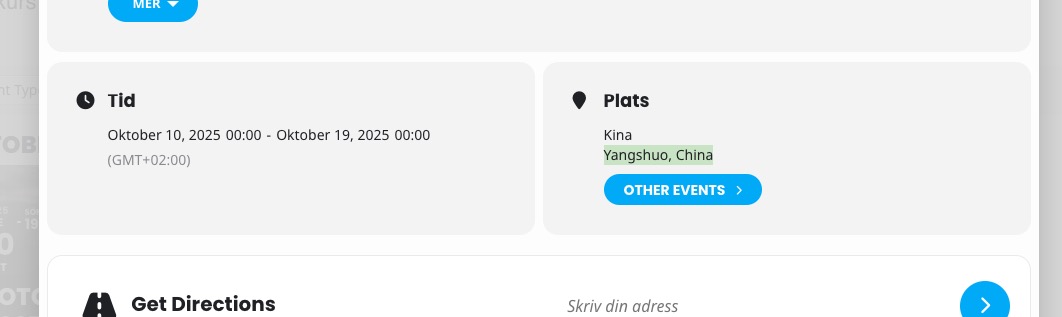
Is it possible to also add Street Name and Postal Code?
Could you show us SEO scan results?
Thanks for your tip before. It worked.
There seems to still be some things not working, like the map is not showing https://masterfoto.se/fotokurs-kalender/
on events. Not sure how to proceed with this?
I did a SEO scan and i got some erorors om missing scripts from EventOn, not sure how to proceed with this either?
Having looked at the Feature list for the new Version 5, I see that this is actually a new addition. That’s super, but unfortunately the Duration shows *regardless* of whether it is switched on or not!
Apologies for the further update but I have had to revert to a backup of Action User to restore functionality for my site visitors. I have now deployed all updates to my dev site and you can log in with the same access info credentials here:
https://dev.whatsoninfaringdon.com/login
The same credentials will work if you need to log into the live site.
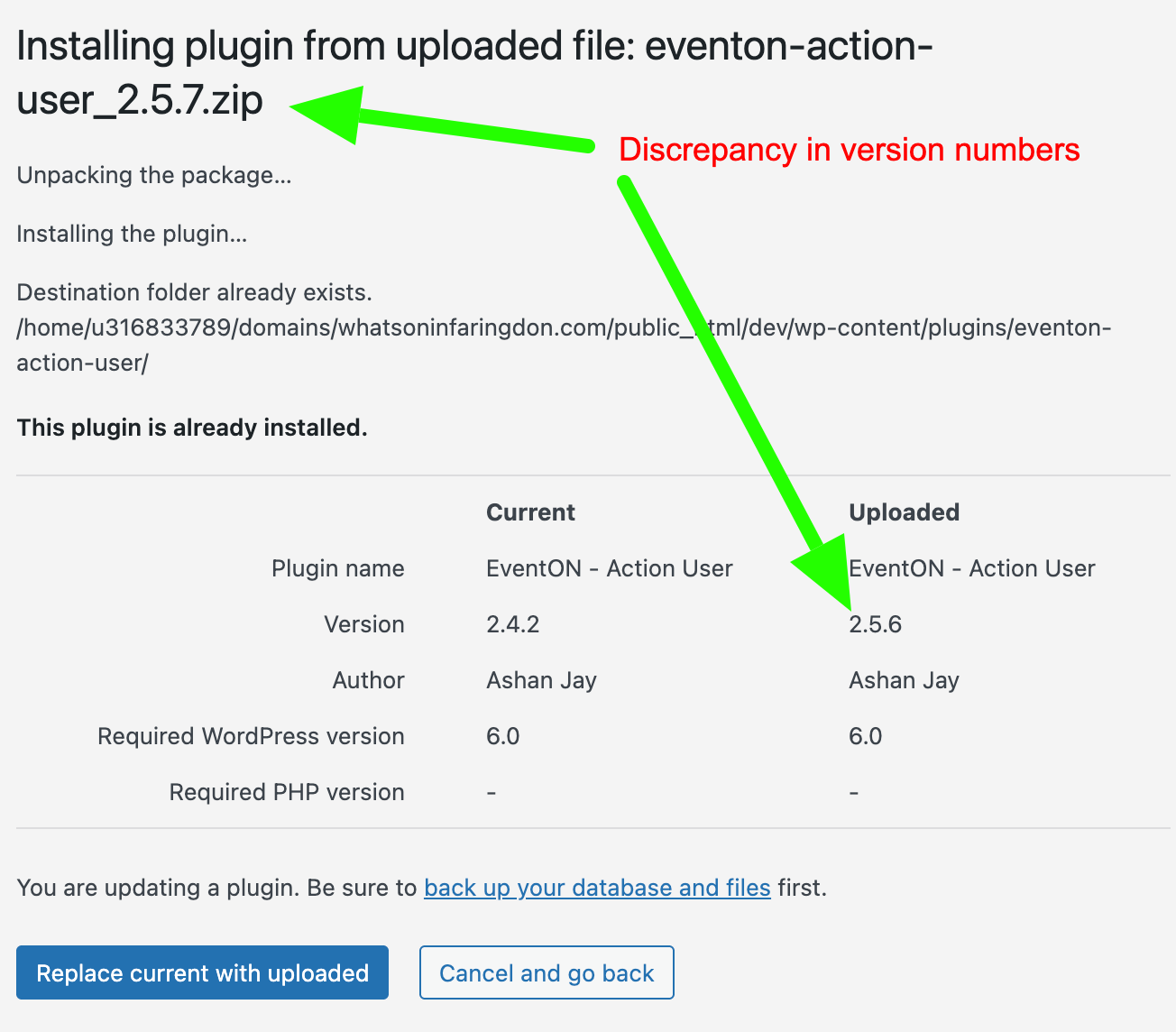
I have also added a screenshot below showing you the discrepancy in the version numbers when uploading 2.5.7 but only seeing 2.5.6 installed.
For the record, I have now tested the site with “Twenty Twenty-Five” theme and only EventON and Action User plugins enabled (all other plugins deactivated) and the problem still persists. The lightbox view of the Action User “Add event” form does not display properly. The lightbox appears but the only contents are:
I added a username and password for you. I did check the time settings, and it is correct.
For Google it’s very important that events have assigned locations. So please add them using EventON’s Location to fix the issue.