Hello,
This code changes the font-weight of titles:
.eventon_list_event .evoet_cx span.evcal_event_title, .evo_metarow_ICS .evcal_evdata_cell p a, .evo_metarow_learnMICS .evcal_col50 .evcal_evdata_cell p a, .eventon_list_event .evo_metarow_locImg p.evoLOCtxt .evo_loc_text_title, .evo_clik_row .evo_h3, h2.evo_h2, h3.evo_h3, h4.evo_h4, body .ajde_evcal_calendar h4.evo_h4, .evo_content_in h4.evo_h4, .eventon_main_section #evcal_cur, .ajde_evcal_calendar .calendar_header p.evo_month_title, .eventon_events_list .eventon_list_event .cancel_event .evo_event_headers, .evo_pop_body .evo_event_headers.canceled, .eventon_events_list .eventon_list_event .evcal_list_a .evo_above_title span, .evo_pop_body .evcal_list_a .evo_above_title span, .ajde_evcal_calendar .evcal_month_line p, .ajde_evcal_calendar .evo_footer_nav p.evo_month_title, .evo_eventon_live_now_section h3 { font-weight: 400 !important; }
Add it to EventON > Styles.
Now please go to EventON > Appearance > change fonts with Primary Calendar Font family.
Also on the same page, go to EventTop > change Event Title font color.
When done EventON > Scripts & Styling > turn off Write dynamic styles to header > save settings > turn on Write dynamic styles to header.
Ashan,
The same on dev2:
https://dev2.myeventon.com/wp-admin/post.php?post=32924&action=edit
Hello,
Thank you for your messages, I am going to assign this ticket to Ashan and he will be able to take it from here and find you a solution. Please allow some time for him to get back to you, we greatly appreciate your patience and thank you for being a eventon customer! Also please disable any IP blocking on your site if there are any.
Hello,
Please update to 4.3.4.
To update eventon to latest version: If you are unable to do autoupdate, you can go to codecanyon your account > download and get the latest eventon version as zip file. Then you can go to your website > make sure “Delete eventon settings & data when EventON is uninstalled” is Deslected from eventon settings, delete old eventon, install new one and activate. This link will further explain the process it. Also you can follow us on twitter to get real-time announcements on updates!
Hello,
I cannot access wp-login.php page. It redirects me to 404. Could you check?
No issues with cal_init_nonajax on our test site:
https://dev2.myeventon.com/test-37/
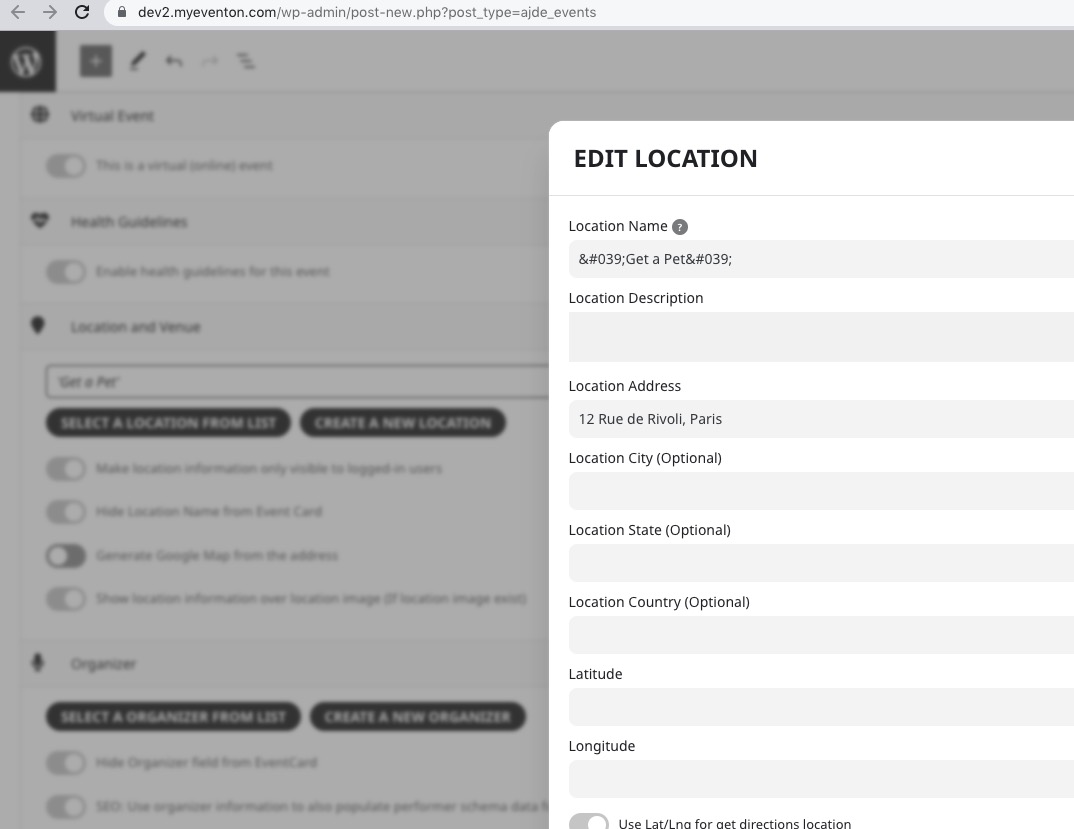
1. I think I fixed the issue. There was a single quote that shouldn’t be there, so I removed it:
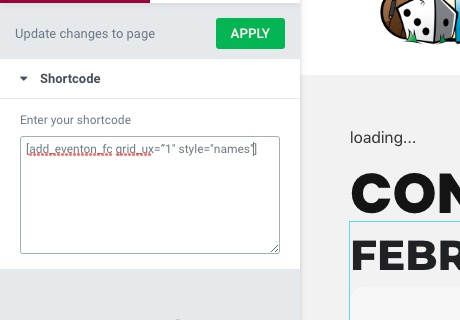
 2. Please add this CSS code to EventON > Styles (If you don’t see any change, EventON > Scripts & Styling > turn off Write dynamic styles to header > save settings > turn on Write dynamic styles to header):
.evofc_months_strip.names .eventon_fc_days .evo_fc_day.has_events span i { font-size: 12px !important; }
Hello,
1. Thank you for your messages, I am going to assign this ticket to Ashan and he will be able to take it from here and find you a solution. Please allow some time for him to get back to you, we greatly appreciate your patience and thank you for being a eventon customer! Also please disable any IP blocking on your site if there are any.
2. Lets fix 1, so we can take a look at the calendar and give you CSS code.
Hello,
I added more code to Styles, so it should work now. Please check and let me know.
Hello,
All Event Tickets search only supports Ticket ID. If you need advanced search, please go to wp-admin > WooCommerce > Orders.
We are glad your issue is resolved, if you have any further questions or concerns please create a new ticket.
If you have a moment, we would greatly appreciate if you could kindly leave us a review at codecanyon! from your account > downloads. Cheers!