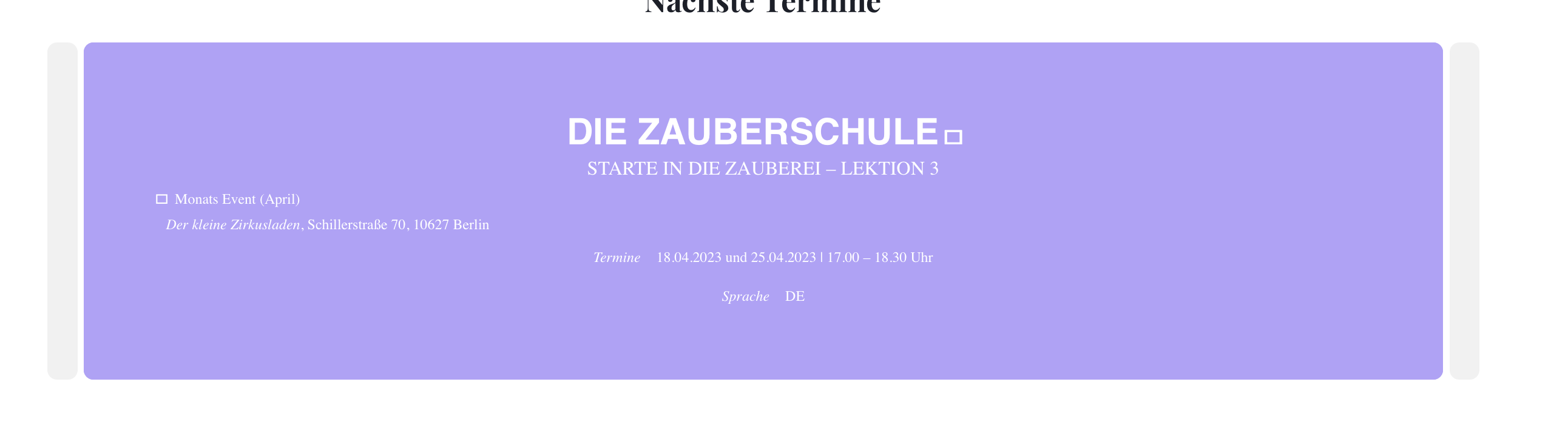
I have one more request. Some time ago I talked with the support about your centering of the text in the slider. (See screenshot). Due to an update this seems to have disappeared again. I have inserted the code at that time in EventOn – Style. Maybe you can help me there briefly that this is centered again.
I tried around some more. In the process I found out. The plugin EventOn Virtual Plus causes the problem.
I have deactivated and activated the individual plugins accordingly.
The problem appears when activating Virtual Plus.
Maybe this helps a little 🙂
Hi Kenneth
I added the code as described and used hex {color:#000000;}. Turned off write styles to header. I also cleared the performace cache of the site and the cache in my browser. But the title and subtitle is still white in single window.
Hans

Thanks for the video and testing.
That is strange. I have all EventOn plugins enabled. As a test page I used the page “Philipp Manuel Rothkopf”. When I insert the separator comes this thick light gray bar (see screenshot). As soon as I deactivate EventOn completely, the normal bar appears as in the video.
However, I have recently also the problem that I can not insert photos. There are photos on the page. I had to disable everything for this though. In Firefox, however, I have the option to insert photos (I normally use Safari). However, this does not work with the separator.
I hope I could explain this a little better
Hi Nya,
Use the code below to change the color
.single-ajde_events .evcal_event_title, .single-ajde_events .evcal_event_subtitle, .single-ajde_events .evcal_time, .single-ajde_events .evo_tz_time, .single-ajde_events em.evo_endday{color:#000;}
Please add the custom CSS code to “EventON Settings > Styles” and save changes. If you do not see the new style changes, Go to “EventON Settings > Styles & Scripting > Turn off write styles to header” Click save changes – to write the styles css code direct into page header. You can turn this off once the cache is cleared.
Just updated to the latest version. Everything seems to work fine now. Thank you for fixing it this quickly.
After a few additional test I found out that the issue was related to the following line inside the functions.php of the theme.
date_default_timezone_set('America/Montreal');
We have a custom template for this page so I added date_default_timezone_set(‘UTC’);
directly in the page and it does fix it, but I would like to see if there’s any alternative.
Thank you for your time

Sorry missed first reply. I am using latest version, thnaks
