Thank you for your messages, I am going to assign this ticket to Ashan and he will be able to take it from here and find you a solution. Please allow some time for him to get back to you, we greatly appreciate your patience and thank you for being a eventon customer! Also please disable any IP blocking on your site if there are any.
Archives: Replies
Replies for tickets on suppota
Reply to: tickets(306447)
I cannot find event_tag in your shortcode.
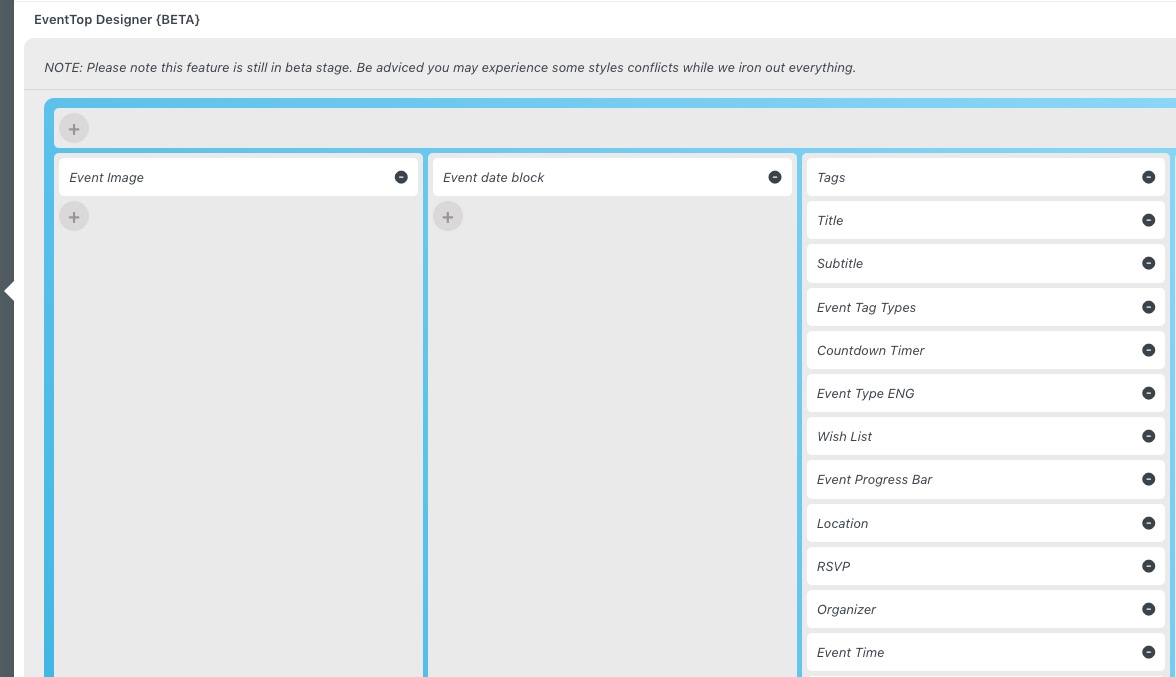
Please go to EventON > EventTop > arrange everything like this:
Reply to: tickets(306600)
Hello,
Could you update EventON to 4.2.2 and DailyView to 2.0.5?
!!! Before updating make sure to backup your server.
To update eventon to latest version: go to codecanyon your account > download and get the latest eventon version as zip file. Then you can go to your website > make sure “Do not delete eventon settings when I delete EventON plugin” is Selected from eventon settings, delete old eventon, install new one and activate. This link will further explain the process it (please note that the link is for 4+ version). Also you can follow us on twitter to get real-time announcements on updates!
To update eventon addons: You can download latest eventon addons from myeventon > my account. Then you can go to your website, deactivate old addon and install new one and activate then delete the old addon. This link will further explain the process. Also you can follow us on twitter to get real-time announcements on updates!
Reply to: tickets(306437)
We are glad your issue is resolved, if you have any further questions or concerns please create a new ticket.
Reply to: tickets(306275)
We are glad your issue is resolved, if you have any further questions or concerns please create a new ticket. If you have a moment, we would greatly appreciate if you could kindly leave us a review at codecanyon! from your account > downloads. Cheers!
Reply to: tickets(306451)
Hello,
I’ve tried all logins and passwords and none of them worked. Please check them and post the correct login information as a private message, thank you!
Reply to: tickets(306200)
When I try to access this product, it redirects me to the homepage:
https://candlelightguitar.com/wp-admin/post.php?post=3401&action=edit
Could you send us a link to a product page?
Easy Pay is enabled on my checkout because I am using Korea for Woocommerce plugin.
I also installed and enabled Korea for Woocommerce plugin. Do we also need to register somewhere, or enabling all of these settings https://helpdeskx.s3.amazonaws.com/wp-content/uploads/2023/02/09123644/Screenshot-2023-02-09-at-20.36.03.jpg should show the payment method?
I am supposed to be launching my sales in 2 days
We understand this. Just need to be able to recreate this on our test server, so we can fix the issue.
Reply to: tickets(306200)
Have you tried this:
Could you try the same with a regular WooCommerce Product?
Yes, I tried with a regular product and I do not have this error.
I also tested with an EventOn event which does NOT use the seat selection plugin, and I did not experience this error.
This ONLY occurs when using the Seat Selection plugin. This will cause a lot of issues for my customers, for ecample, many people start using one payment method then change their mind because they can’t find their credit card. Or they realise they don’t have funds on the payment thod they chose so wish to use another method. If this happens, they will not be able to complete their purchase. Here is a screen recording showing the problem in detail:
https://www.loom.com/share/5c8211b587c3441a81b9317636dec76a
I am supposed to be launching my sales in 2 days
Reply to: tickets(306200)
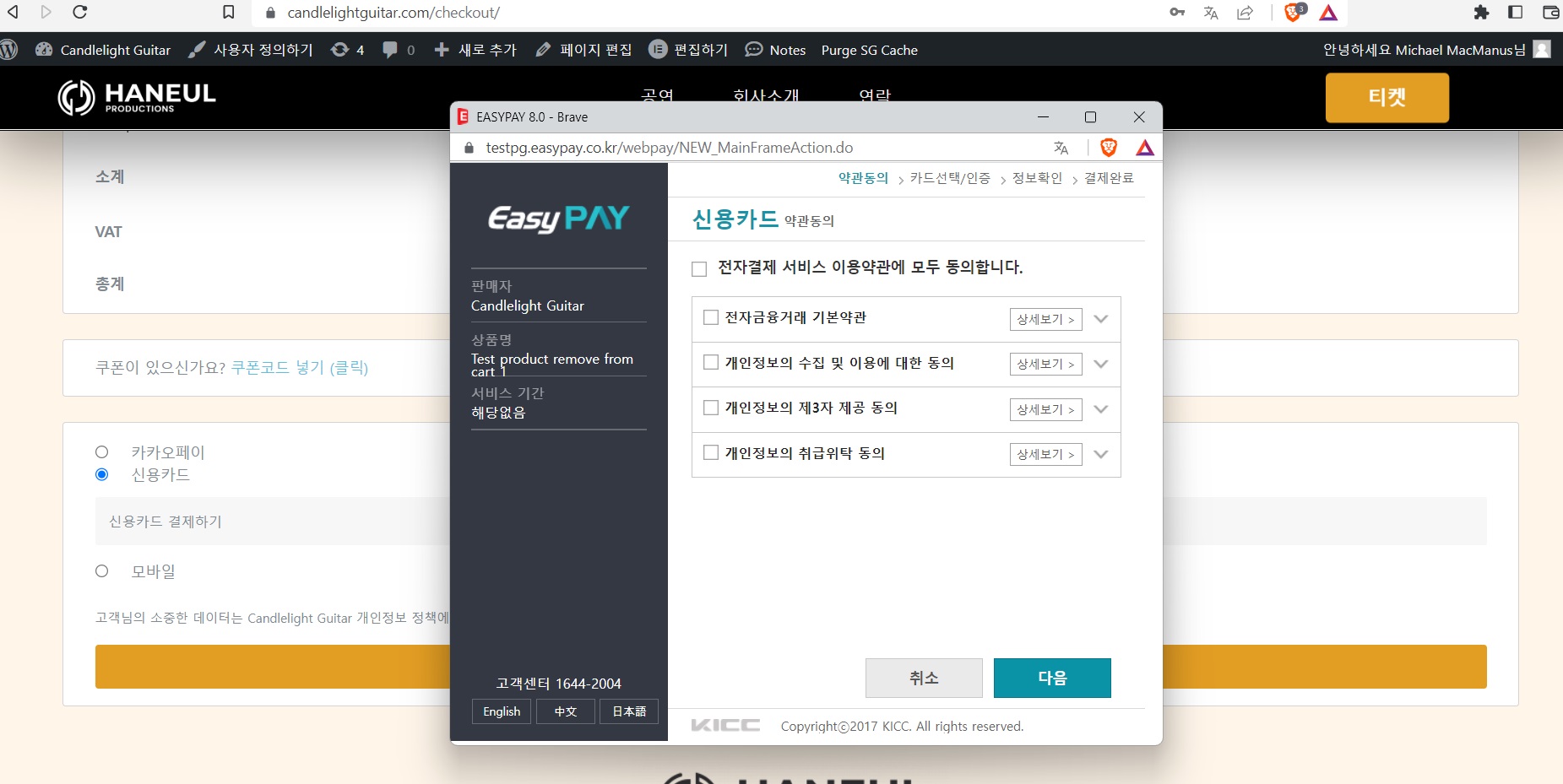
When I click the orange pay button at the bottom, this then loads EasyPay:
Reply to: tickets(306200)
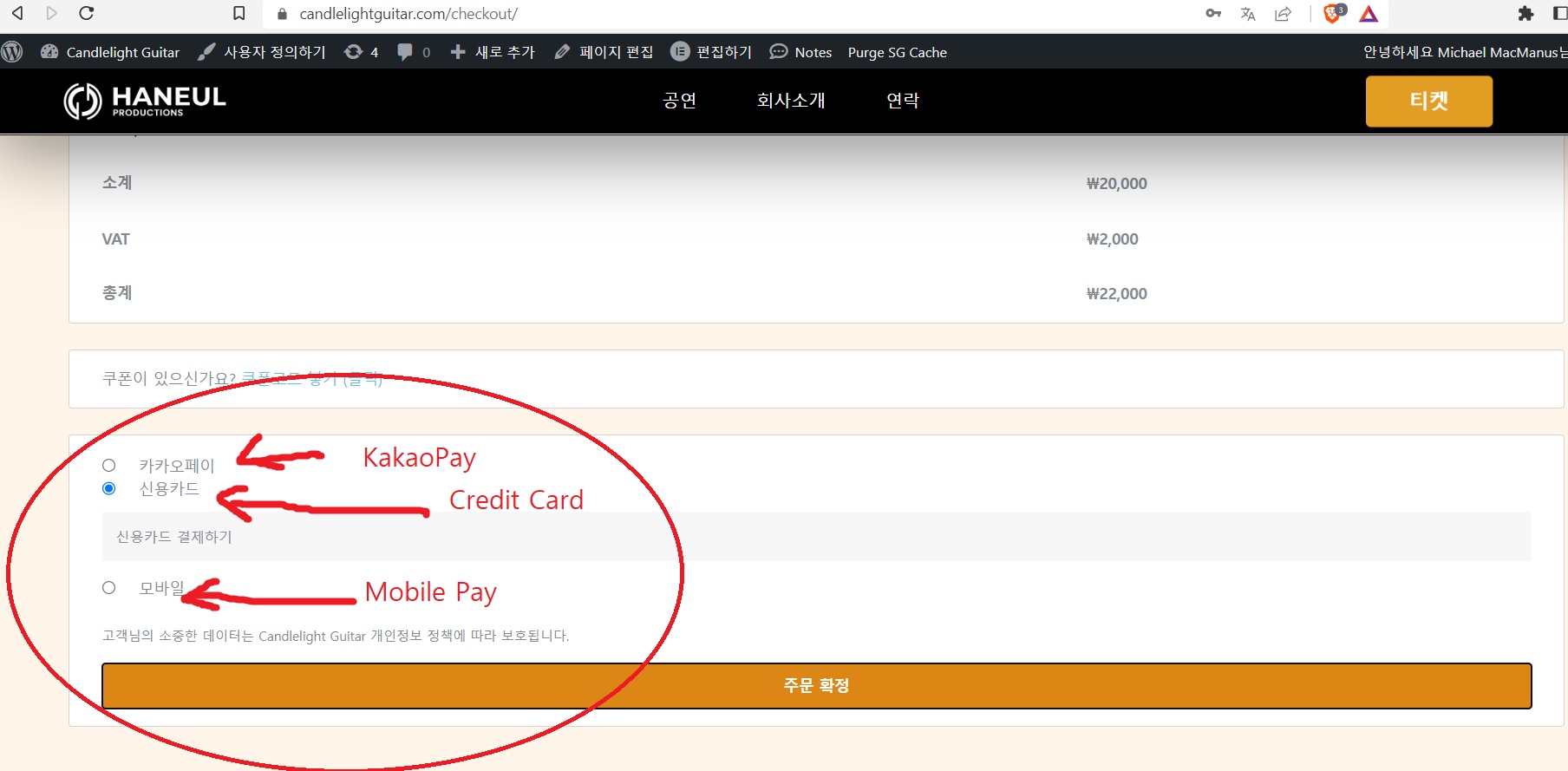
Easy Pay is enabled on my checkout because I am using Korea for Woocommerce plugin.
Easy pay is the only payment gateway enabled on my checkout and it is what you see in this screenshot: