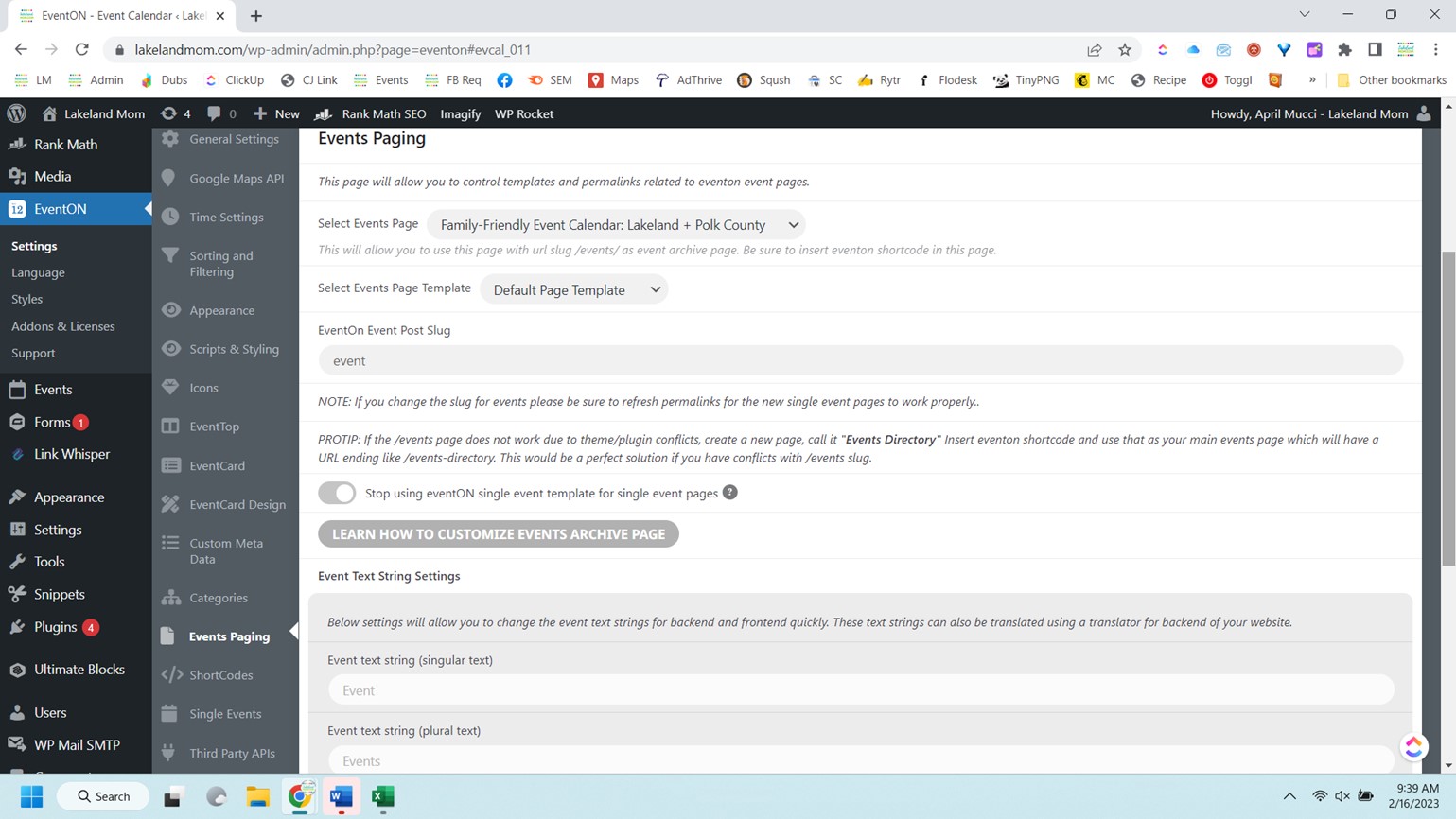
Thank you for your prompt response. I already use this setting:
Also go to EventON > Events Paging > Select Events Page Template: Default Page Template to stop showing events.
I’m familiar unindexing pages, that isn’t the issue.
Is lakelandmom.com/event/ a page automatically generated by the EventOn plugin? If so, I assume there is no way to access the settings for this page? I don’t want to risk adding lakelandmom.com/event/ via robots.txt and blocking all of my events from being indexed. That is what I’m trying to determine.
Screenshot below of my settings.
The “Family Friendly Event Calendar” page I’ve selected as my Select Events Page has the slug https://lakelandmom.com/calendar/
I upgraded to version 4.3.3 and the view of the information inside the events already looks correct, besides what I asked yesterday regarding the main calendar view, I would like to know what compatibility the plugin has with the “Dark Mode”, is there any way to also change the colors of the events when the “Dark Mode” is activated?
Did you install the latest update? I just did and I’ve also lost the ability to sort and filter. My shortcodes with filters also stopped working.
You cannot simply state that you have consciously chosen to not use universal standards in order to appeal to a wider audience as this is a complete contradiction in terms.
On more than one occasion the import plugin has simply failed to understand the non-standard formatting you insist upon forcing users to utilise and posted events to 2024 rather than February 2023.
I will be more than happy to provide evidence of the plugin’s failings due to poor design decisions, the next time I import events.
Hello,
There is a new version 4.3.3 available that fixes Custom Meta fields. Could you update?
To update eventon to latest version: If you are unable to do autoupdate, you can go to codecanyon your account > download and get the latest eventon version as zip file. Then you can go to your website > make sure “Delete eventon settings & data when EventON is uninstalled” is Deslected from eventon settings, delete old eventon, install new one and activate. This link will further explain the process it. Also you can follow us on twitter to get real-time announcements on updates!
I understand that 24H and UTC are standards, as well as 12H. But we just want a wider audience to be able to use our products as easily as possible.
Plus we know for sure that WP can take US + 12H and turn it into any format a user want from wp-admin > Settings > Date/Time Format.
We are glad your issue is resolved, if you have any further questions or concerns please create a new ticket.
If you have a moment, we would greatly appreciate if you could kindly leave us a review at codecanyon! from your account > downloads. Cheers!
Mauro Santinato,
We are glad your issue is resolved, if you have any further questions or concerns please create a new ticket.
If you have a moment, we would greatly appreciate if you could kindly leave us a review at codecanyon! from your account > downloads. Cheers!
cannot access you site –
This site can’t be reached
flmjexpo.com took too long to respond.
Try:
ERR_CONNECTION_TIMED_OUT
Please send us wp-admin access to your site as a private message for us to further assist your situation.