Hello,
You can use the shortcode below
[add_eventon_list tiles=”yes” tile_count=”3″ number_of_months = “6” tile_bg=”1″]
Replies for tickets on suppota
Hello,
You can use the shortcode below
[add_eventon_list tiles=”yes” tile_count=”3″ number_of_months = “6” tile_bg=”1″]
We are glad your issue is resolved, if you have any further questions or concerns please create a new ticket.
Can the “learn more” link label be edited?
The shortcode can be placed on the following page
https://conexionespacial.com/calendario/
User: Test
Password: Test2023*
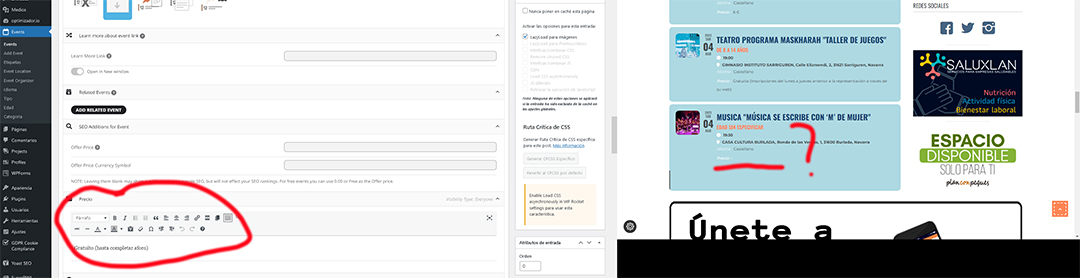
Great thank you.
I will change CSS myself, it is ok.
Thank you.
Lukas
Please send us wp-admin access to your site as a private message for us to further assist your situation.
Thank you for the info. I have changed your access to administrator so you should have full access now. The layout breaks even when the RSS add on has been deactivated, so I don’t think it is related to that plugin. The update to the main eventON plugin is what has caused the Event page layout to change. Just not sure how to get the old layout back. I have also updated the RSS plugin to the latest version. Any insight would be greatly appreciated on how to fix the layout. If not, am I able to revert back to an older version of the RSS add on for now? Where can I download older versions of the RSS plugin? Thank you.
https://www.burtoncummingstheatre.ca/events/an-evening-with-bruce-cockburn/ (prod site – event page)
https://bct.tnse.dev/events/an-evening-with-bruce-cockburn/ (dev site – event page – BROKEN – layout, structure, and header are all gone, font is different – login info below to view)
https://bct.tnse.dev/wp-admin (dev site login url – hover over site title in the left corner after logging in and click Visit Site)
user: eventon
pw: RxG%Tf%pX97G
personally i always add the shortcode to the text widget and it seems to work where as the widgets sometimes work
there might have been an auto update of a plugin that might cause a conflict . could be a slight server change .
those 3 lines that appear were the loading animation – so it had trouble loading eventon- seems to work now
I couldn’t tell you why it stopped working without knowing the server set up other than on some websites the eventon elementor widget works and sometimes it doesn’t and I prefer to have it working all the time so I just add the shortcode to a text widget.