it appears you have added custom css to make the event top dark- which makes the black text you have set unreadable
Archives: Replies
Replies for tickets on suppota
Reply to: tickets(306975)
see this page has the 3 different tiles on it
https://www.cirkusbase.cz/eventon-test/
choose the shortcode you wish to use
Reply to: tickets(305618)
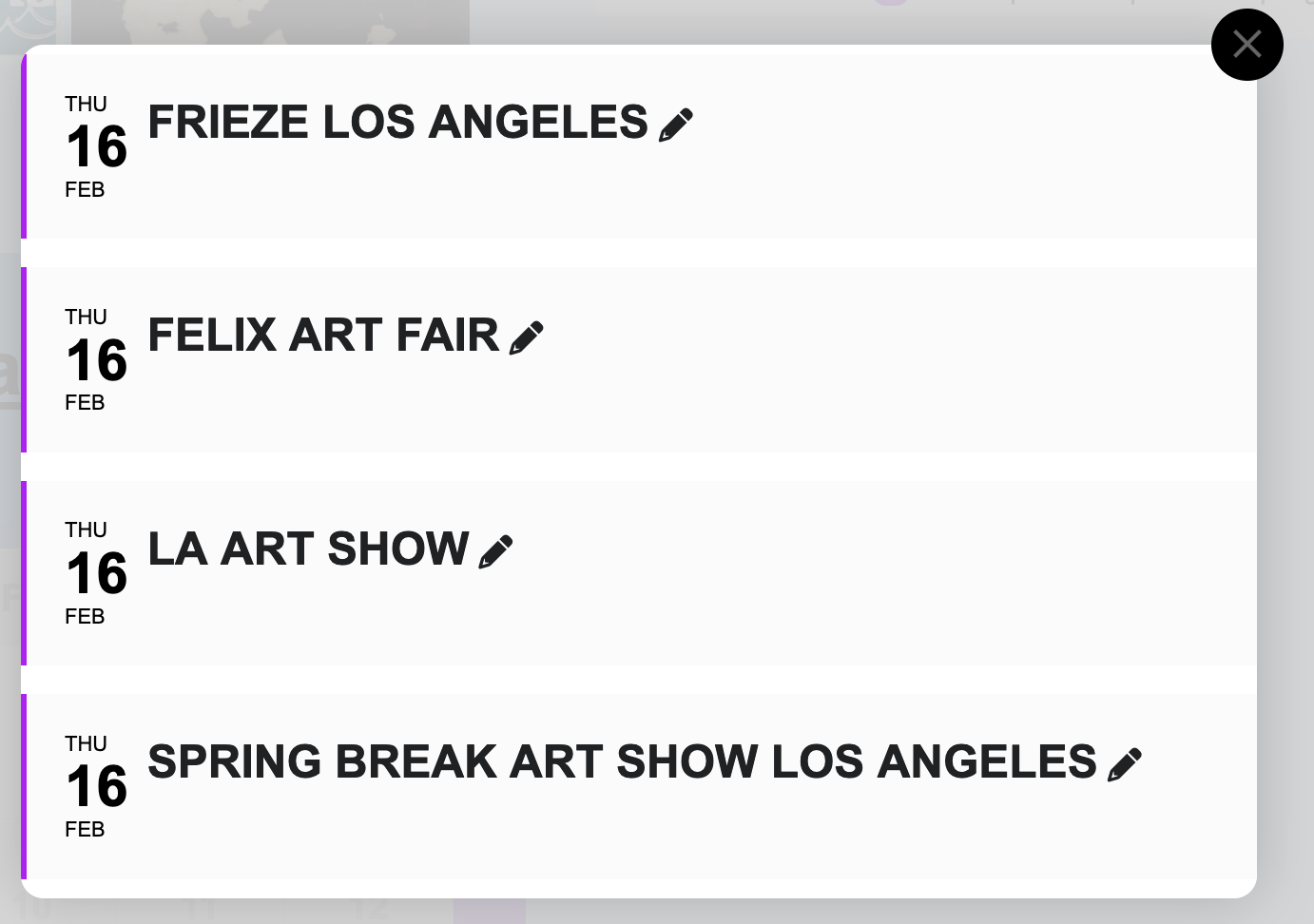
This is the lightbox in the calendar. and it doesnt show the duration on any of these events, on the event top in the way your photo shows “Feb 01- 02”
Reply to: tickets(306958)
Many thanks for your speedy response. I wonder why the elementor shortcode widget was working fine until a few days ago?
Reply to: tickets(305797)
It’s been a week since I brought this issue to your attention. Are there any news yet? Can this be fixed?
Reply to: tickets(306955)
Solved: it was a caching issue caused by Hummingbird pro.
Reply to: tickets(305886)
I’m having the same issue. It also seems to be adding a huge empty space when using the tile layout – you can see it under Featured Events at https://lakelandmom.com/calendar/.
I tested this to be sure it was related – when displaying a new event created since the 4.3.0 update, there is a large empty space. When I removed it as a featured event, the tile size went back to normal.
Reply to: tickets(306871)
Ok, could you help me with the shortcode to make the main calendar look like the one in the image?
Reply to: tickets(304578)
Hi Artem,
in this case it will only show 1 or 2 events per day… and it’s always the same. Also the marker for the number of events will show 1 or 2 events instead of 4,5,6,7 ….
Reply to: tickets(300126)
Hello,
I understand this, however that is not what I am asking – we would like clicking on a date to go to a URL and skip the step of loading the list below. So in our case clicking on the date takes the user to a page to buy tickets.