Hello,
Please go to EventON > Scripts & Styling > turn on Write dynamic styles to header.
Replies for tickets on suppota
Hello,
Please go to EventON > Scripts & Styling > turn on Write dynamic styles to header.
Hello,
Please add this CSS code to EventON > Styles (If you don’t see any change, EventON > Scripts & Styling > turn off Write dynamic styles to header > save settings > turn on Write dynamic styles to header):
.ajde_evcal_calendar.boxy.boxstyle2 #evcal_list .eventon_list_event .evcal_desc span.evcal_event_title, .ajde_evcal_calendar.boxy.boxstyle2 #evcal_list .eventon_list_event .evcal_desc span.evcal_event_subtitle { overflow-wrap: break-word; word-wrap: normal; overflow: visible; white-space: normal; text-overflow: unset; }
Ashan will respond ASAP. As a temporary solution please downgrade to 4.2.2:
https://helpdeskx.s3.amazonaws.com/wp-content/uploads/2023/01/20051245/eventON-36.zip
Upgraded to the latest version from today. I disabled the caching plugin but the issue still persists. It is getting exceedingly difficult to manage events, large portions of event information are getting lost or inaccessible for editing. Please assist asap.
Hi there,
Any progress here, do you locate the issue?
Thanks
Thanks! Did the Job.
I should have thought of that myself..
Hi,
In the plugin eventon settings I have the colors for Featured Events Tag and Postponed Tag, but in Front Office colors or tags do not show. For a better idea I attach pictures.
Vita
I am sorry I do not understand- perhaps type in your native language and I’ll run it through a translator
this is a bug confirmed on the dev site
I’ll alert ashan to this error
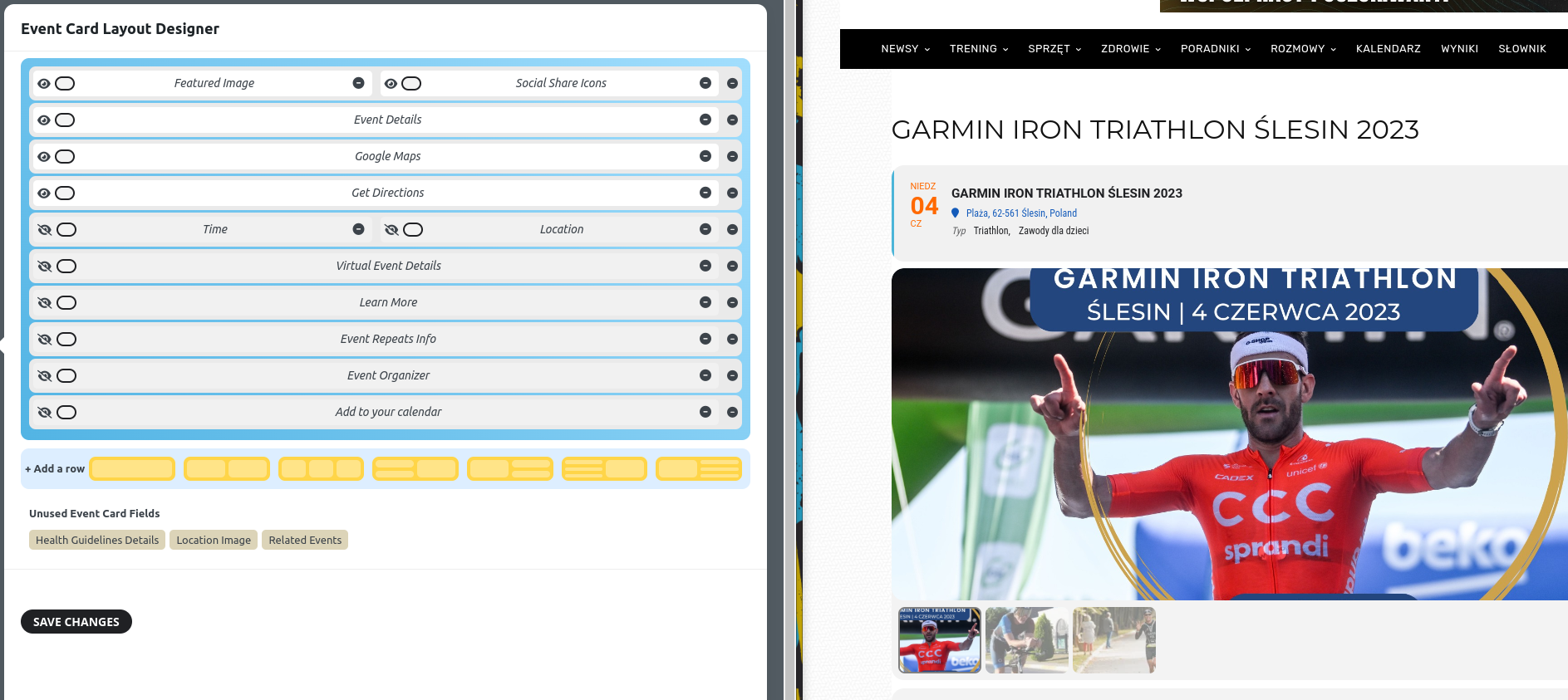
current layout, no social icons showing, photos are showing and this is not expected as photos addon is disabled. All of this after clearing cache everywhere, and as mentioned above.